Overview
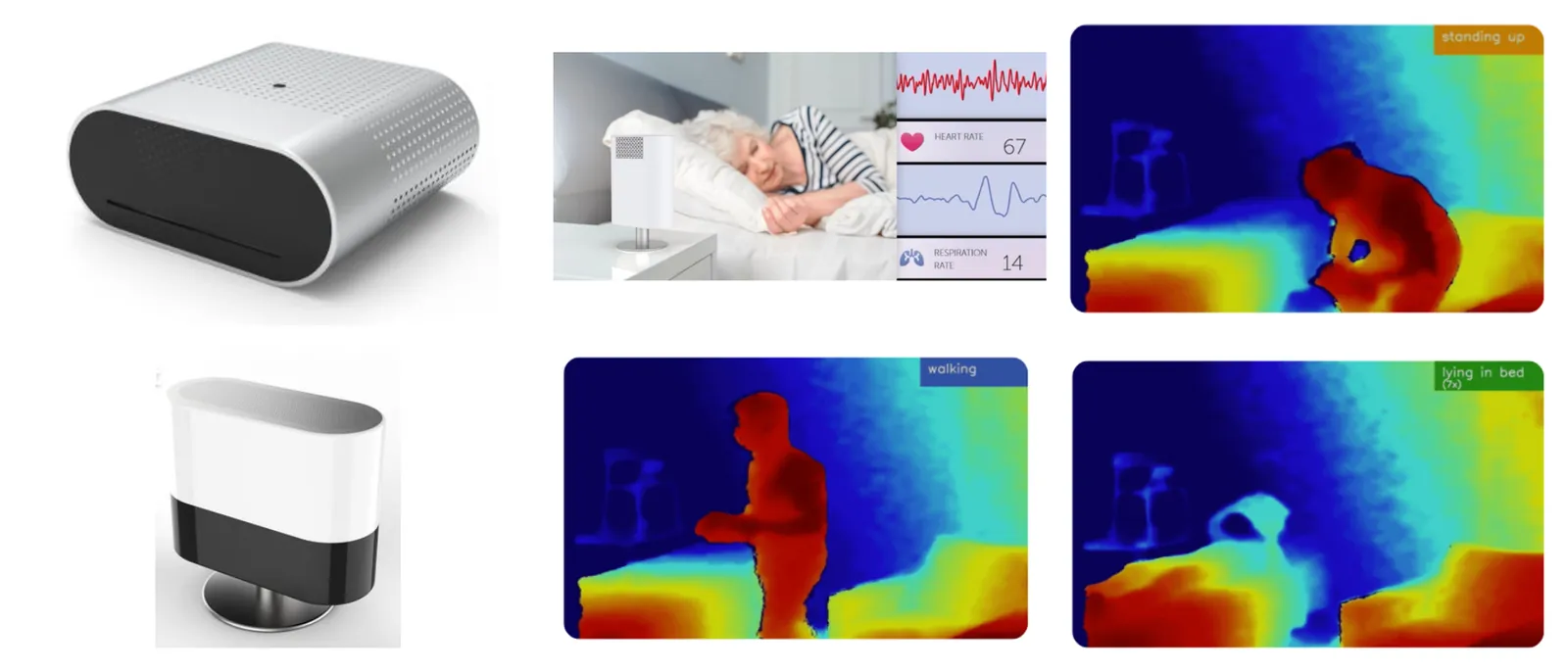
DawnLight is a Stanford-founded AI startup backed by NVIDIA and Sequoia Capital, using computer vision to monitor patient health in hospital settings. The same technology held clear potential beyond the clinic, especially for families managing dementia at home, where continuous oversight is difficult and exhausting. Spatial Dynamics was tapped to help realize what a consumer product could look like.
I led the research, strategy, and design of LumiMate, resulting in a privacy-conscious home monitoring system built to give caregivers greater awareness while preserving patient dignity.
Three things that made this project difficult.
- This project occurred during the height of COVID, making user testing and in person collaboration hard.
- Dementia is an extremely difficult condition so we had to take great care when interviewing caregivers about their experience.
- AI was not mainstream yet, so funding was relatively low for this project.
Research
We ran six caregiver interviews across dementia, Parkinson's, and ALS. Alongside that, we reviewed a handful of case studies that had been done previously, and experiences found online. The interviewees were all caregivers of a family member. We noticed that all of these caregivers had a distance they were willing to be from the person, and that distance grew or shrank depending on how the day had gone so far.
"If he's in the room, you can't concentrate on what you're doing, and if he's out of the room you think, what's he doing? You worry about what he's getting into."
Caregiver interviewed by VICE, on her husband
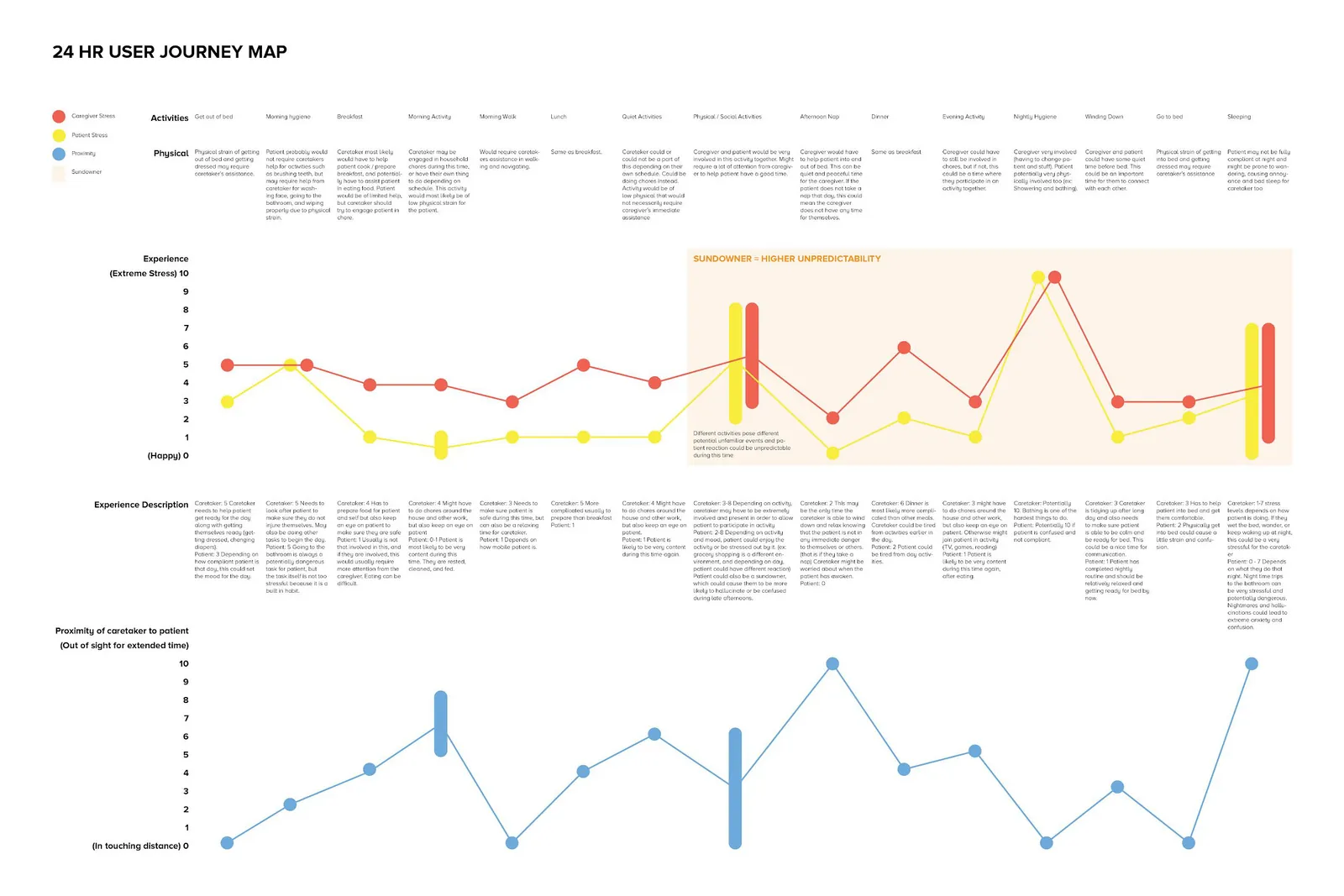
We mapped a full 24 hours of caregiving, hour by hour, tracking stress for both people and how far apart they were. There were two major findings that shaped the project. First, what both the patient and the caregiver want most is independence. Second was sundowning, so in the afternoon, patients tend to get less predictable.
The market
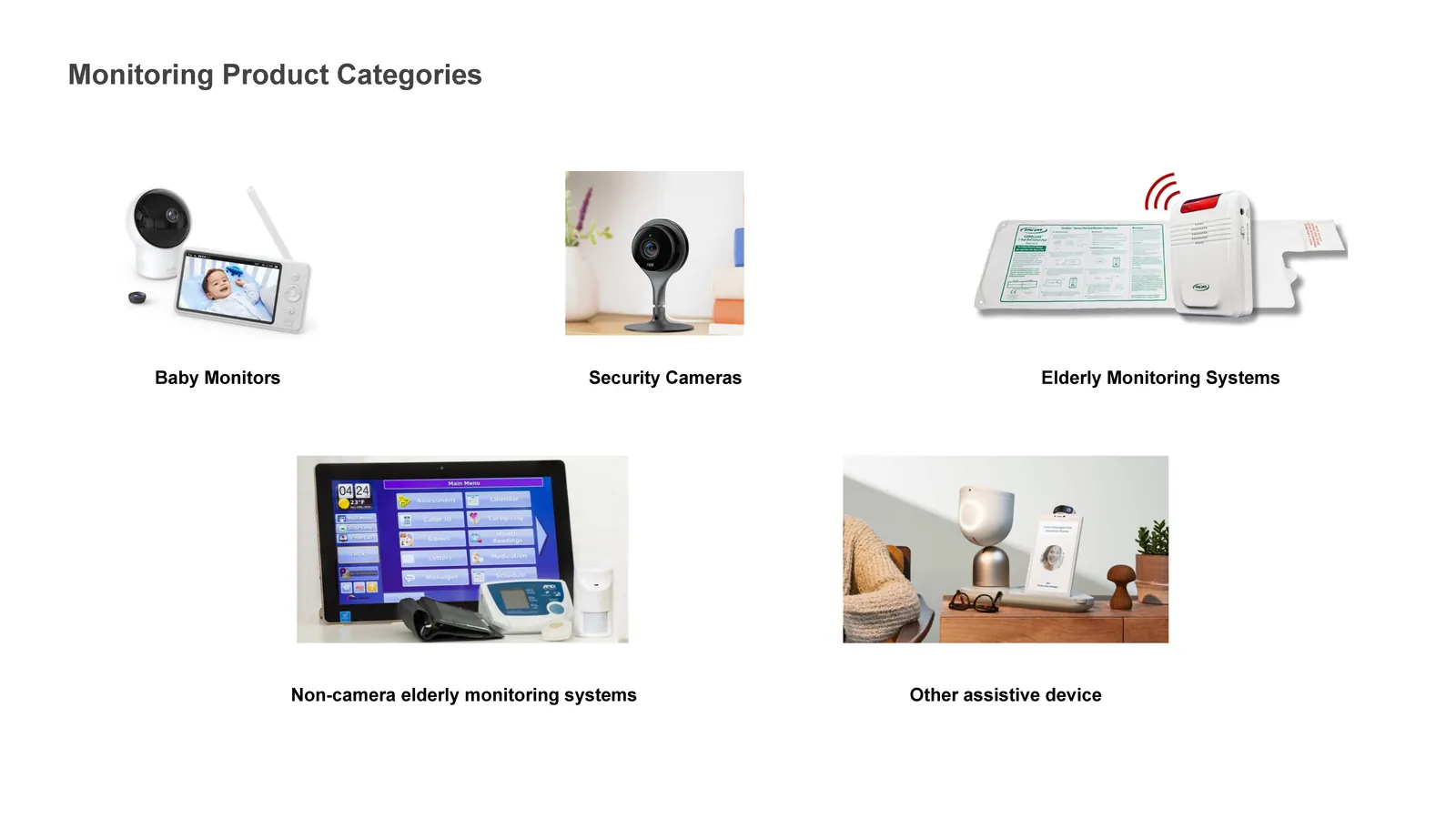
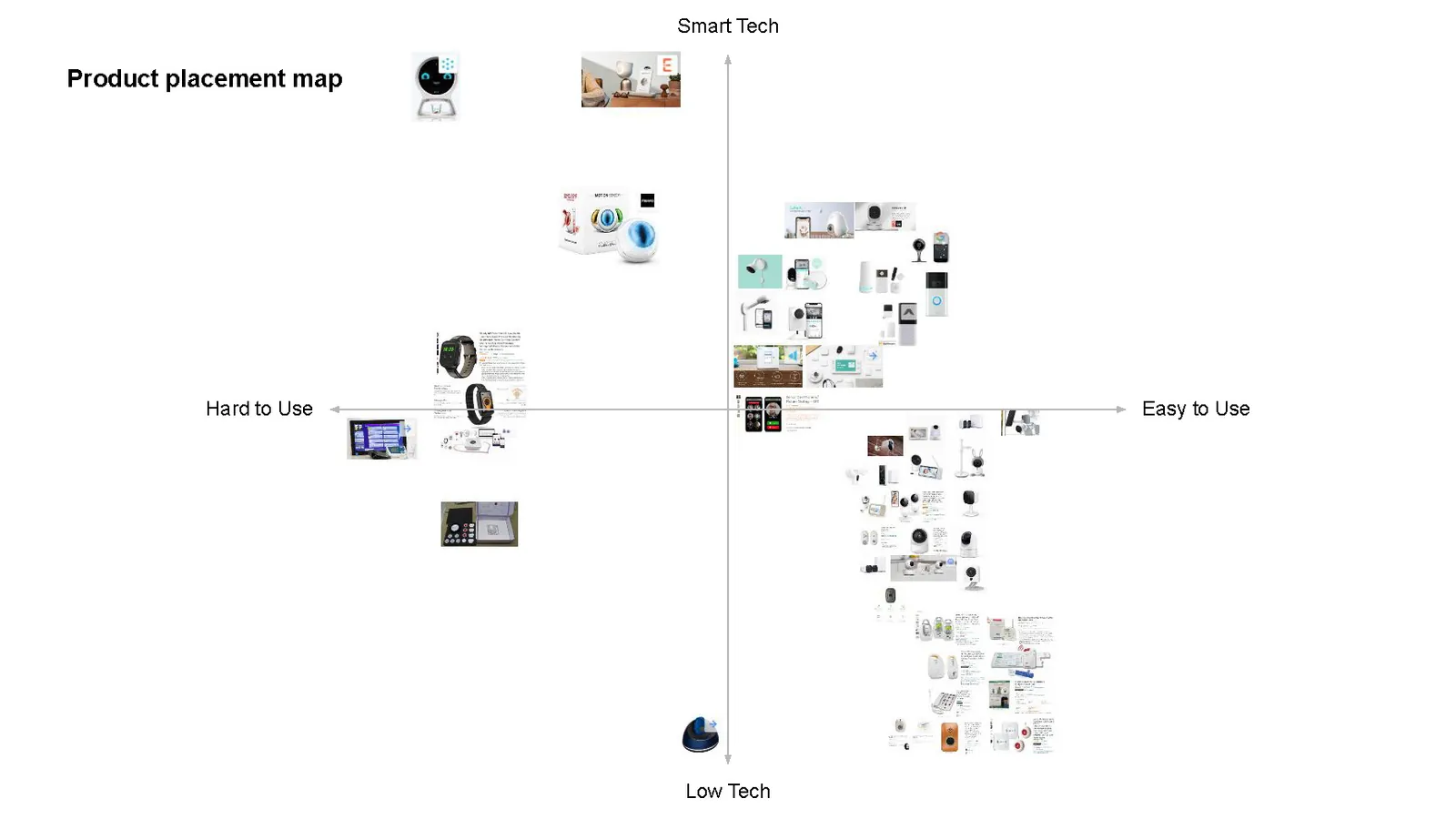
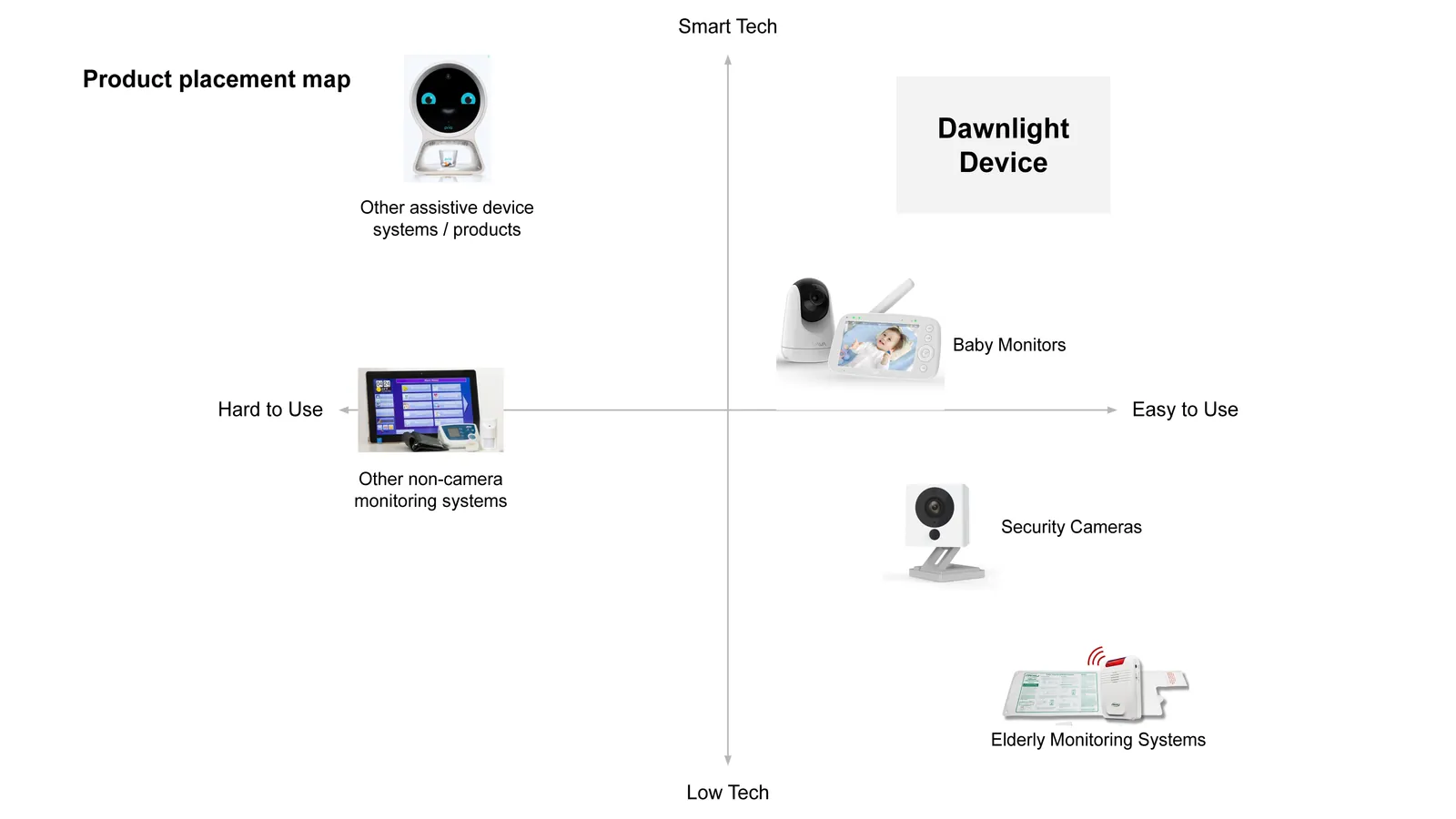
Nothing on the market was built for dementia, or at least not well. Caregivers were hacking together baby monitors, security cameras, and motion sensors. We surveyed about forty products across five categories and read the reviews on all of them. Then we bought the three highest-reviewed products and tried them out.
The most interesting products were the audio-only baby monitors that some caregivers used. No video, just sound, and for many caregivers that was enough. That became a significant insight for us.
Research insights
Five insights came out of the research.
By alleviating some of the burdens of the caretaker, we can give patients more independence and allow them to age in place longer.
The caretaker should be notified when the patient has an unmet need without the patient having to actively express it.
Reducing the patient's unpredictable actions reduces the caretaker's anxiety, resulting in more freedom for the caretaker.
The design needs to be intuitive and practical, but also respectfully integrate into users' lifestyles throughout the progression of the disease.
The data collected needs to be translated in a useful way for the caregiver to predict patient behavior and condition.
Design guidelines
The insights became five sets of guidelines that every concept was measured against.
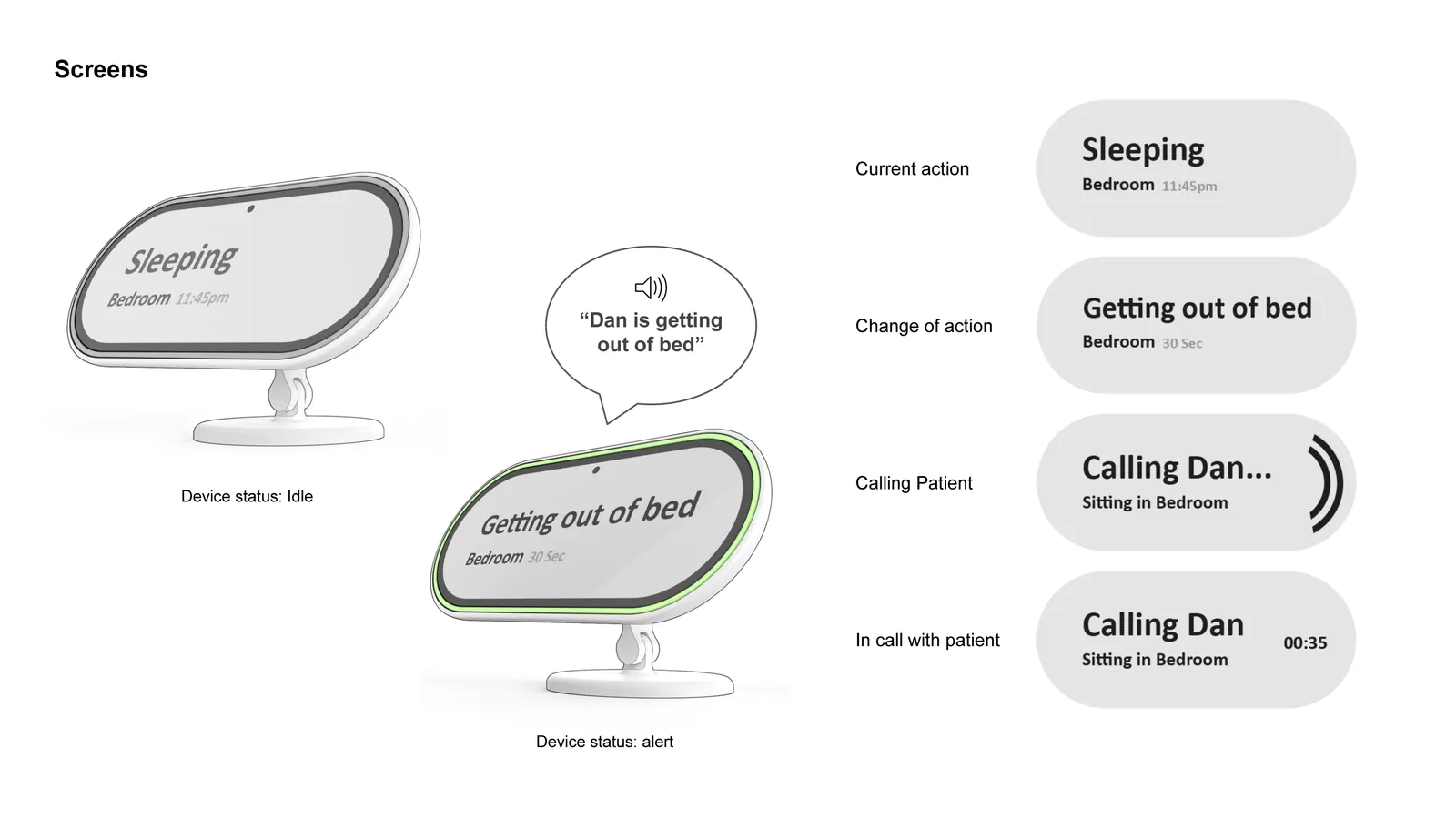
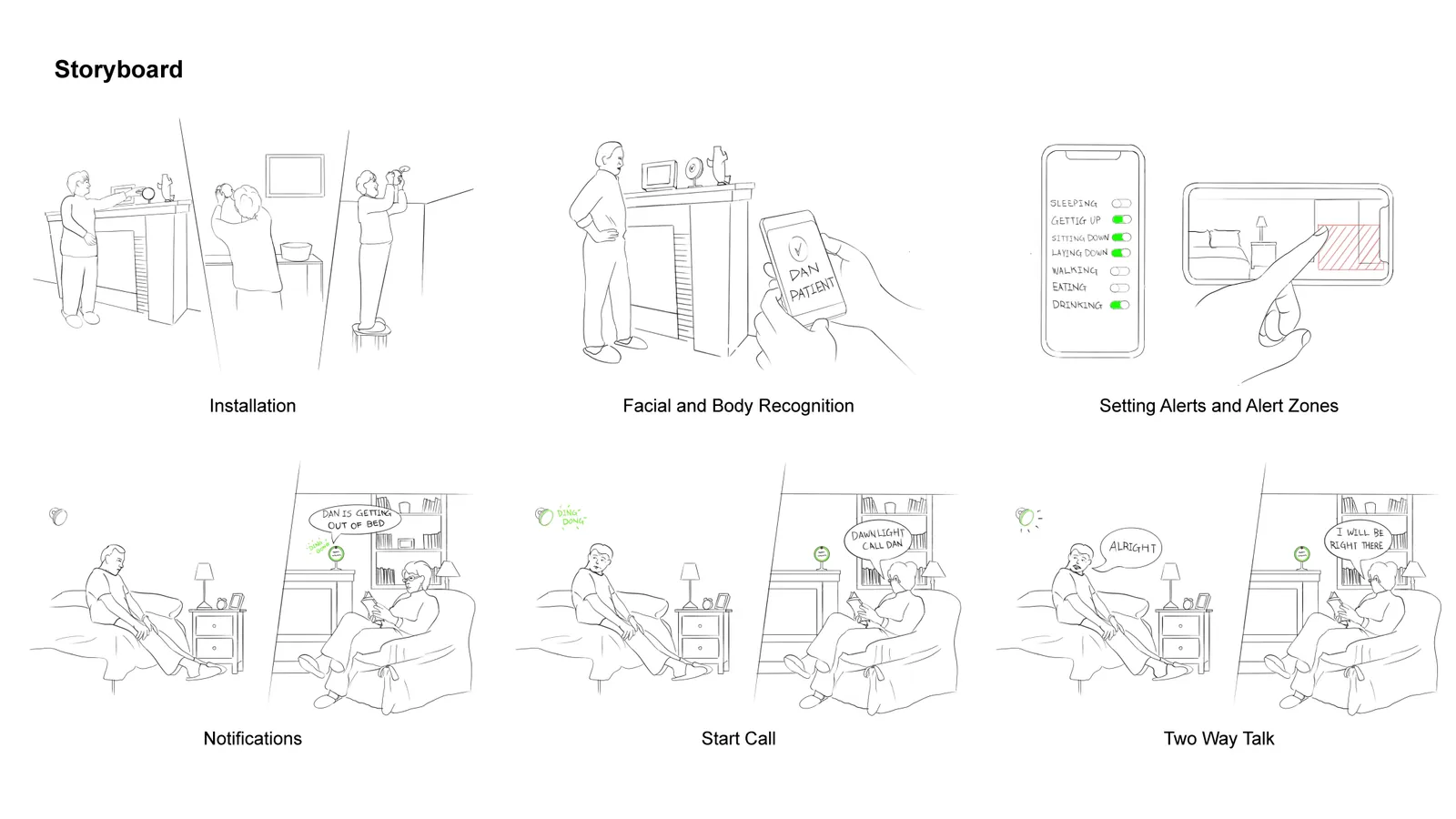
The caregiver is notified when a patient's action needs their attention, like getting out of bed. Notifications use a range of senses: visual, audio, touch. The alarm should grab attention without being irritating.
Caregiver audio to the patient is easily accessible. Patient audio to the caregiver is straightforward.
The system provides information that helps the caregiver give more customized care, like behavior patterns, sleep cycle, and body metrics.
The system is easy to install in the home. The caregiver device is easy to carry around while the caregiver is doing other tasks.
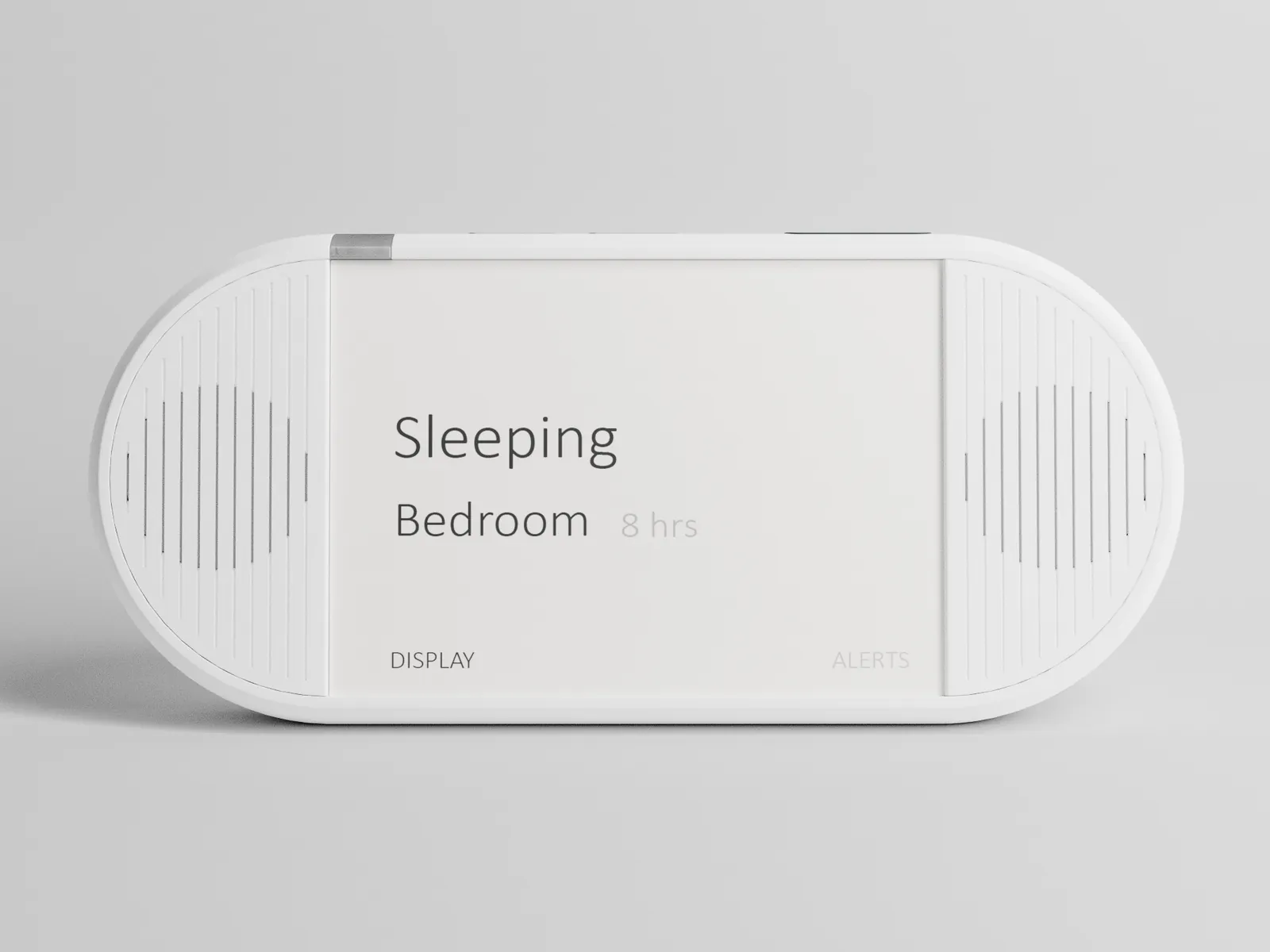
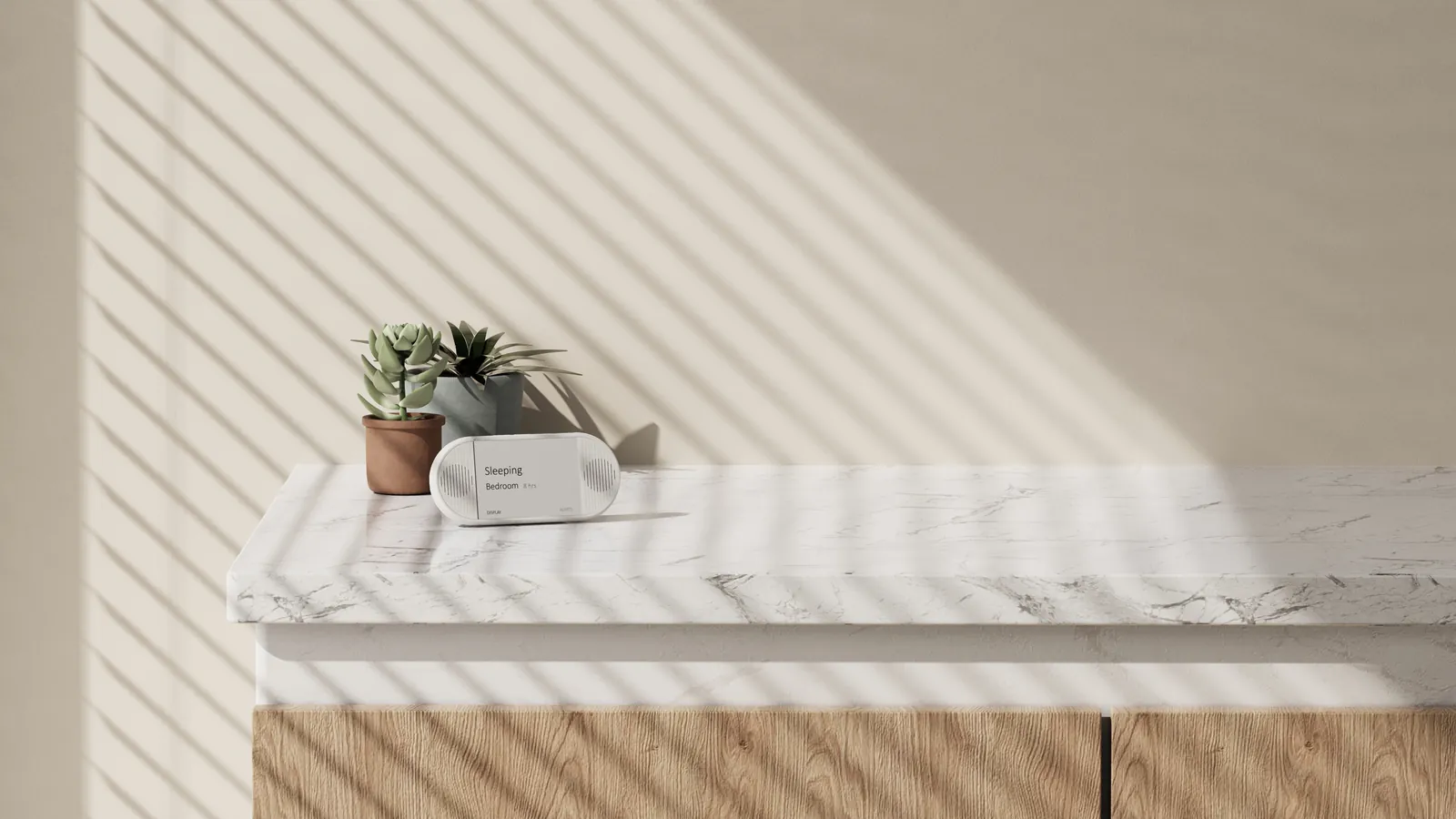
The caregiver can tell at a glance what the patient's status is, and can customize which actions they want to be alerted to.
Testing
We couldn't get into anyone's home during COVID, so we tested on ourselves. Three of us rotated roles: caregiver, patient, and one person playing the DawnLight system, texting and calling the caregiver during real errands.
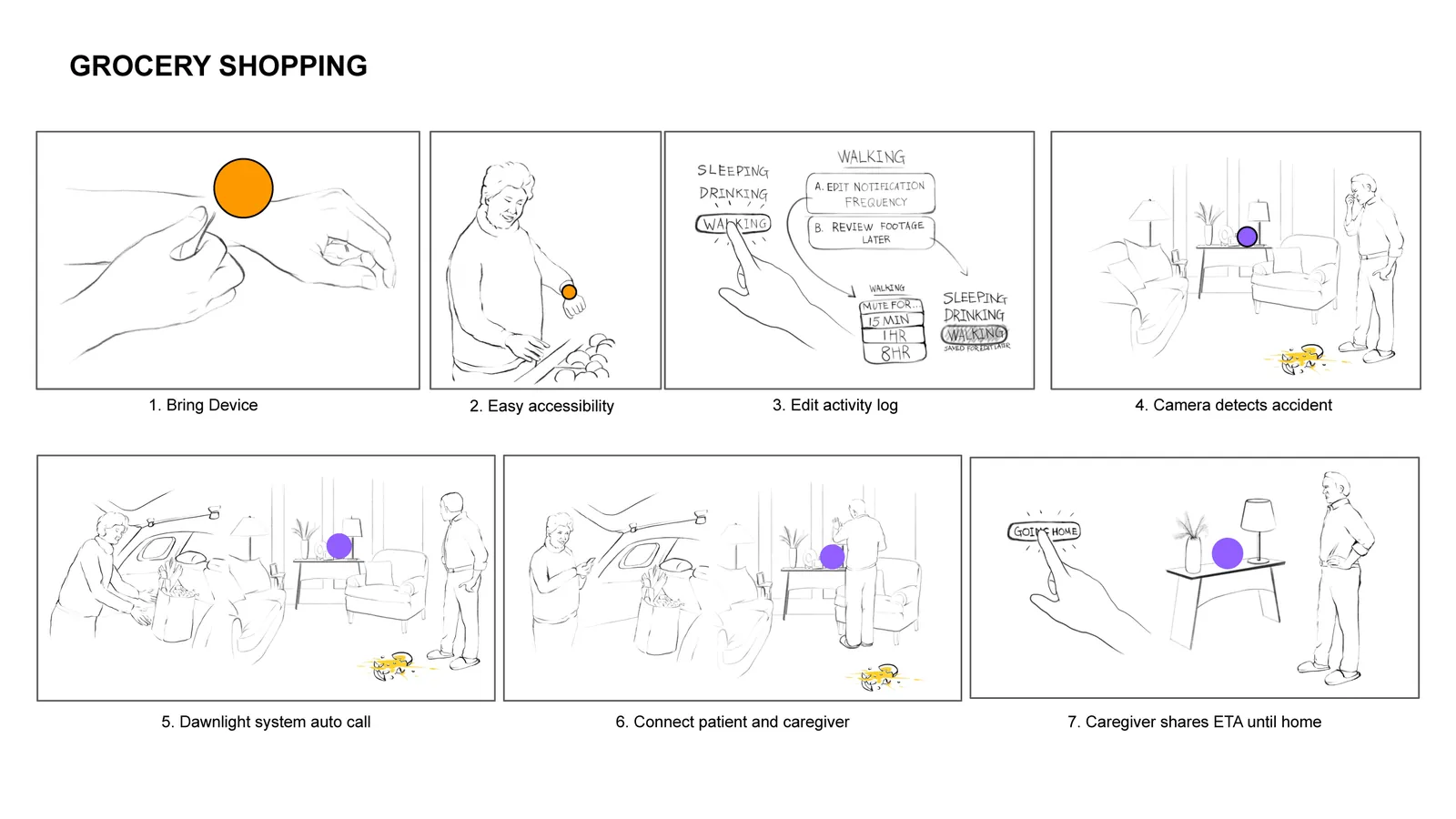
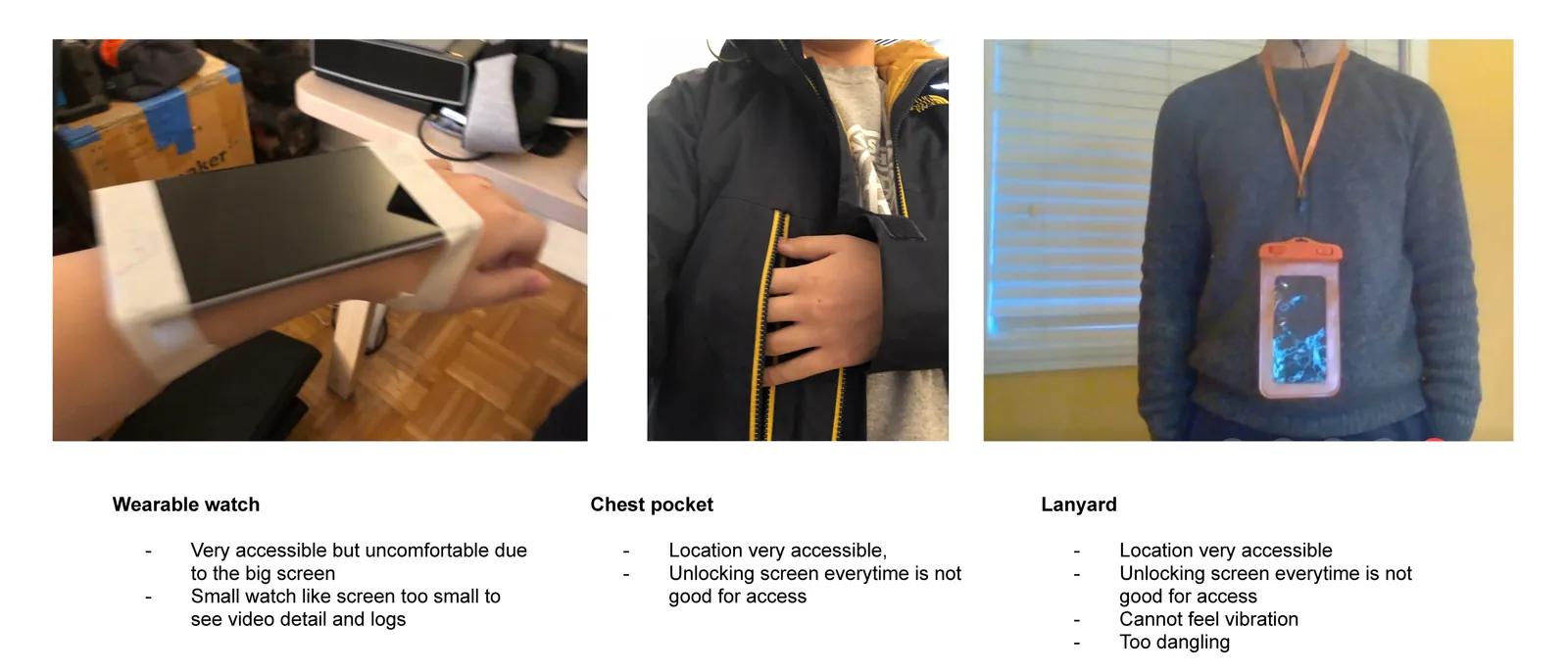
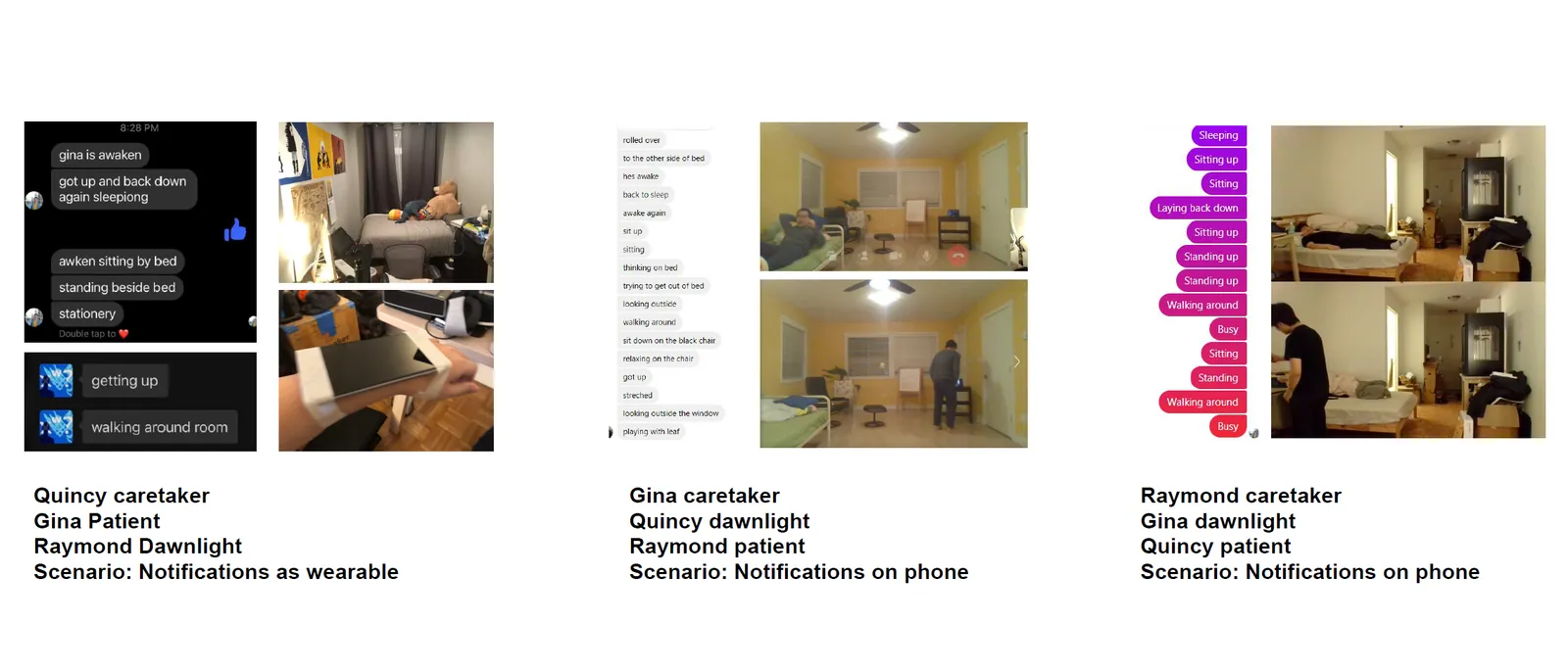
Problems showed up quickly, and these tests showed that we needed to rethink the scope. Supporting a caregiver out running errands meant solving a bunch of problems that had nothing to do with the patient. Giving them both real independence inside the home was a smaller step, and one where we could actually have impact.
The system
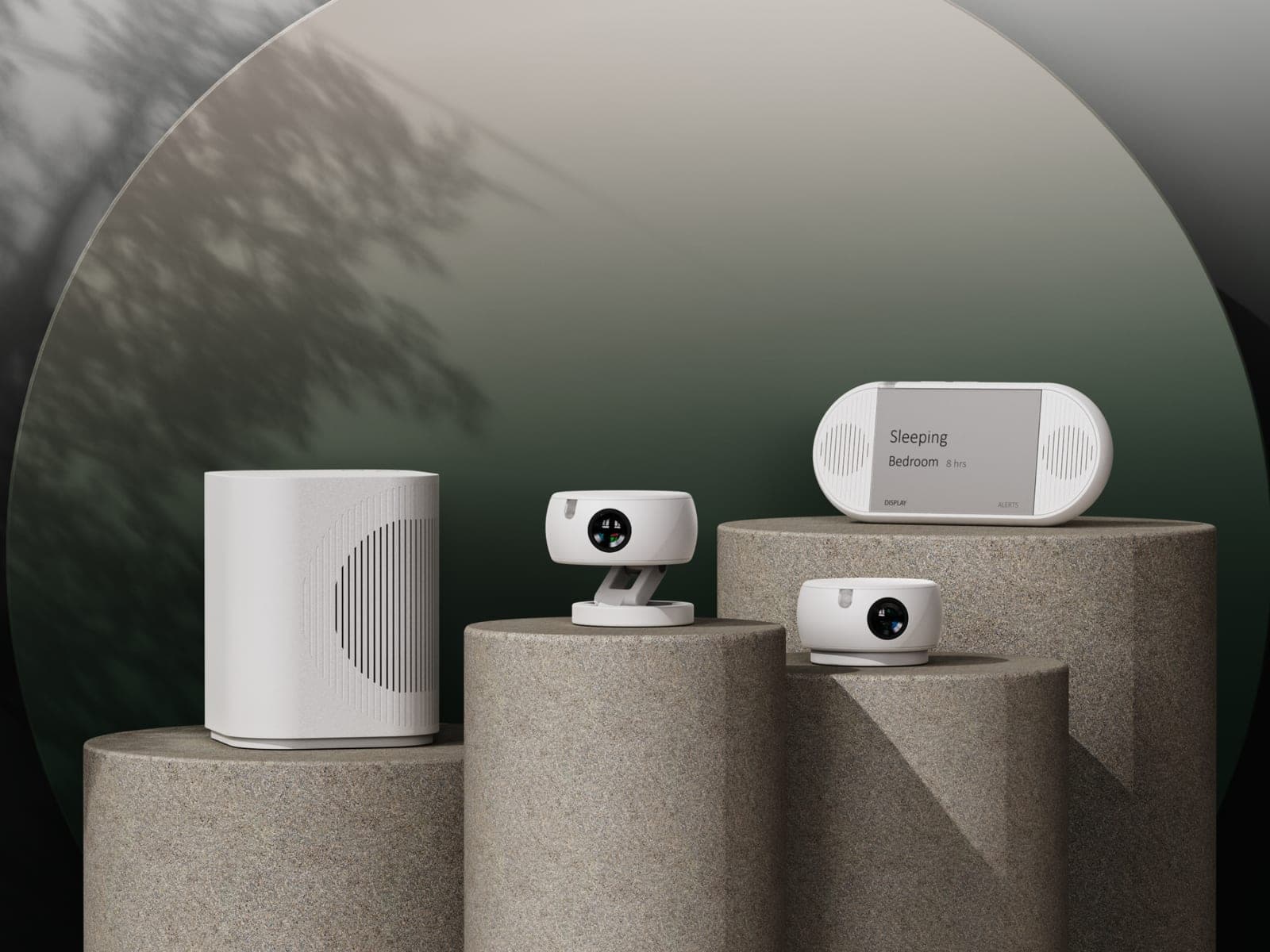
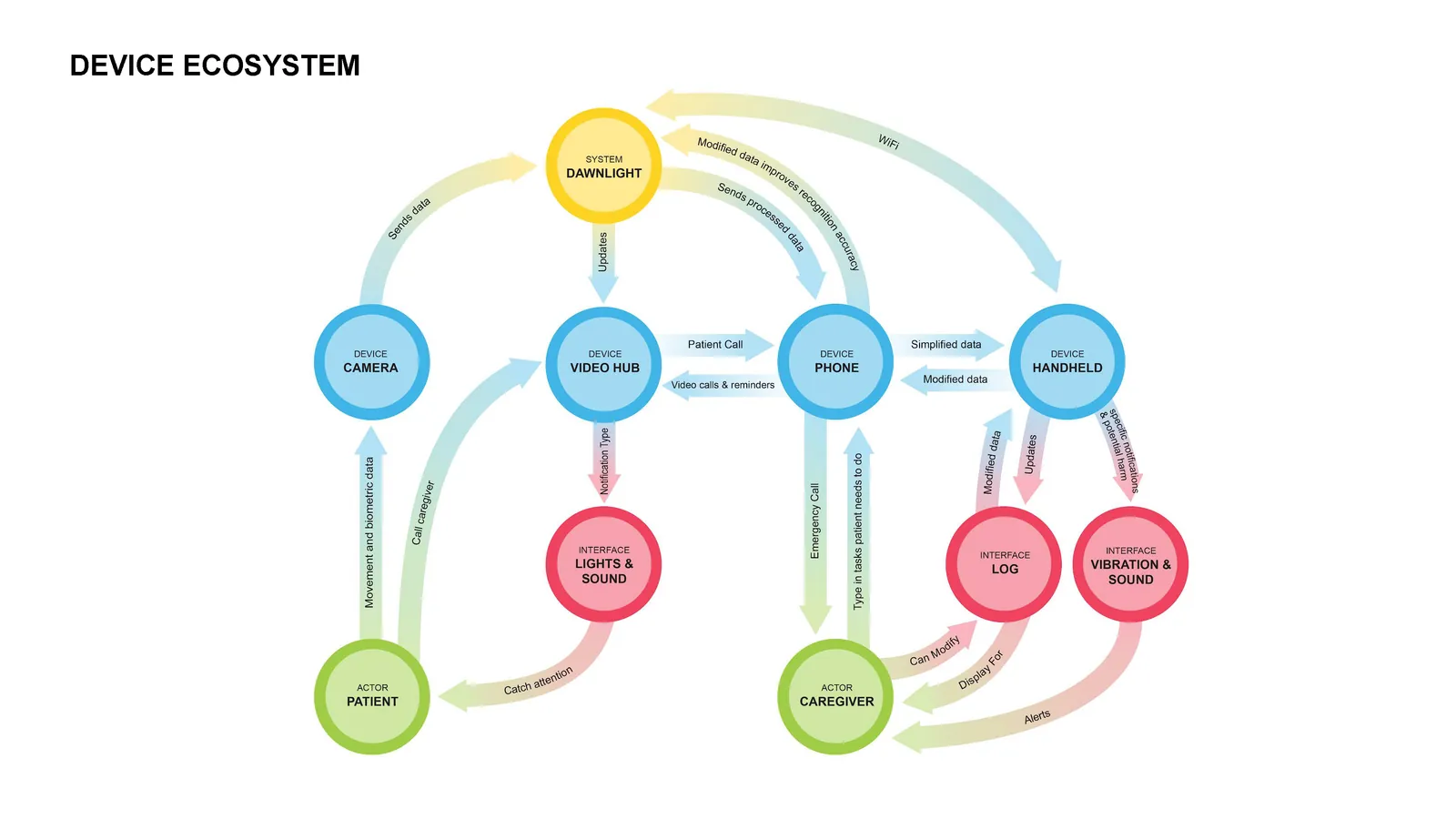
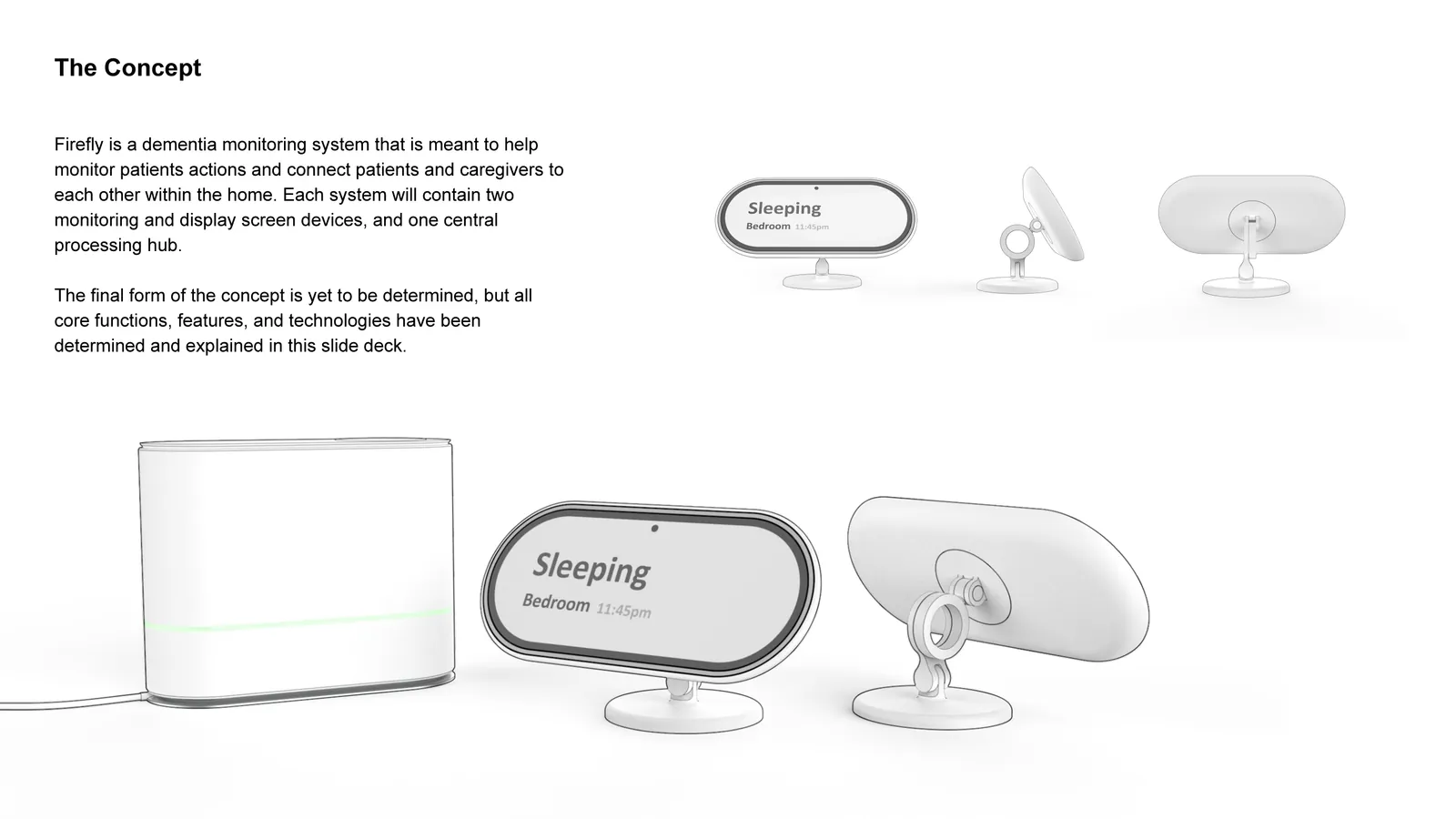
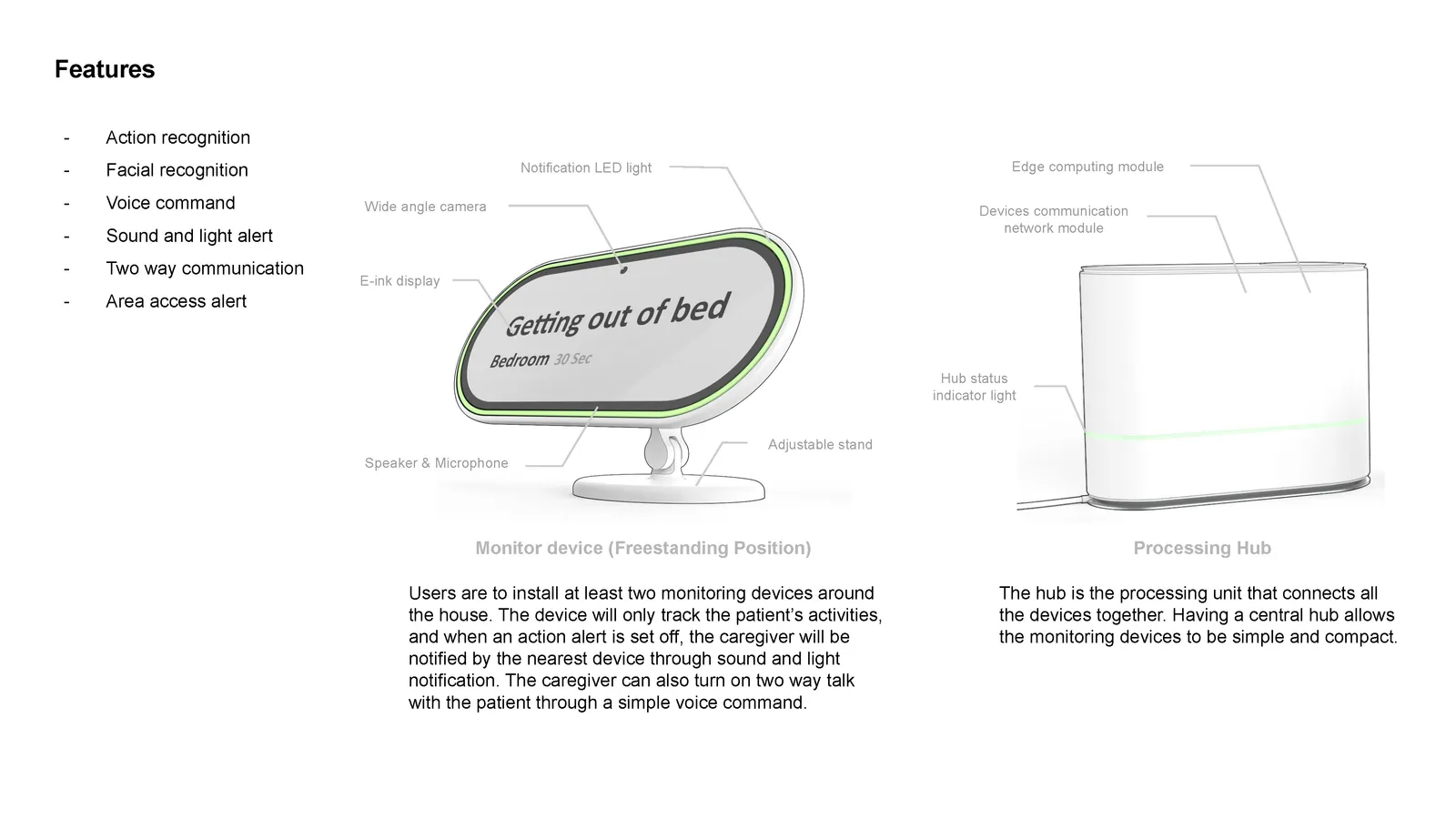
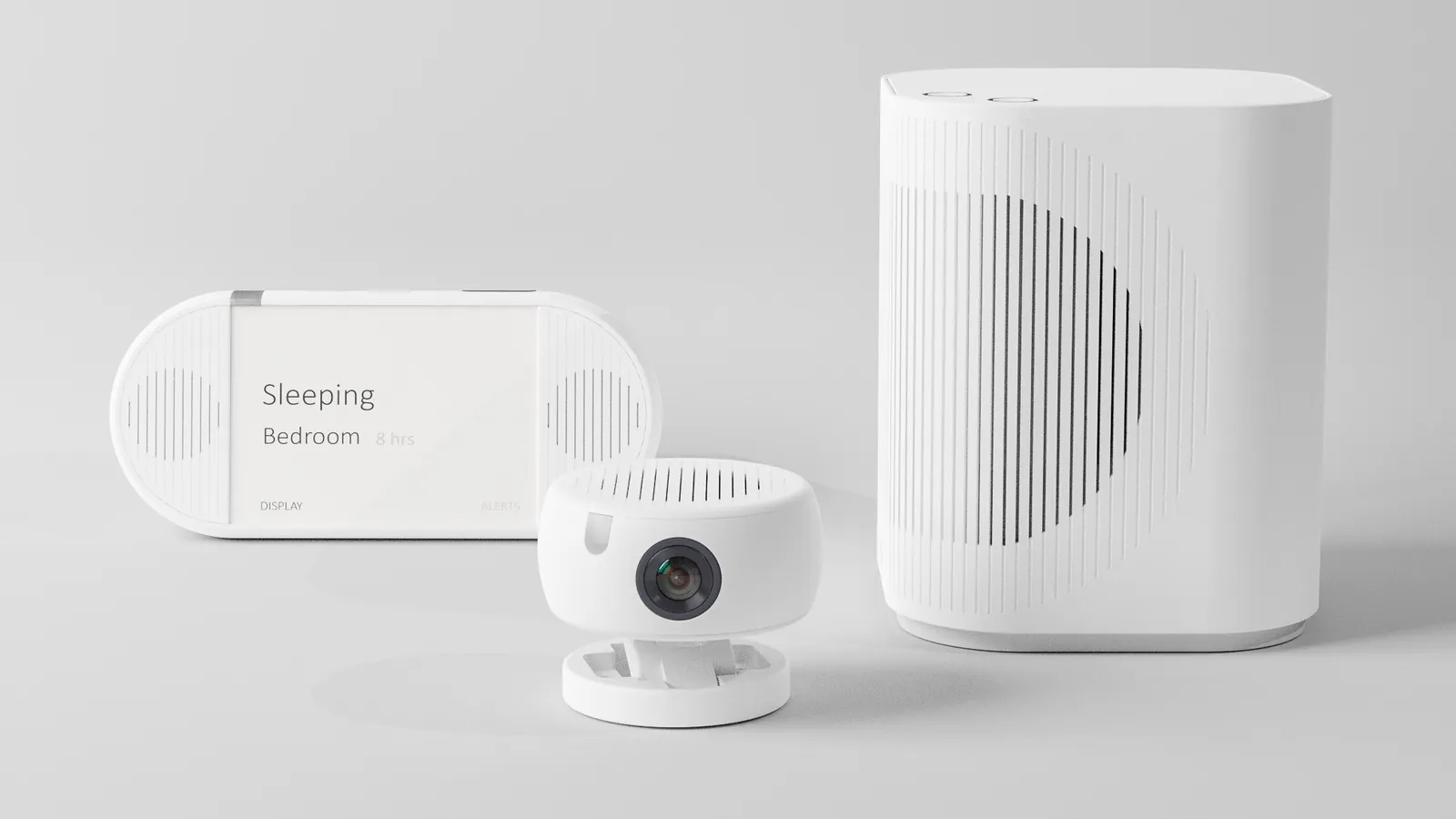
We went through many rounds of concepts before anything really stuck. The direction that stuck was cameras that sense, a hub that does the processing, and a display that the caregiver can easily glance at. That was the one that really gave caregivers their distance back, so we went with it.
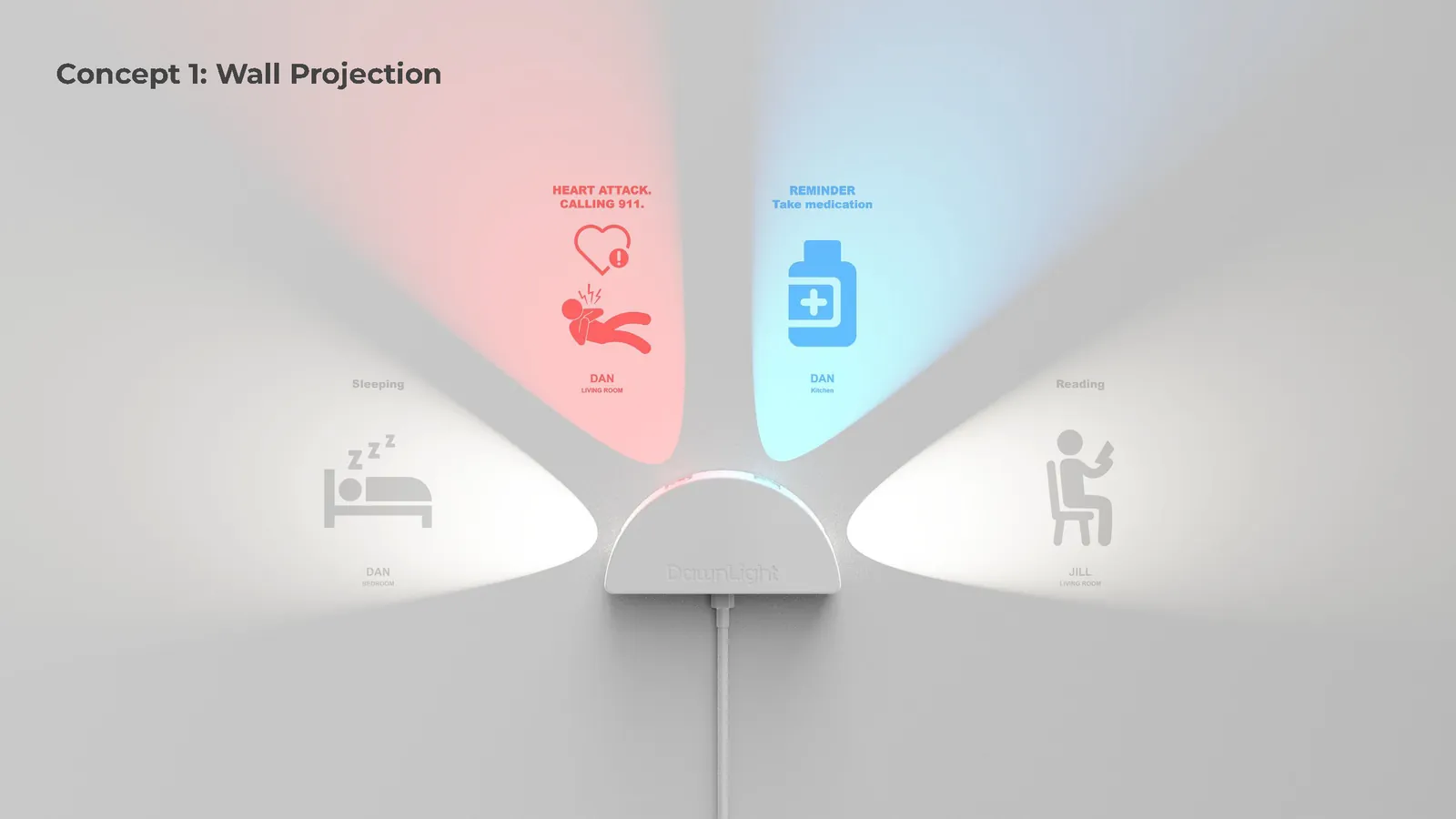
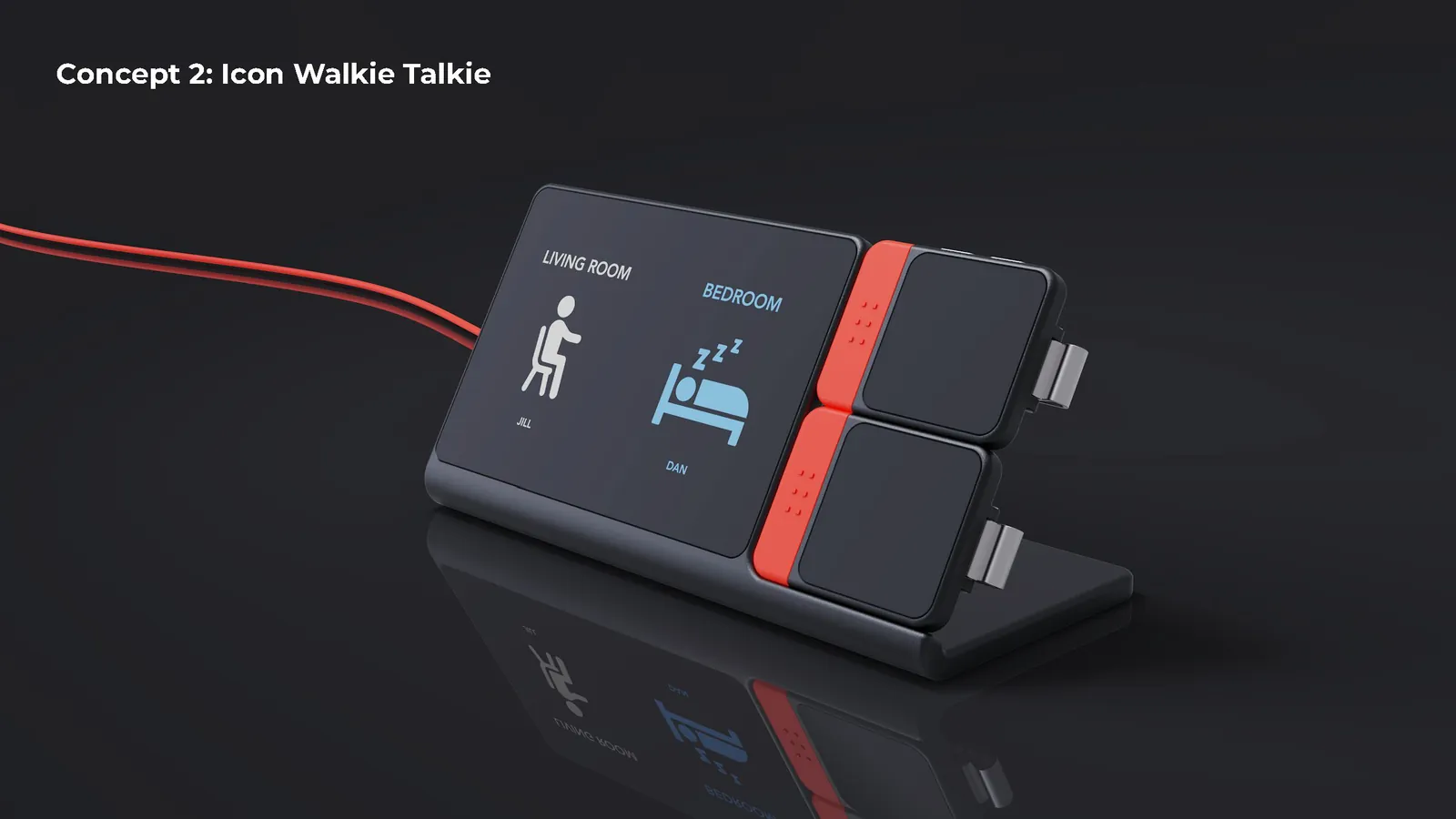
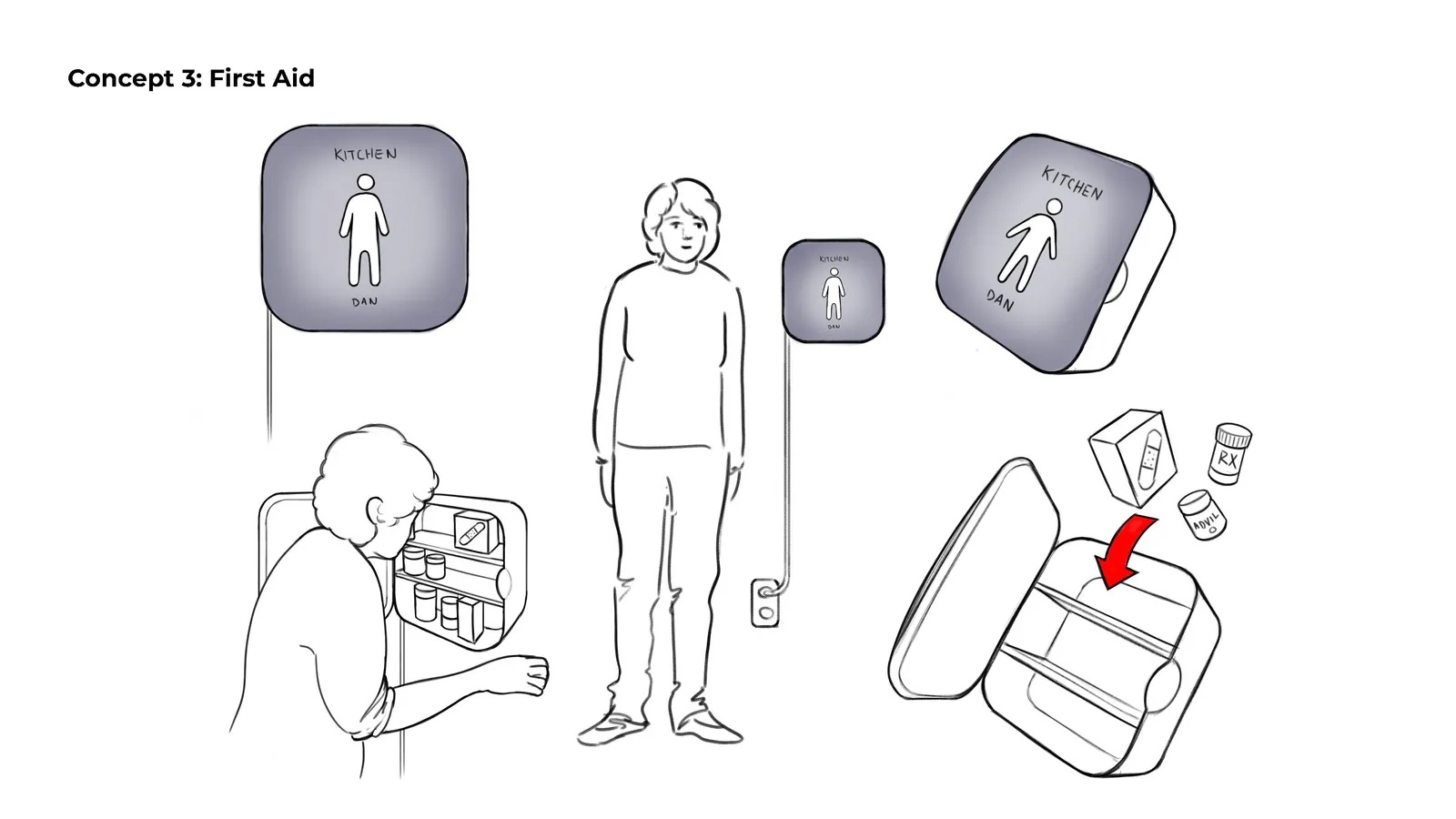
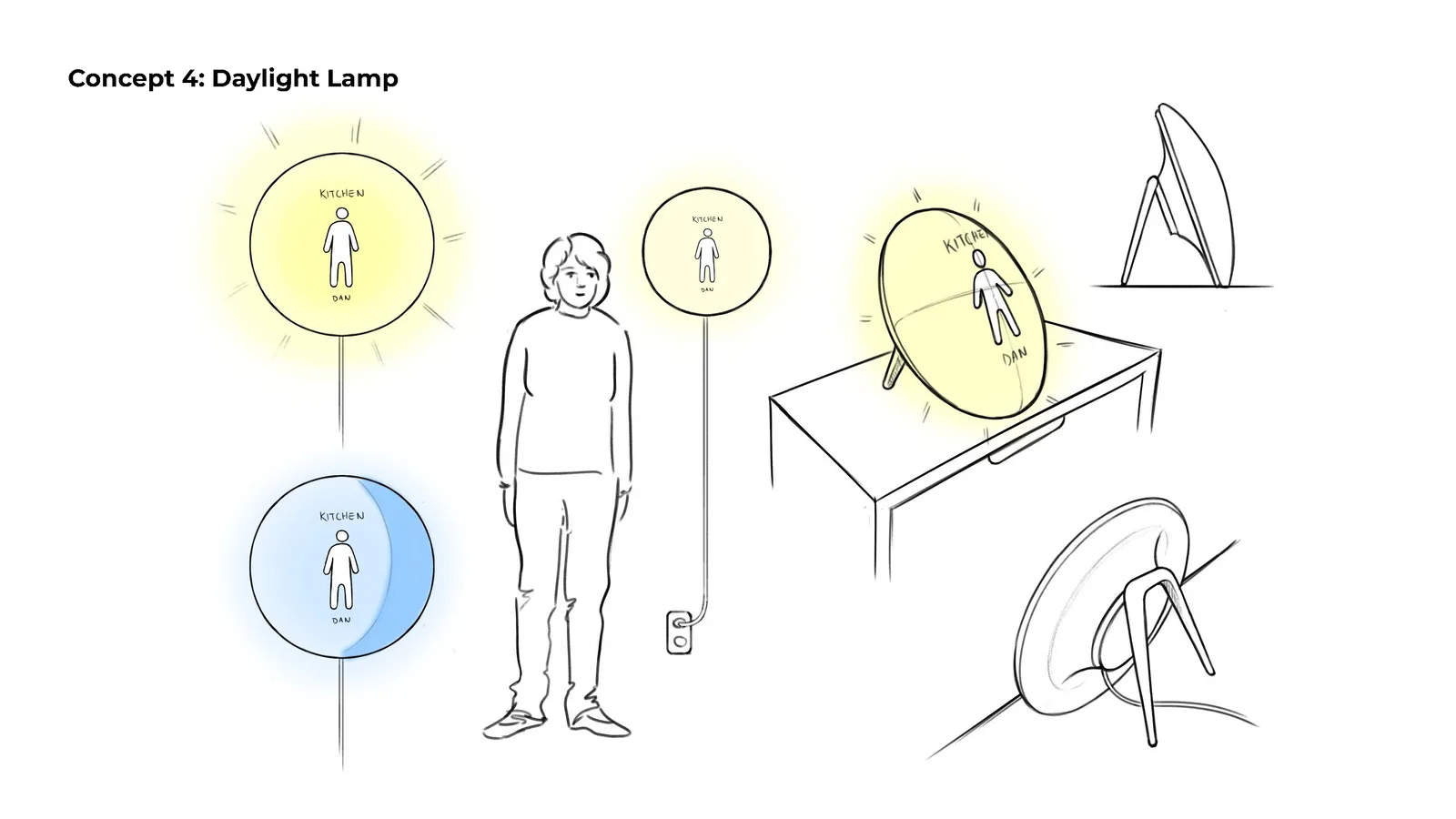
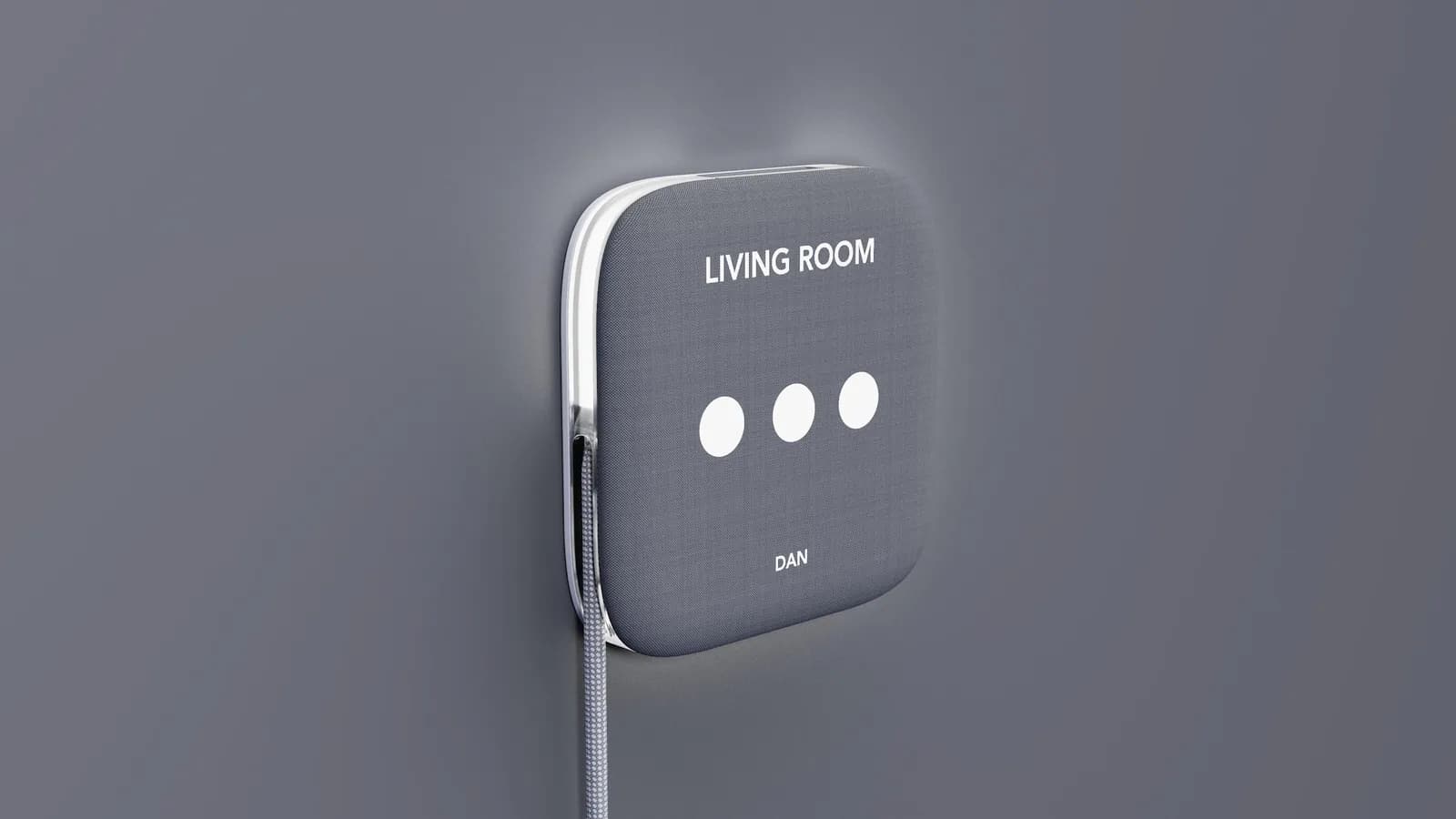
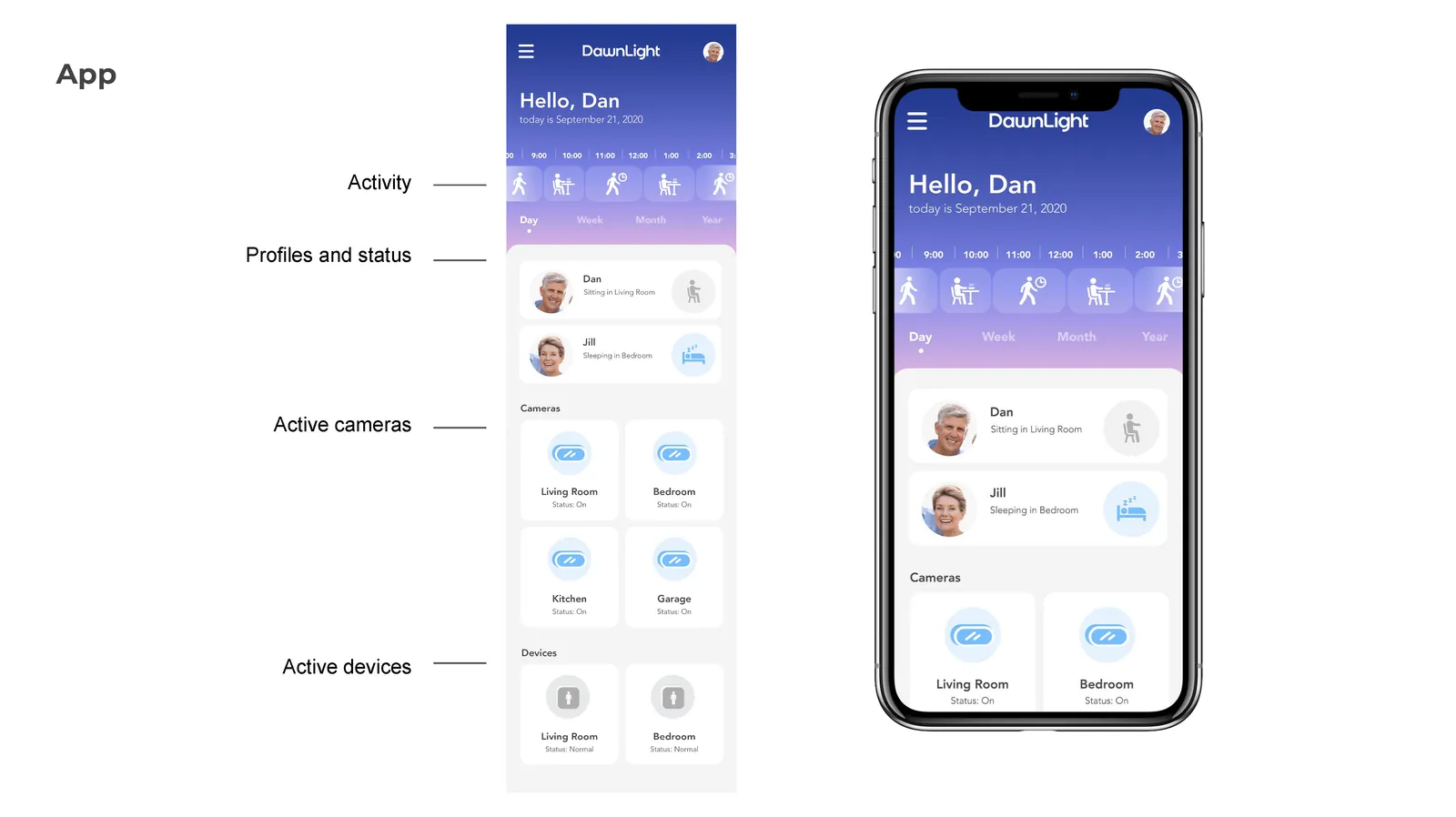
Some other core decisions were that this experience does not need video, and that this is not an app so alerts don't drown in a phone.
We actually had a whole concept before LumiMate called Firefly, but ended up throwing that idea out since the monitor units were fixed in rooms, and through our testing we realized that the display ideally travels with the caregiver. The final system kept the architecture but made the screen portable, while still being tabletop friendly.
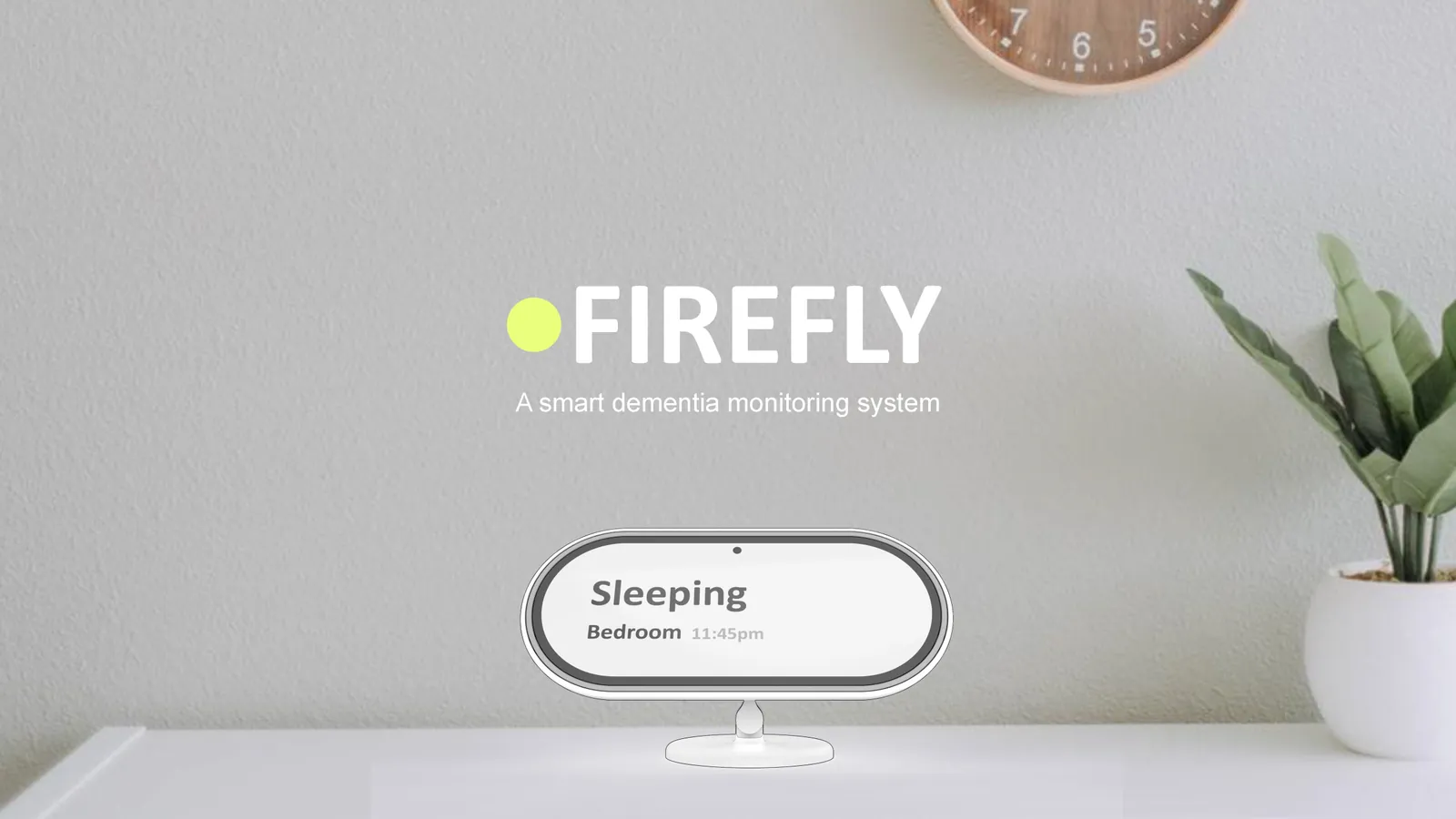
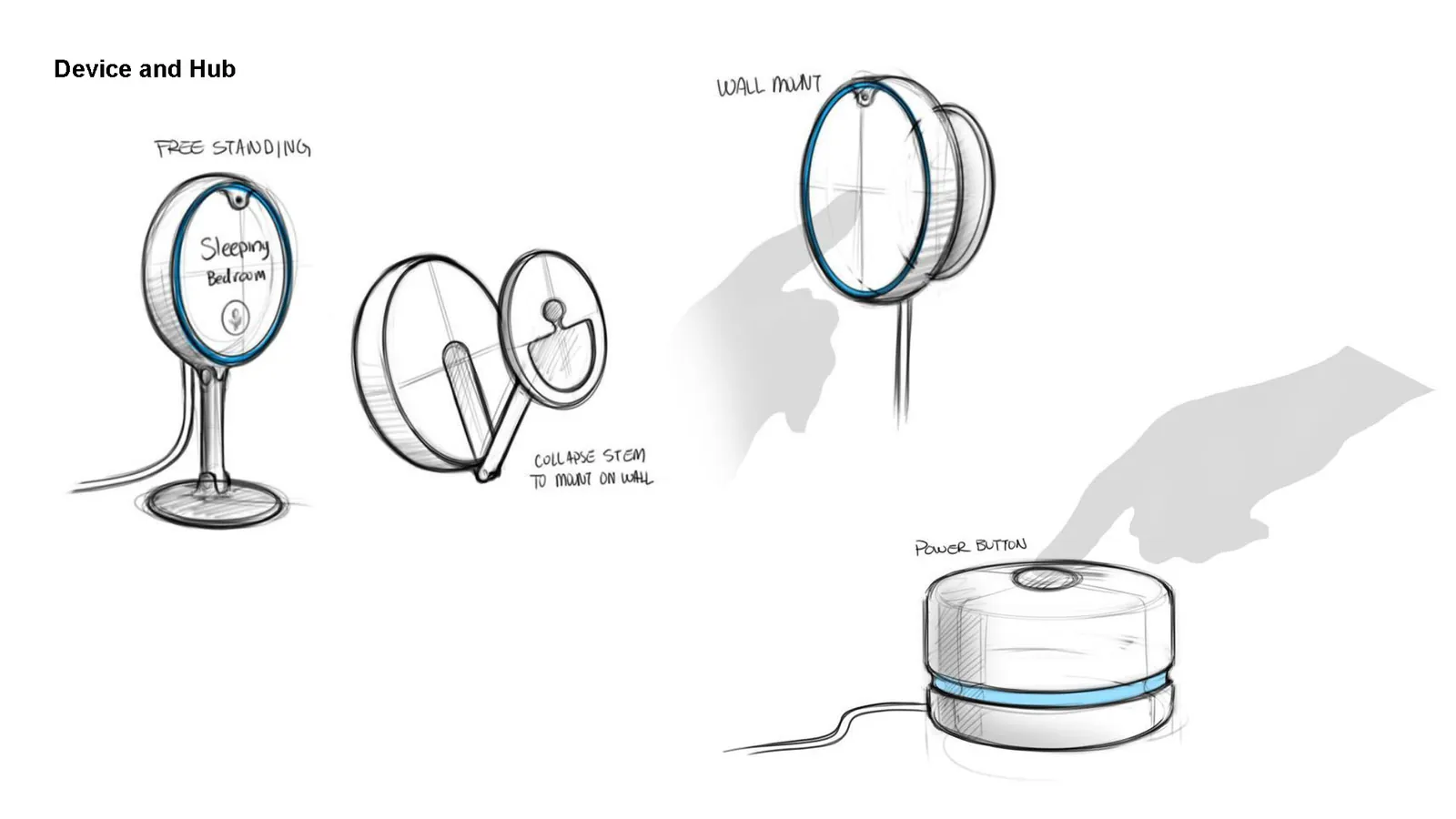
Final product
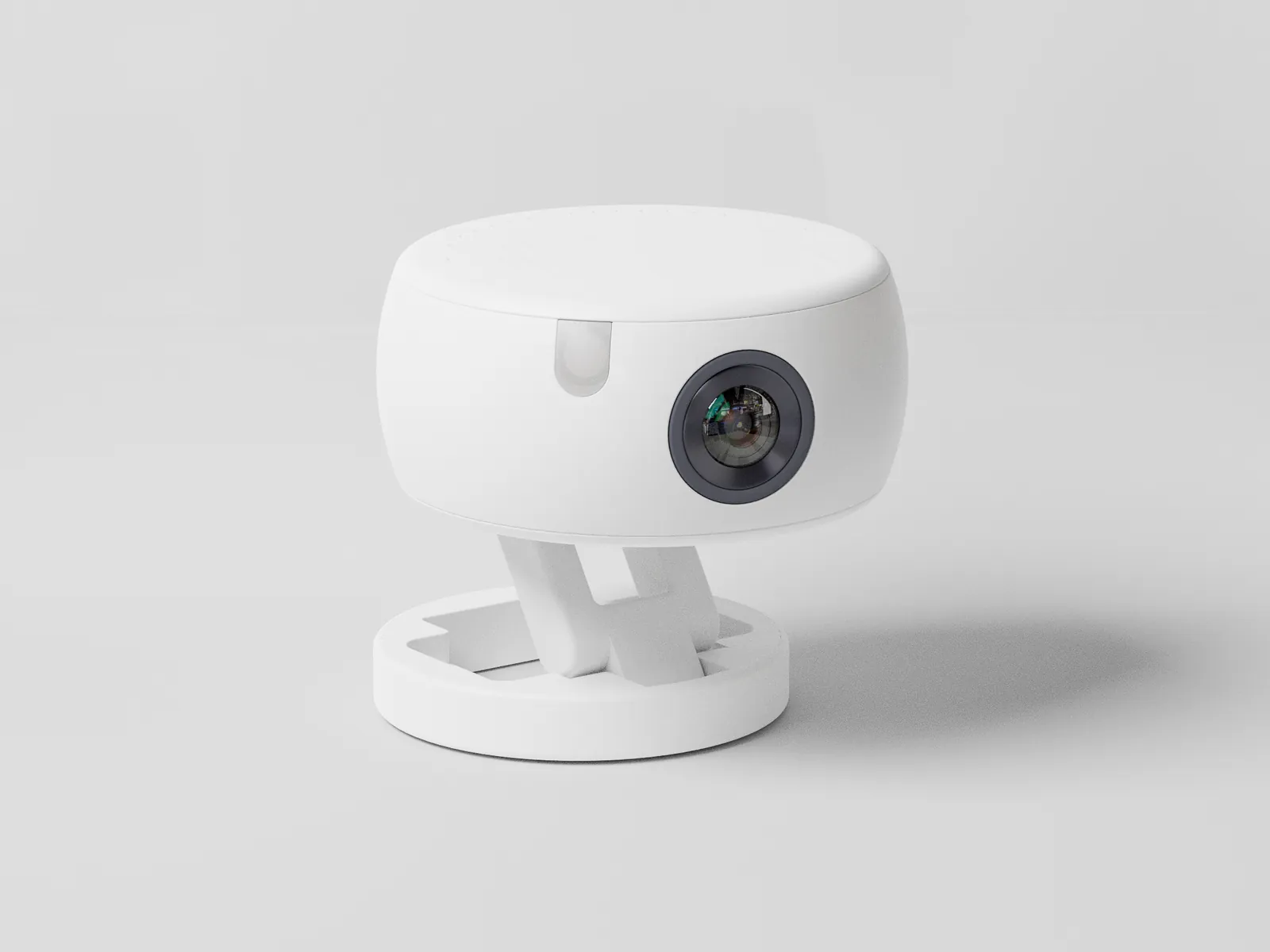
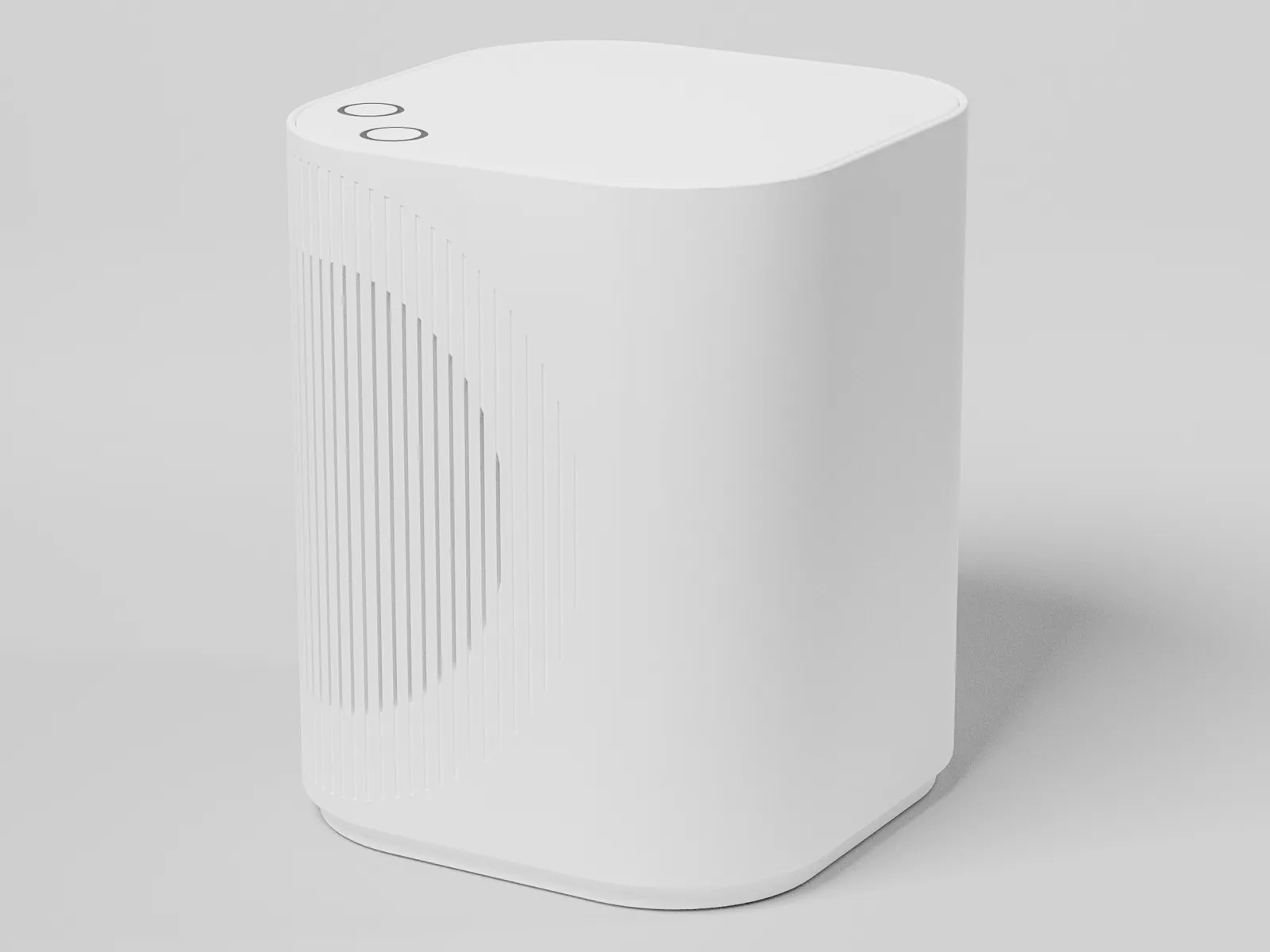
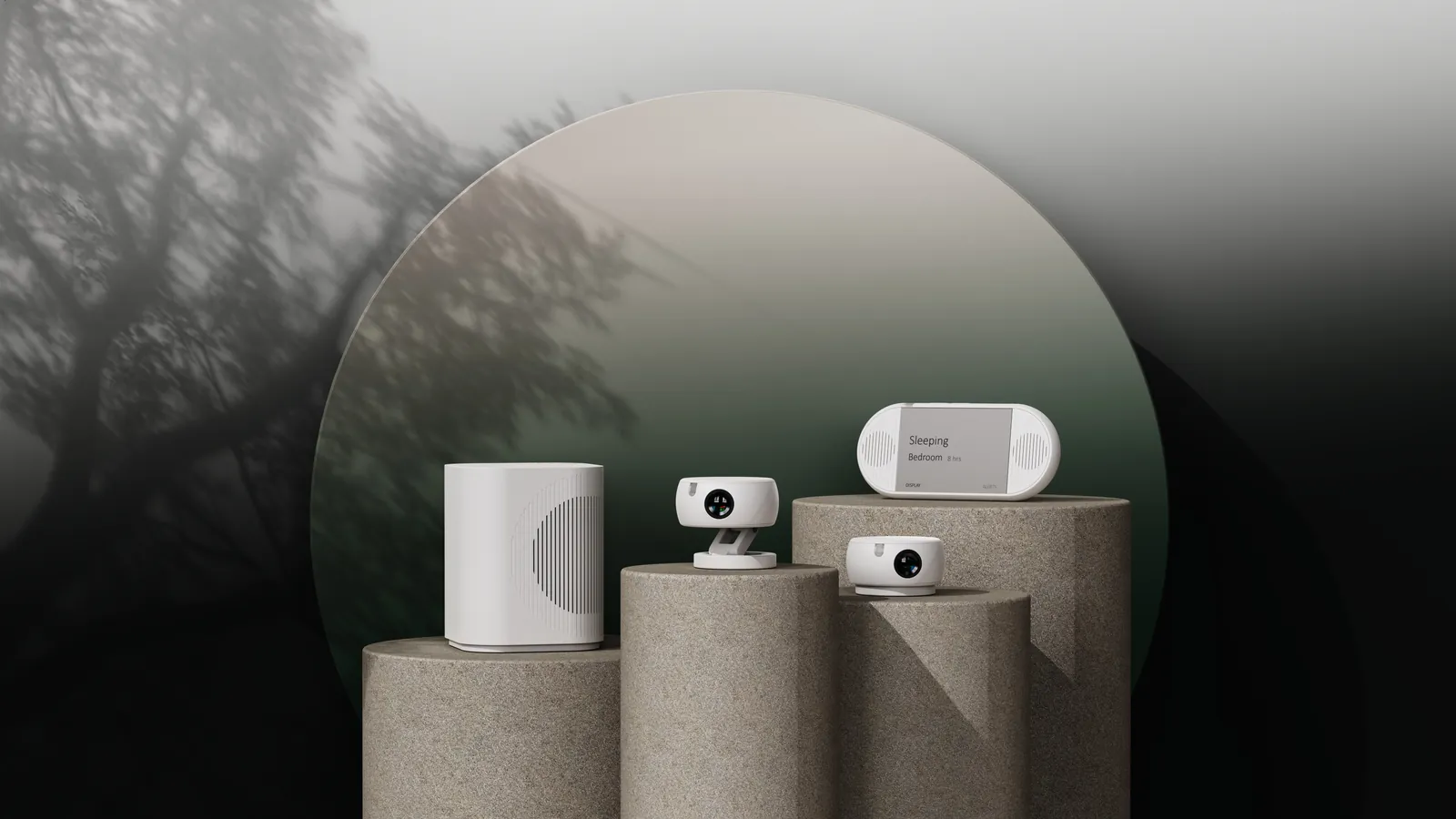
The final system has three parts:
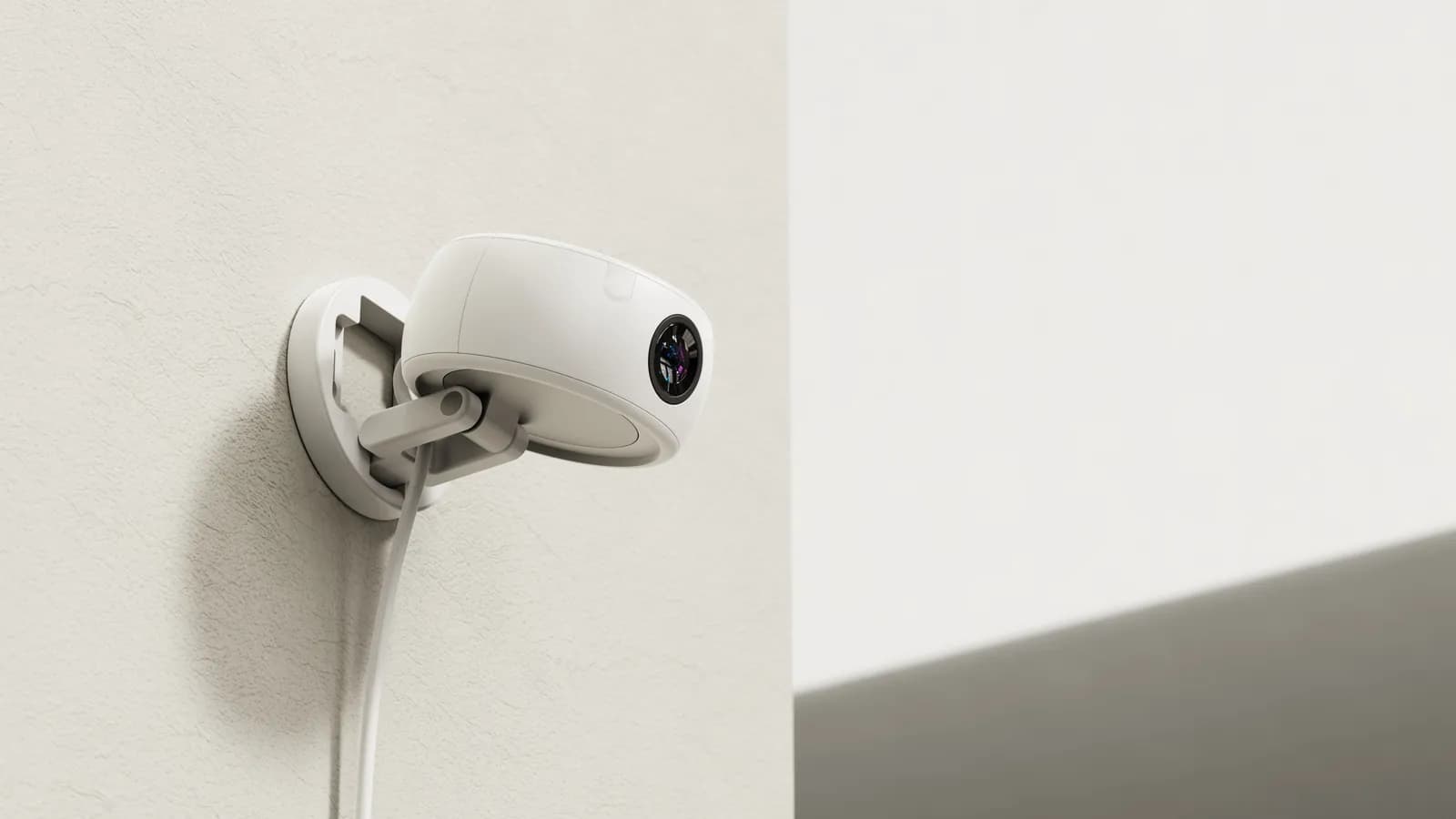
- Sensor units that can stand or mount in each room.
- a hub that does the processing.
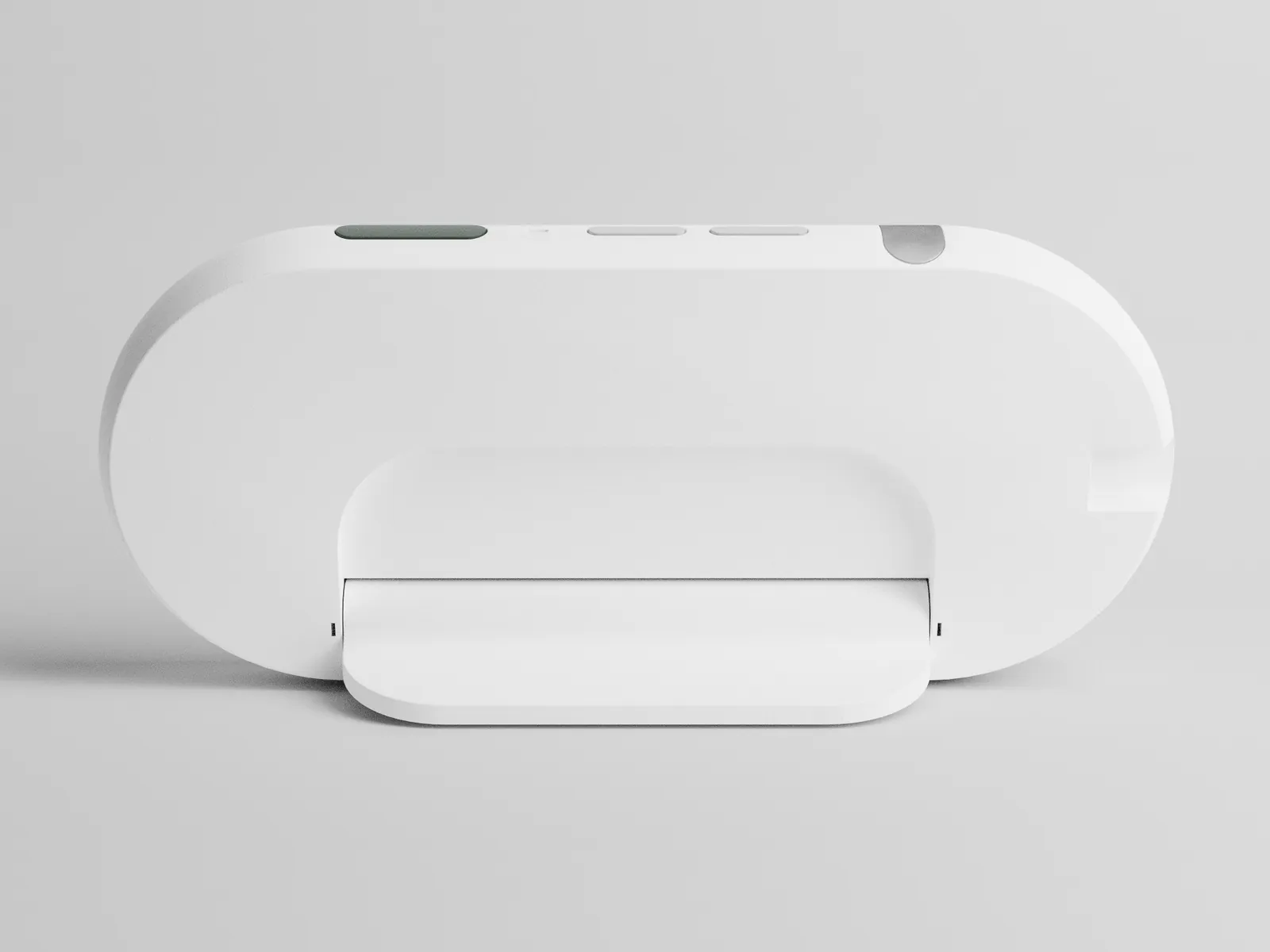
- caregiver display that reads like a status card instead of a monitor.
Closing thoughts
Even though this project ended when the company closed, it continues to be one of my favorites. Some closing thoughts:
We kept the camera but gave up the video feed. The caregiver loses the ability to peek at a live picture, but there is no footage to hack, and the patient gains a sense of privacy.
Usually when it comes to devices, the instinct is to put a digital screen on everything. Through our research we found that a lot of caregivers and patients preferred less invasive forms of monitoring, such as audio only.
Since this project took place during COVID, all our patient insights came secondhand. We interviewed caretakers, but we never got to try the prototyped experience with an actual dementia patient. If we had to do this project again, this would be one of the first things I would fix.
I did not expect that a critical moment that reshaped the product was going to be me panicking at the grocery register at the alerts while testing the scenarios. Playing caregiver for one afternoon taught me more about an experience than spending weeks reading reviews.