Overview
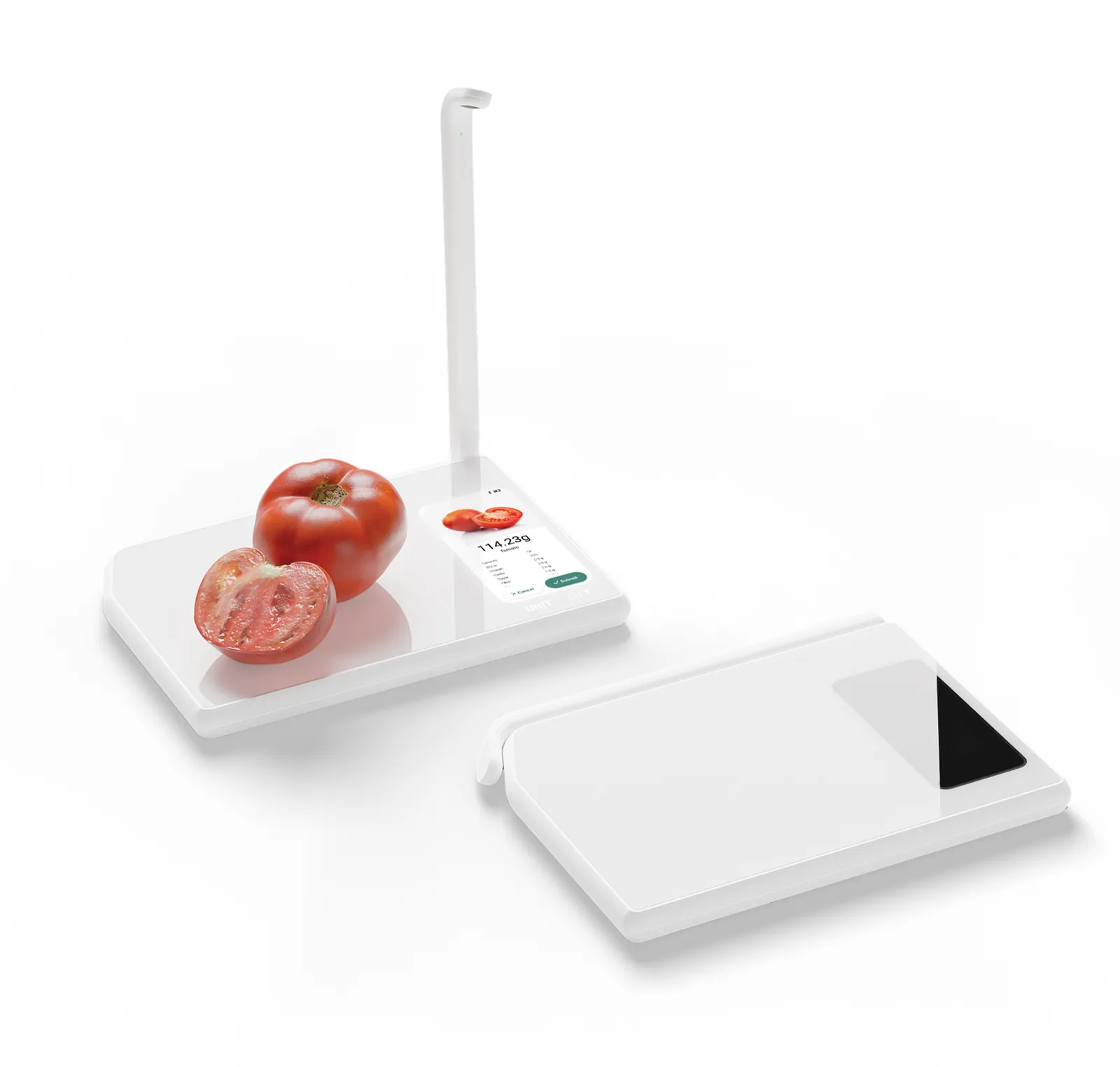
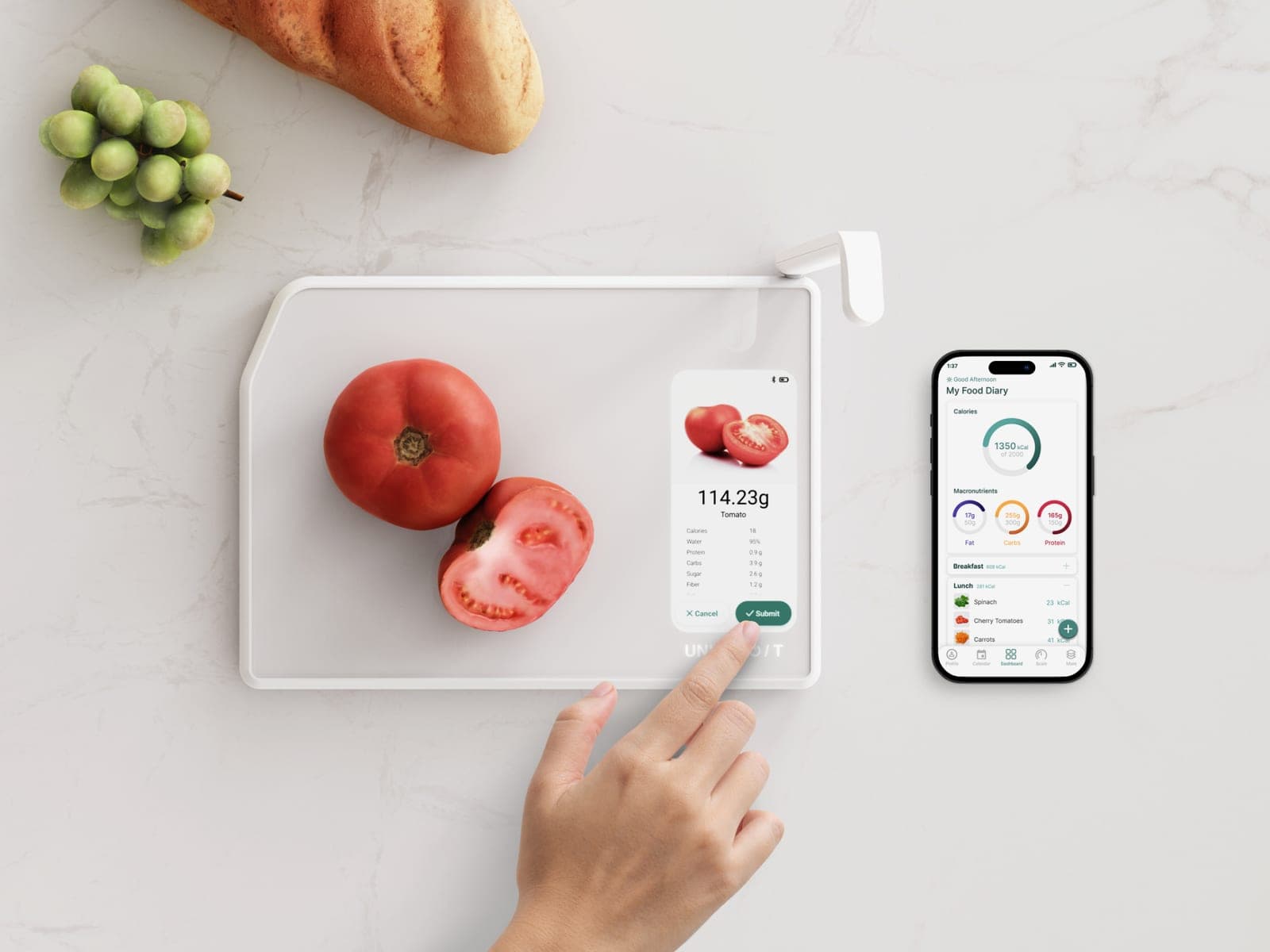
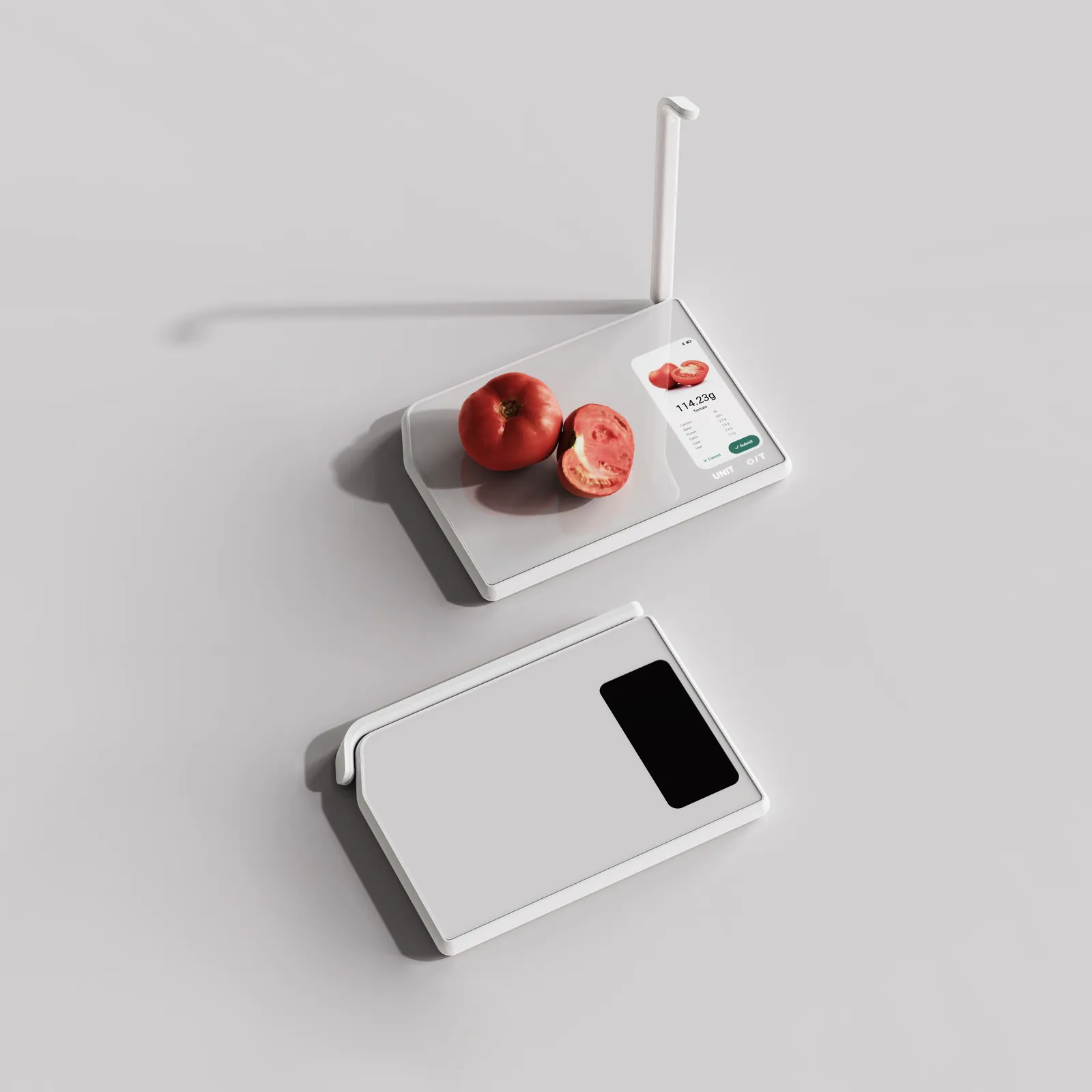
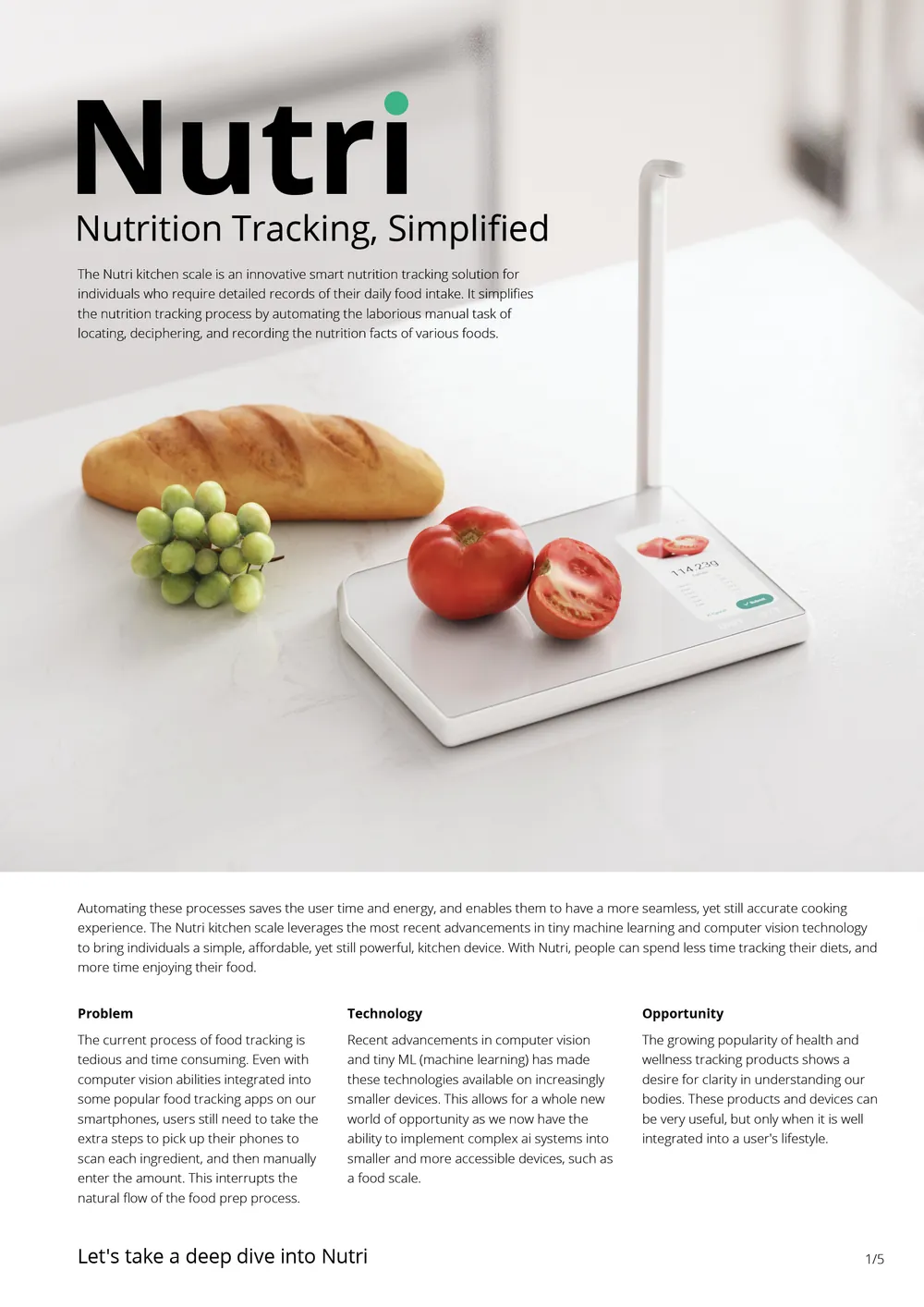
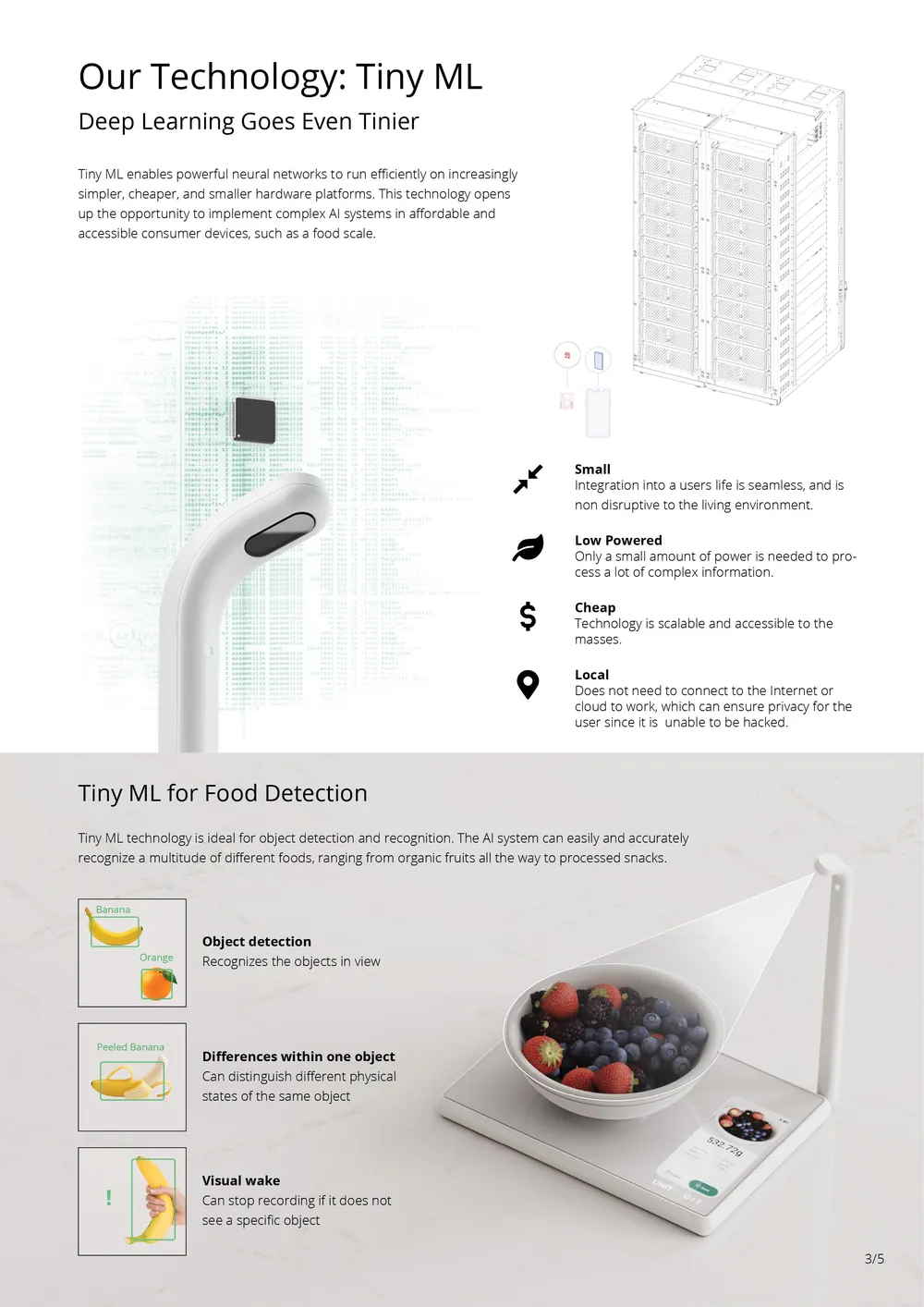
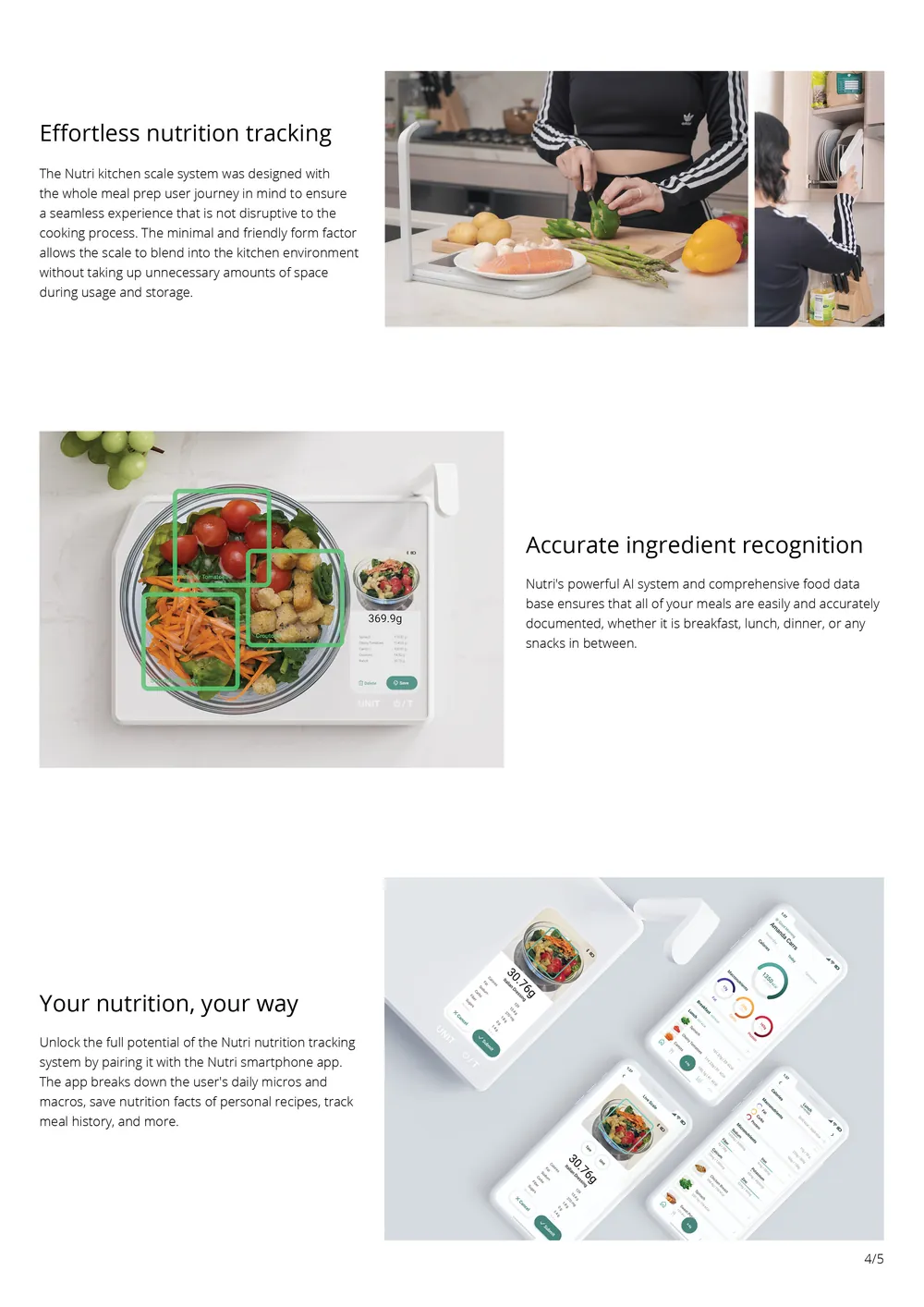
Nutri is an AI-powered scale that recognizes food as it is being weighed, helping users easily track nutrition and macros in the kitchen. Built on TinyML developed at MIT, Nutri runs food-recognition models locally on low-power hardware without relying on the cloud or a phone. I helped design the scale, embedded interface, and companion app as one integrated system, which went on to receive a 2022 Red Dot Award for Design Concept.
The things that made this project difficult:
- AI had not been popularized yet, so the idea of bringing a machine learning experience into your home was foreign to most people.
- A kitchen device has to earn its counter space or it ends up lost somewhere in a drawer.
The problem
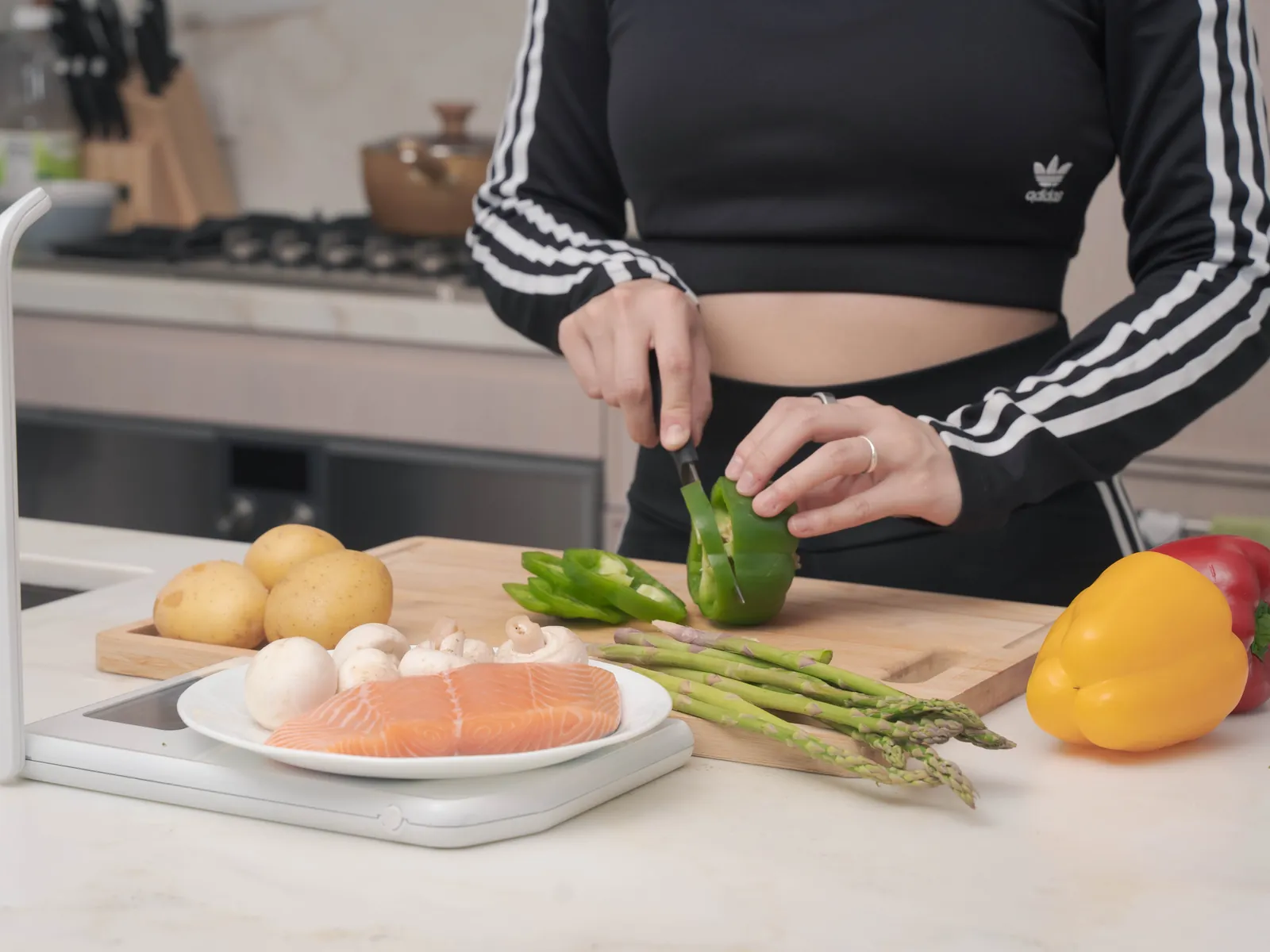
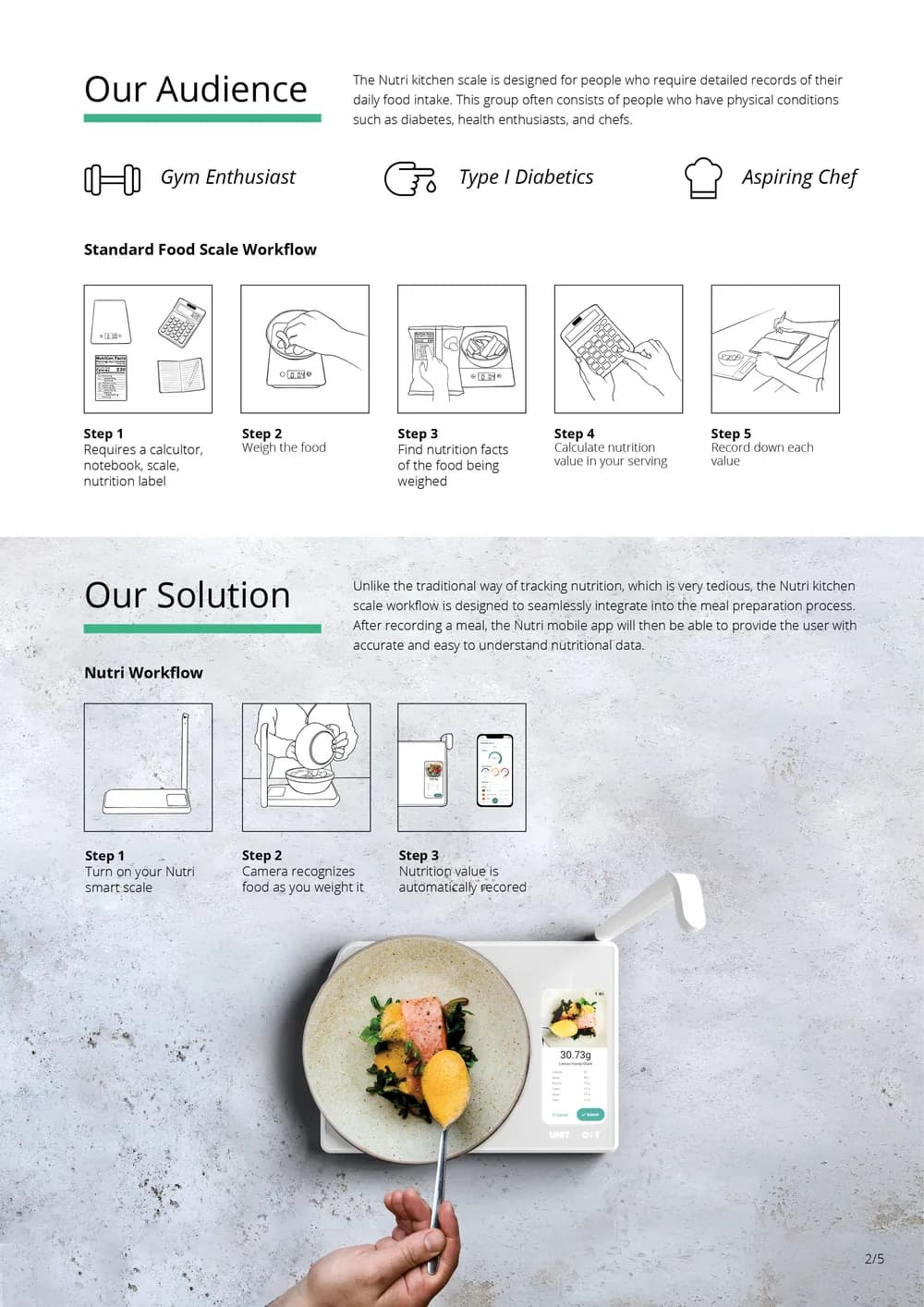
The standard workflow needs a scale, a nutrition label, a calculator, and a notebook. With Nutri you turn on the scale, cook, and the tracking happens on its own.
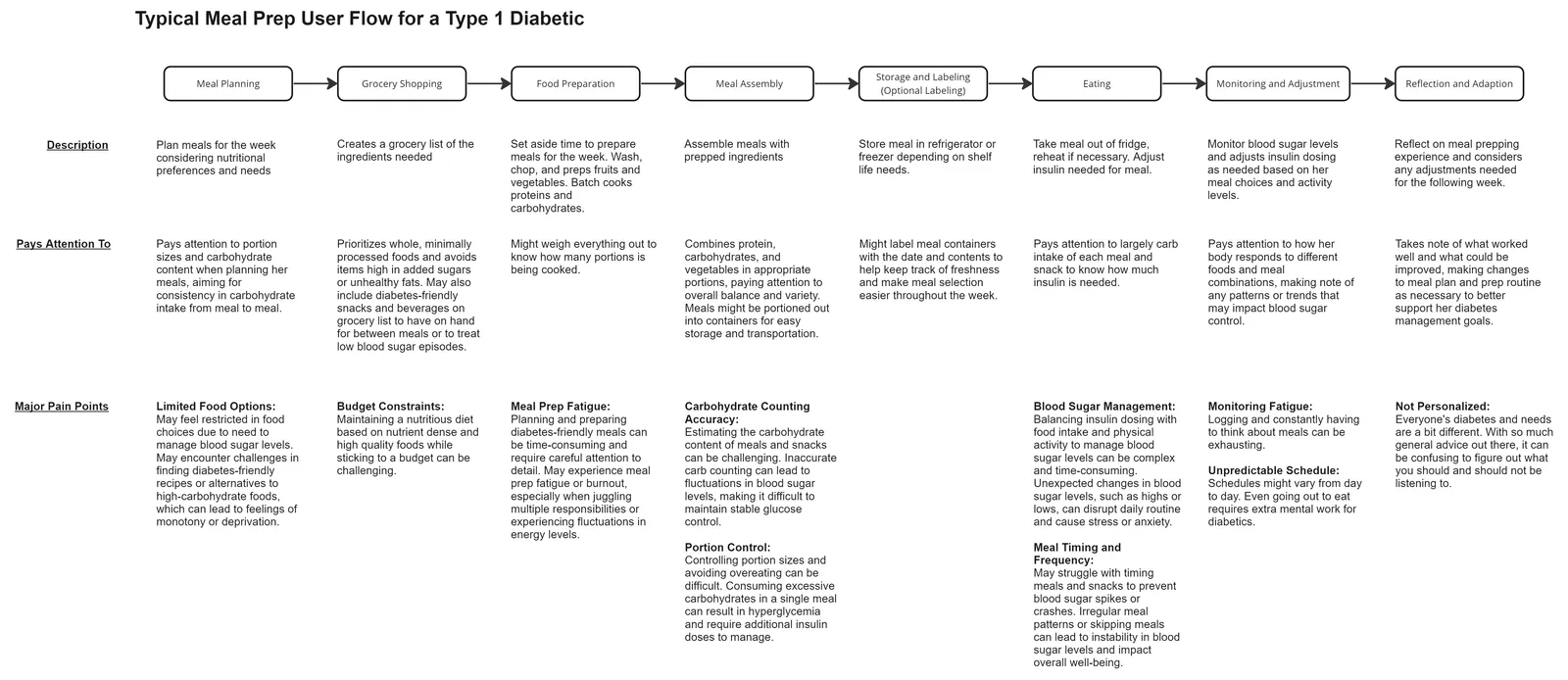
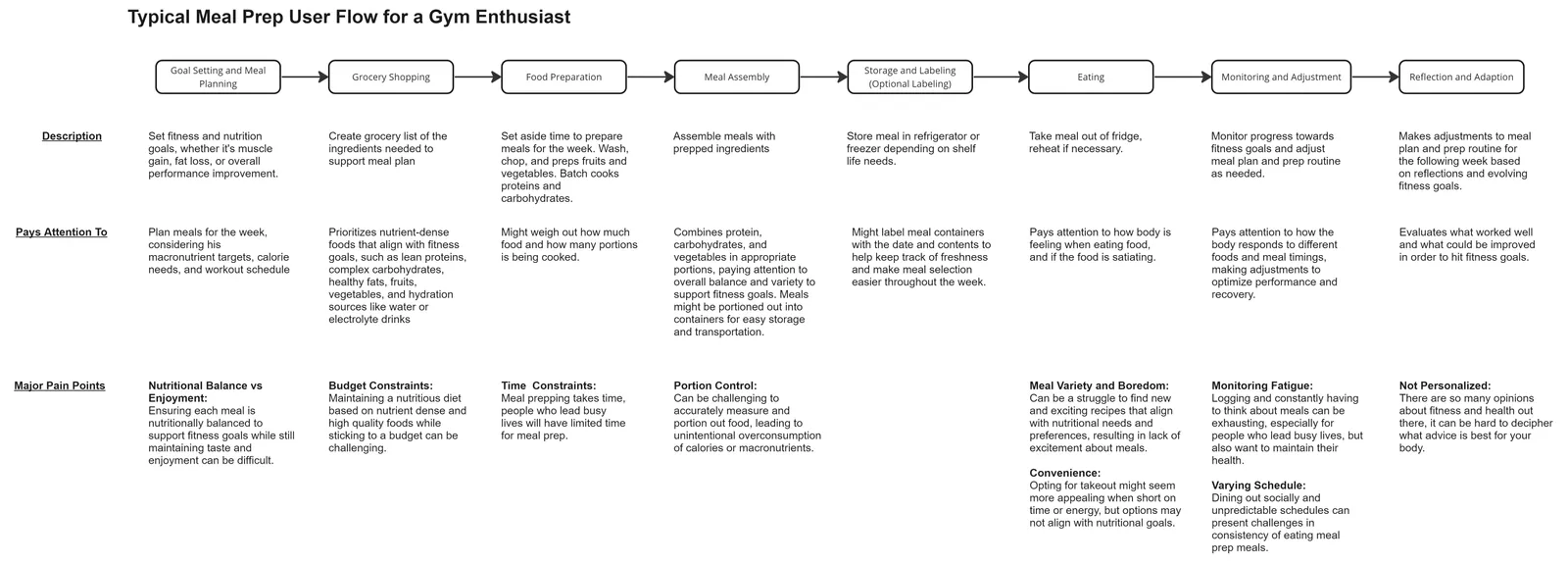
Current user journey

Ideal user journey

Research
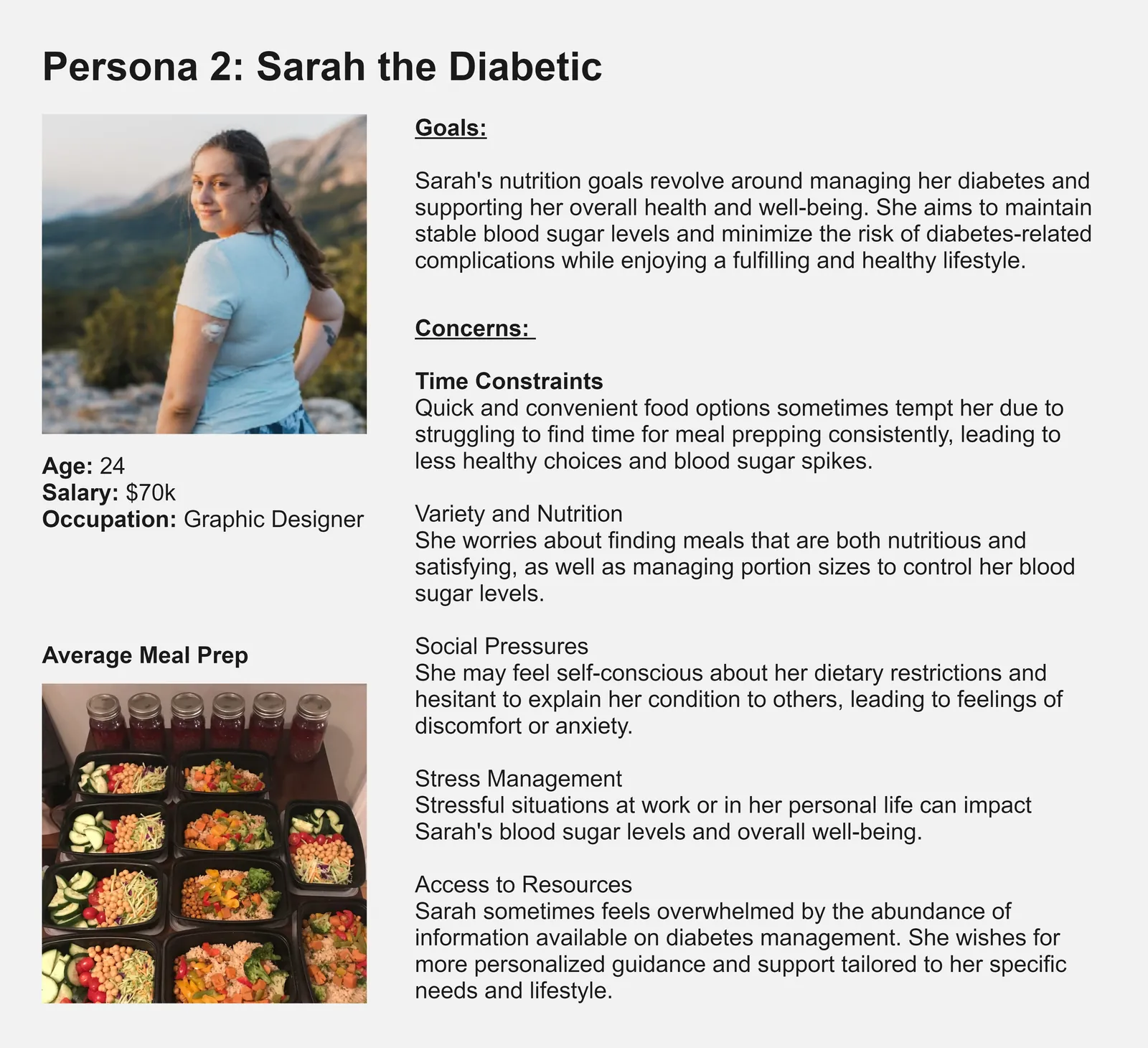
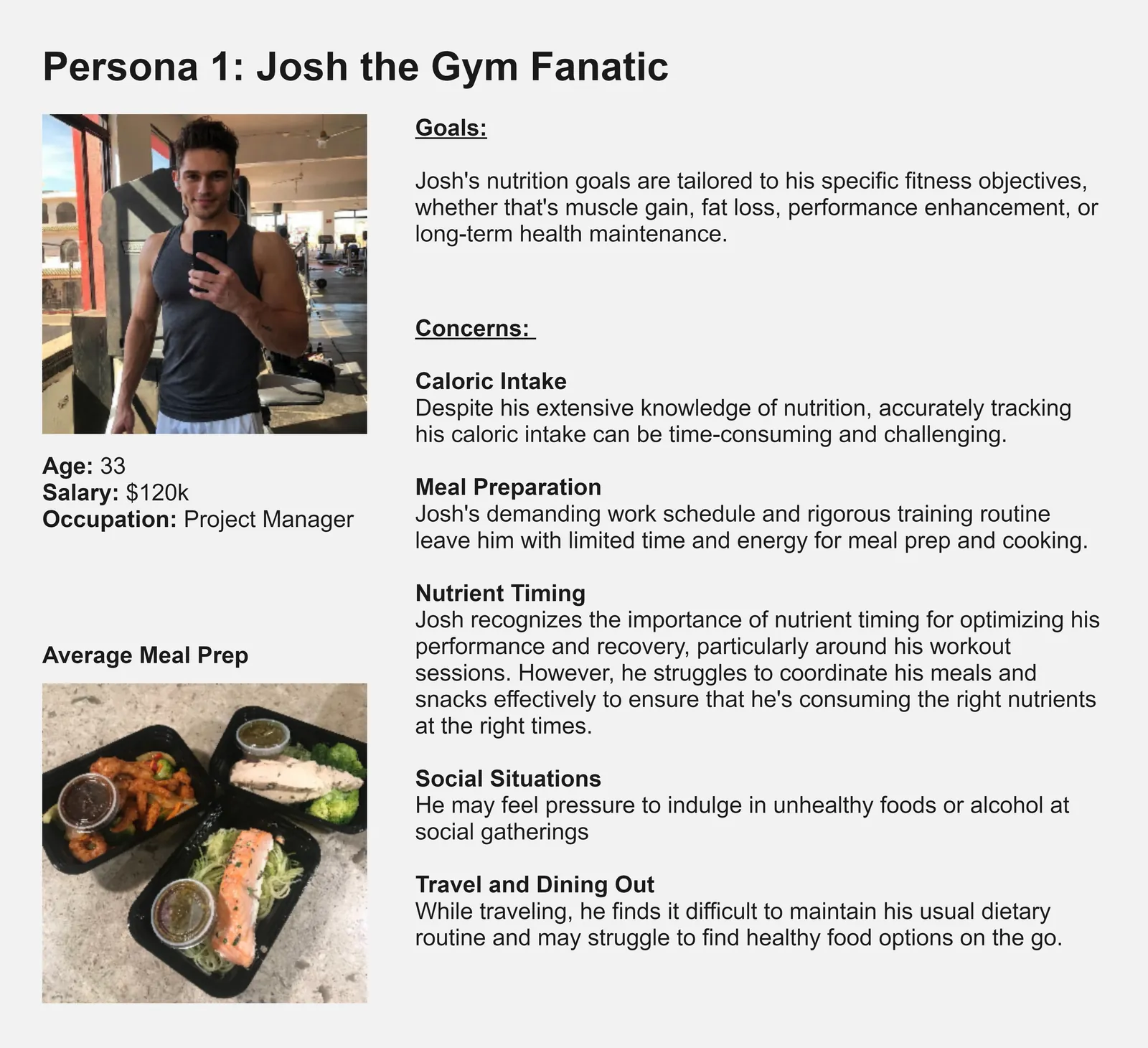
We interviewed four primary users and pulled from secondary sources to map out how people track their food. We built two personas, a Type 1 diabetic and a gym enthusiast. We chose them because both groups already track their diet closely and already own food scales, and a new product is an easier sell when it fixes a process people are stuck doing anyway. Three insights came out of the research.
The scale has to work alone for simple tasks. Sometimes you just want a weight, no sign-in, no phone.
The hardware and software experience together is the reason to buy. Cooking cannot slow down for tracking.
Users give a lot of data and get little back. The app has to return more than it takes.
The market
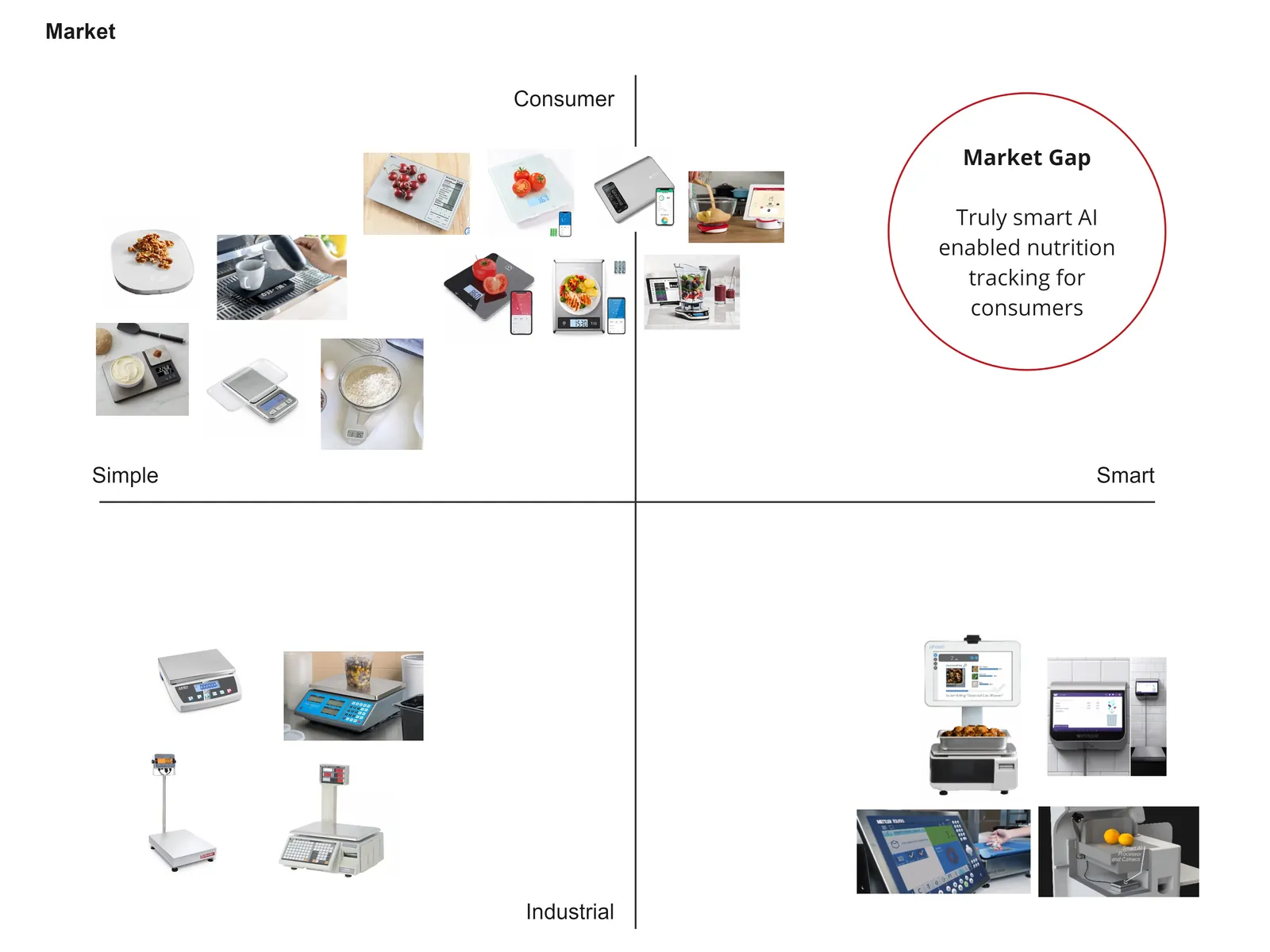
Smart food recognition already exists in industrial settings, but there are no consumer products tackling this space.
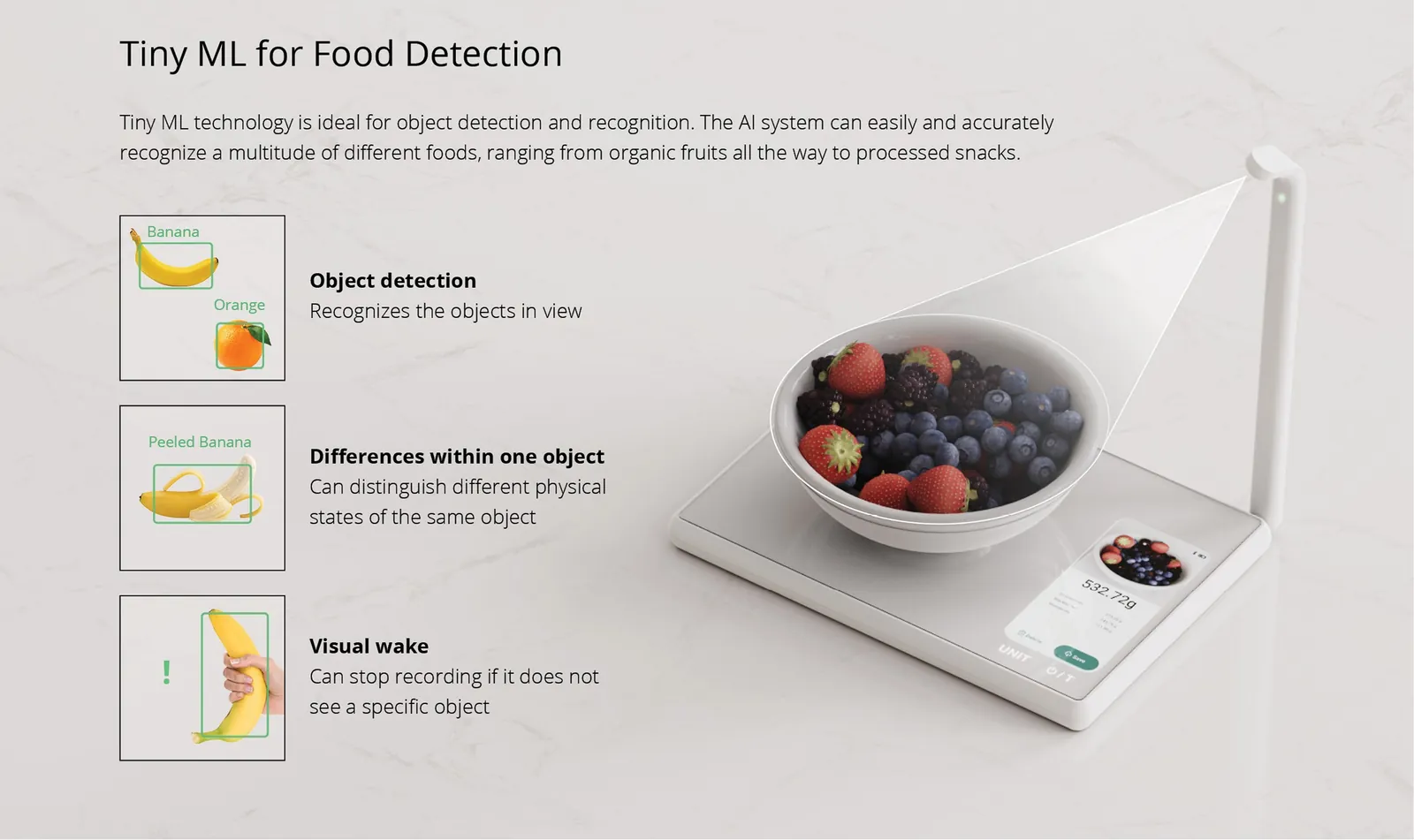
Tiny ML
Running the AI on the device instead of the cloud or the phone made the scale cheap, private, and self-sufficient.
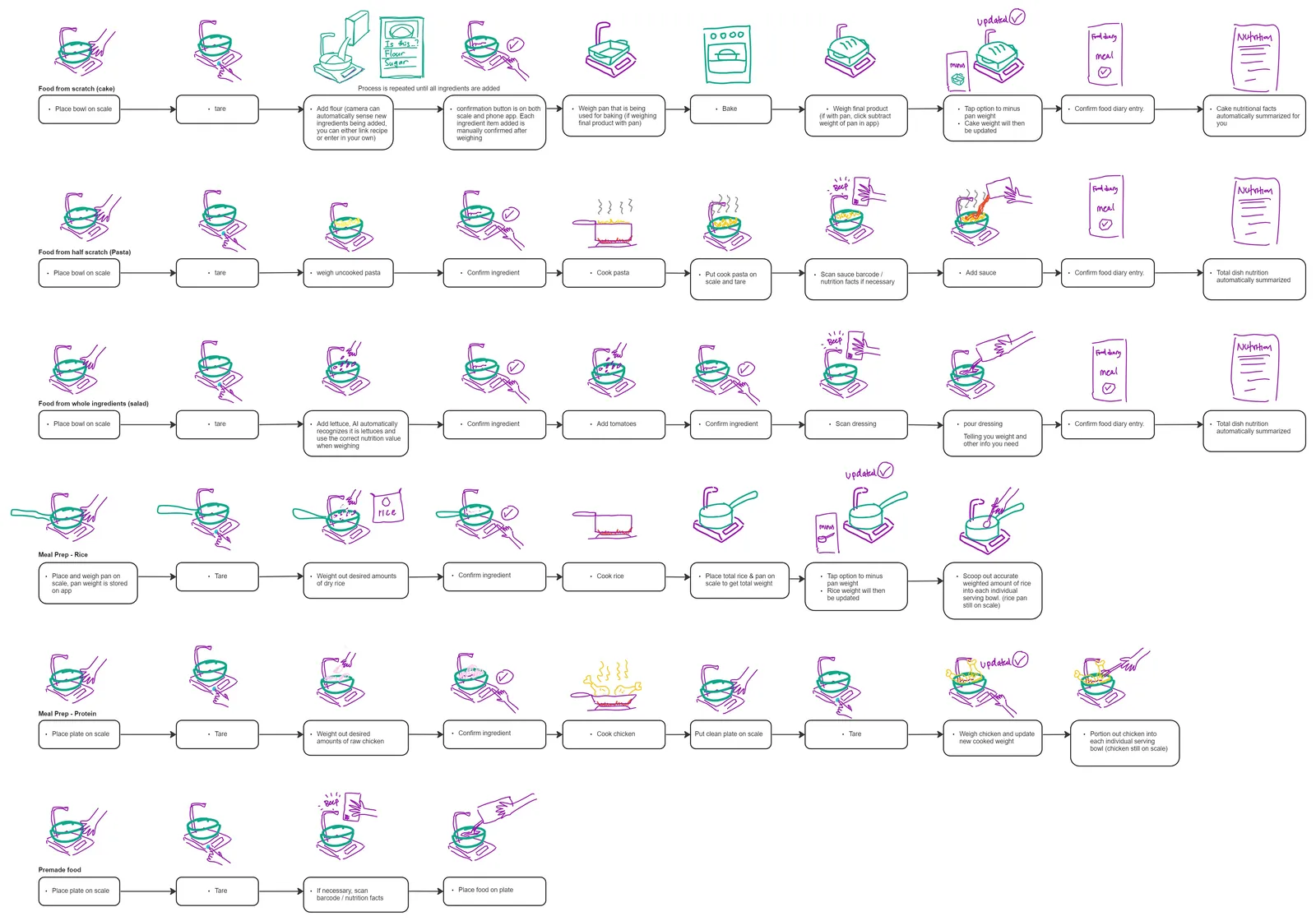
Scenario mapping
Before designing the hardware or UI, we mapped out some of the most common cooking scenarios a scale runs into: from-scratch baking, half-scratch pasta, meal prep, premade food. Each scenario got its own screen flow, and those flows drove both the interface and the hardware.
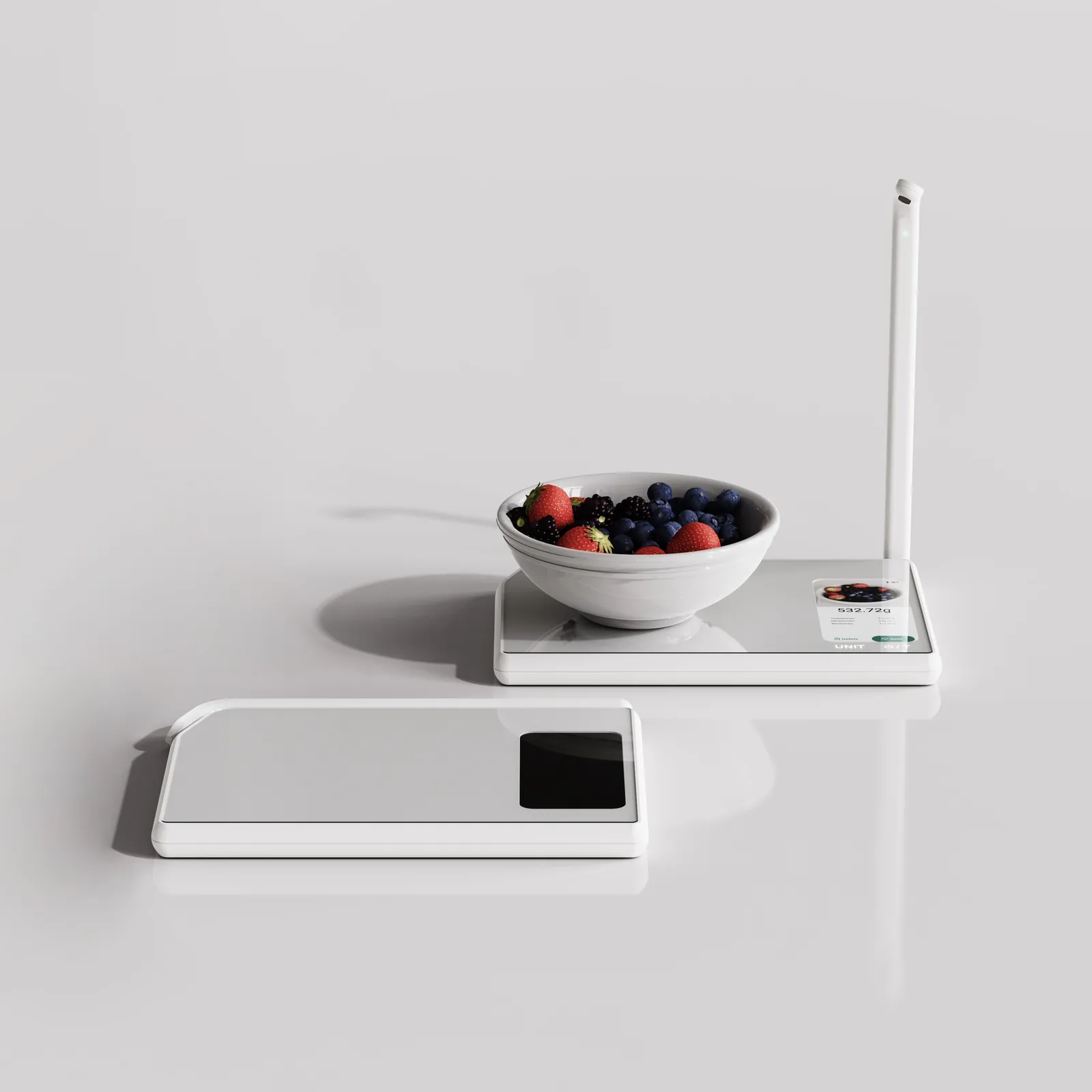
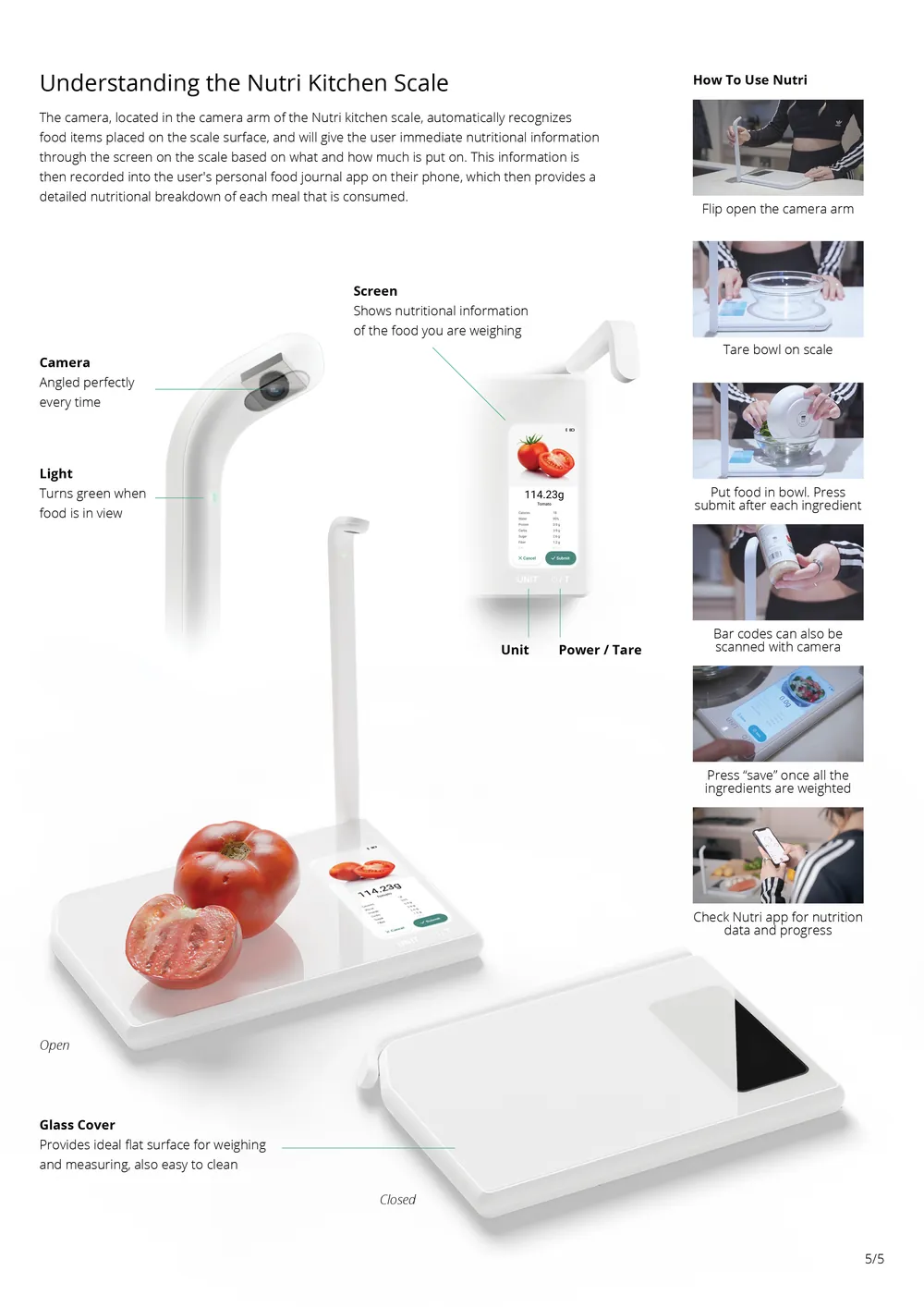
The scale
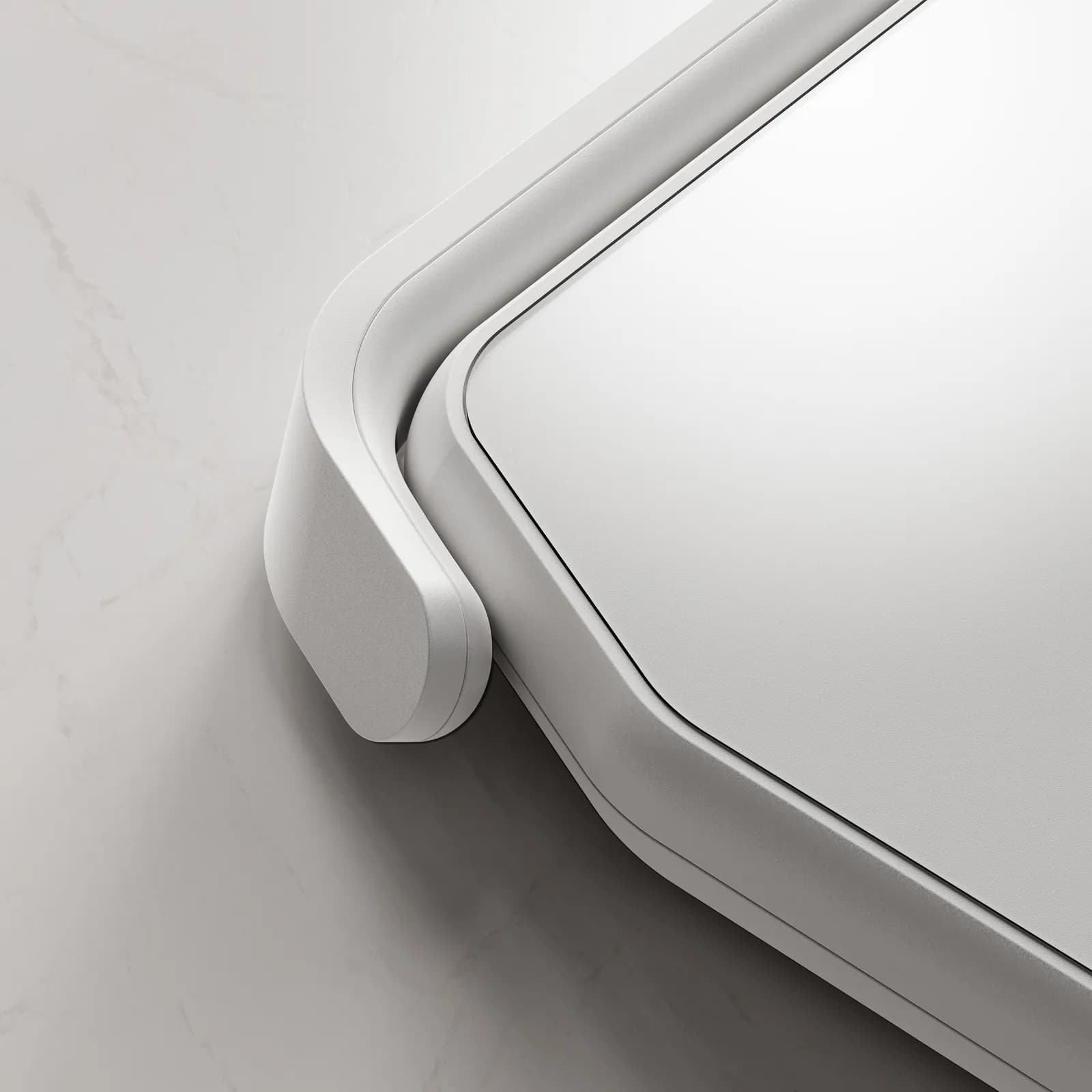
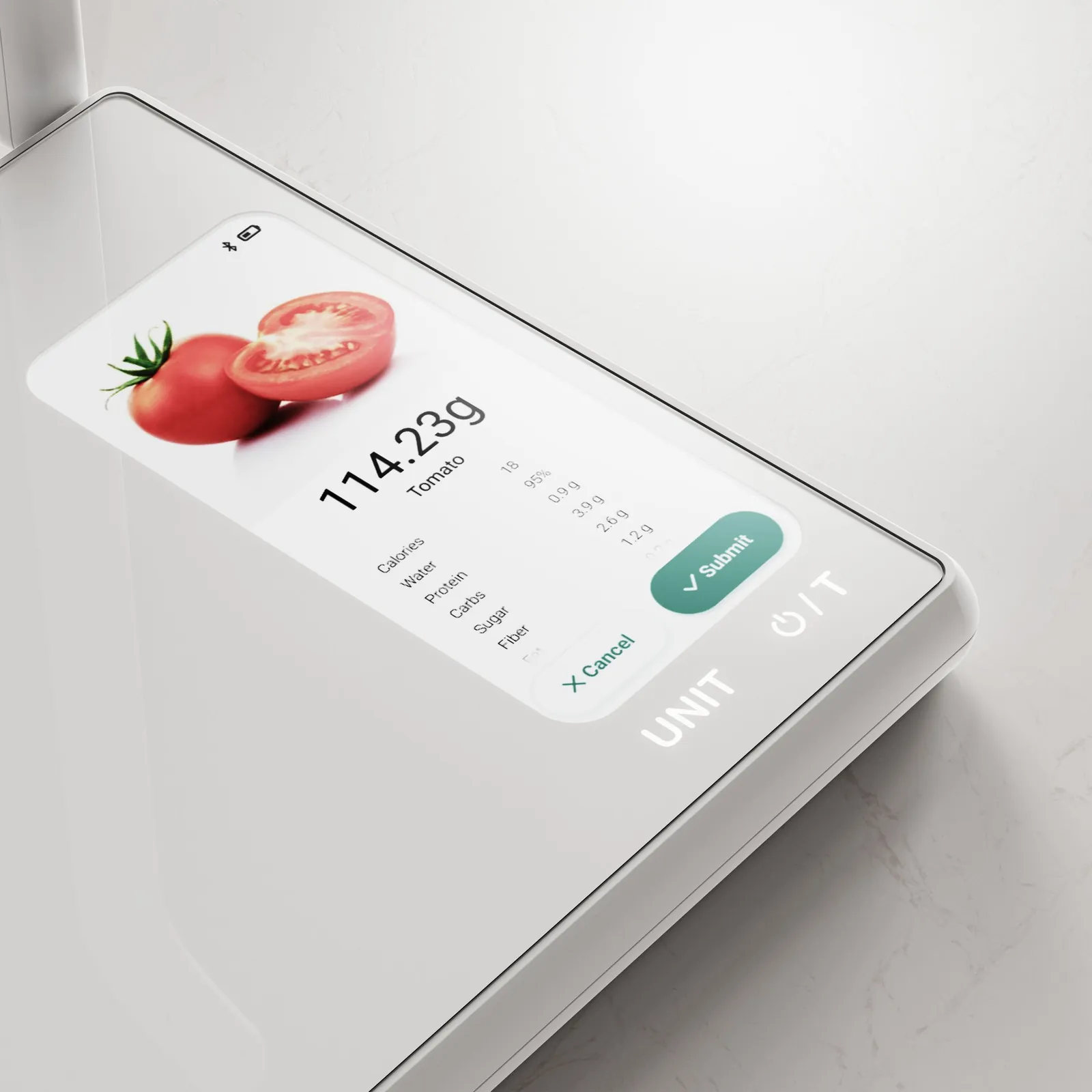
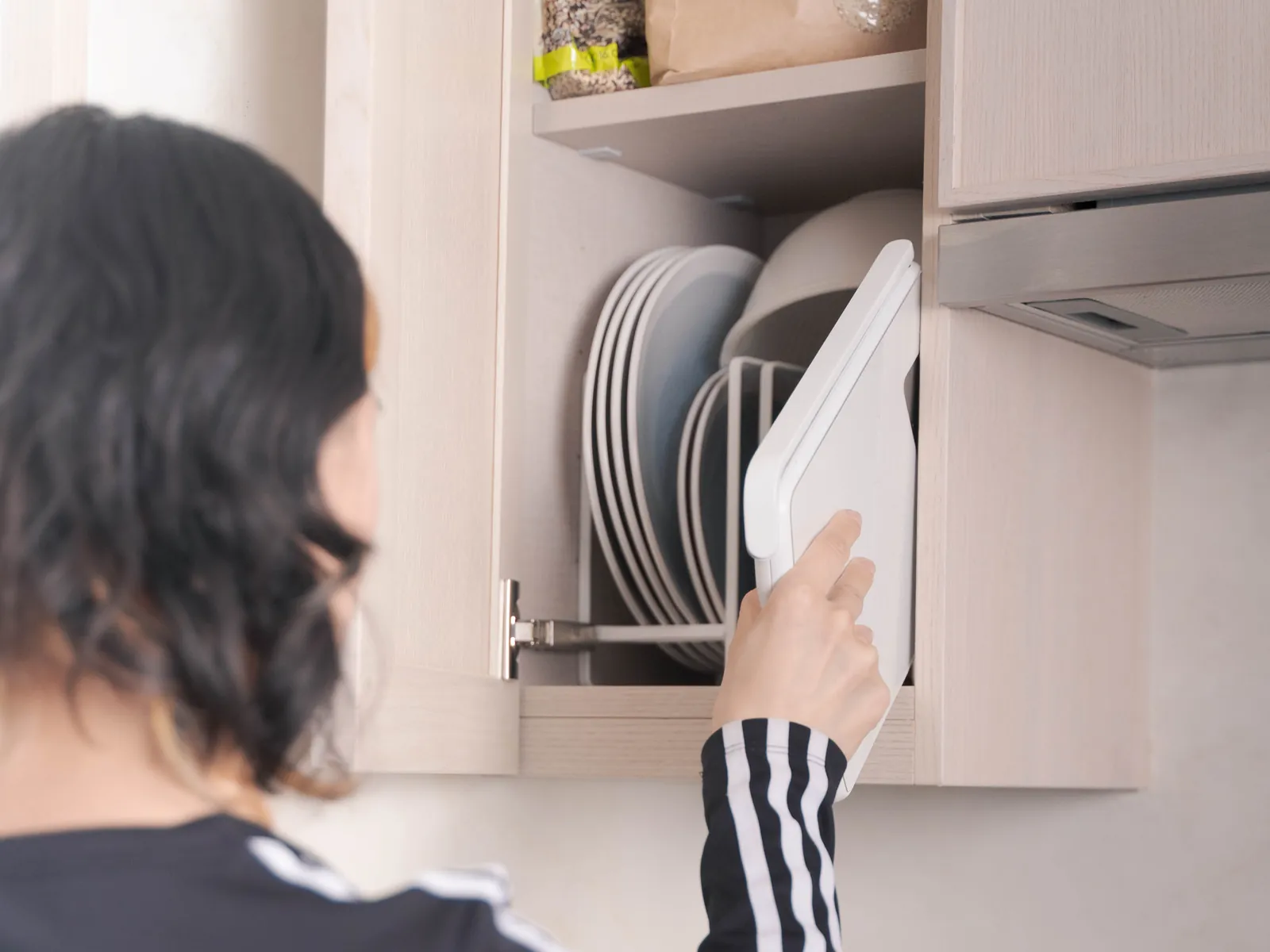
The camera arm folds flat so the scale stores like a cutting board. The camera angle is fixed so the shot is right every time. A light shows when food is in view, and the glass top wipes clean.
Prototypes
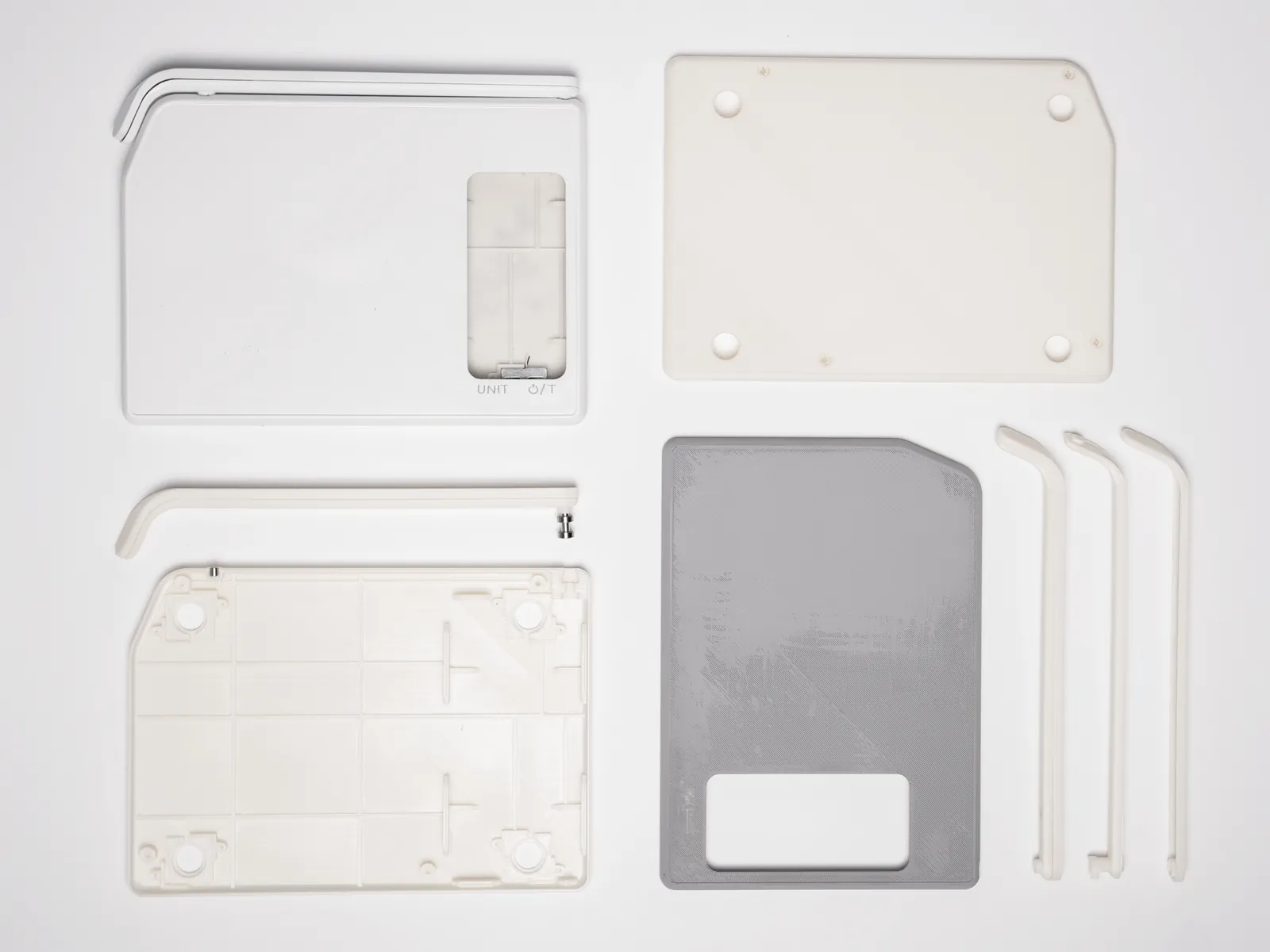
3D printed prototype parts of the scale which we used for user testing and for filming a usage video.
What lives where
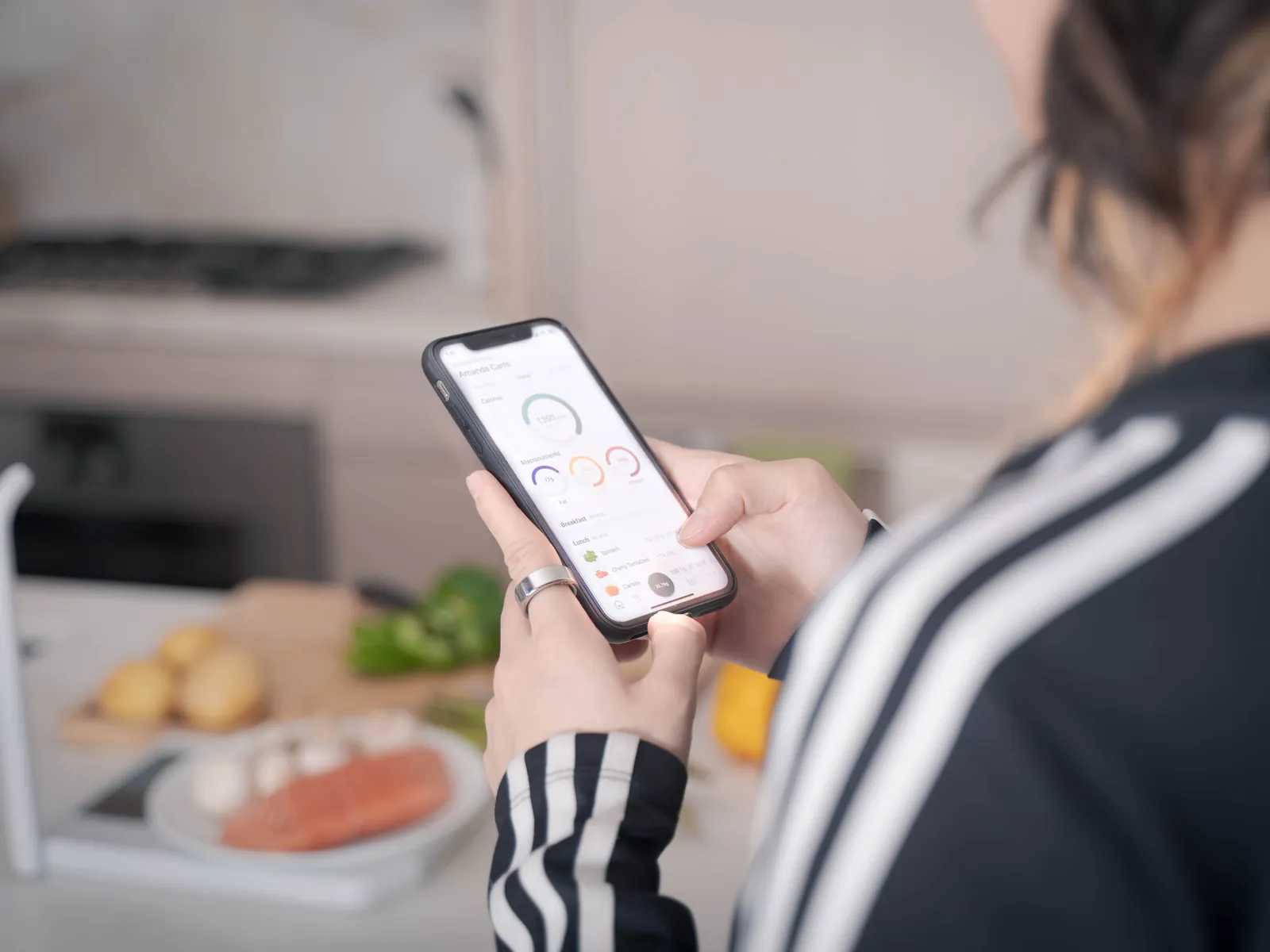
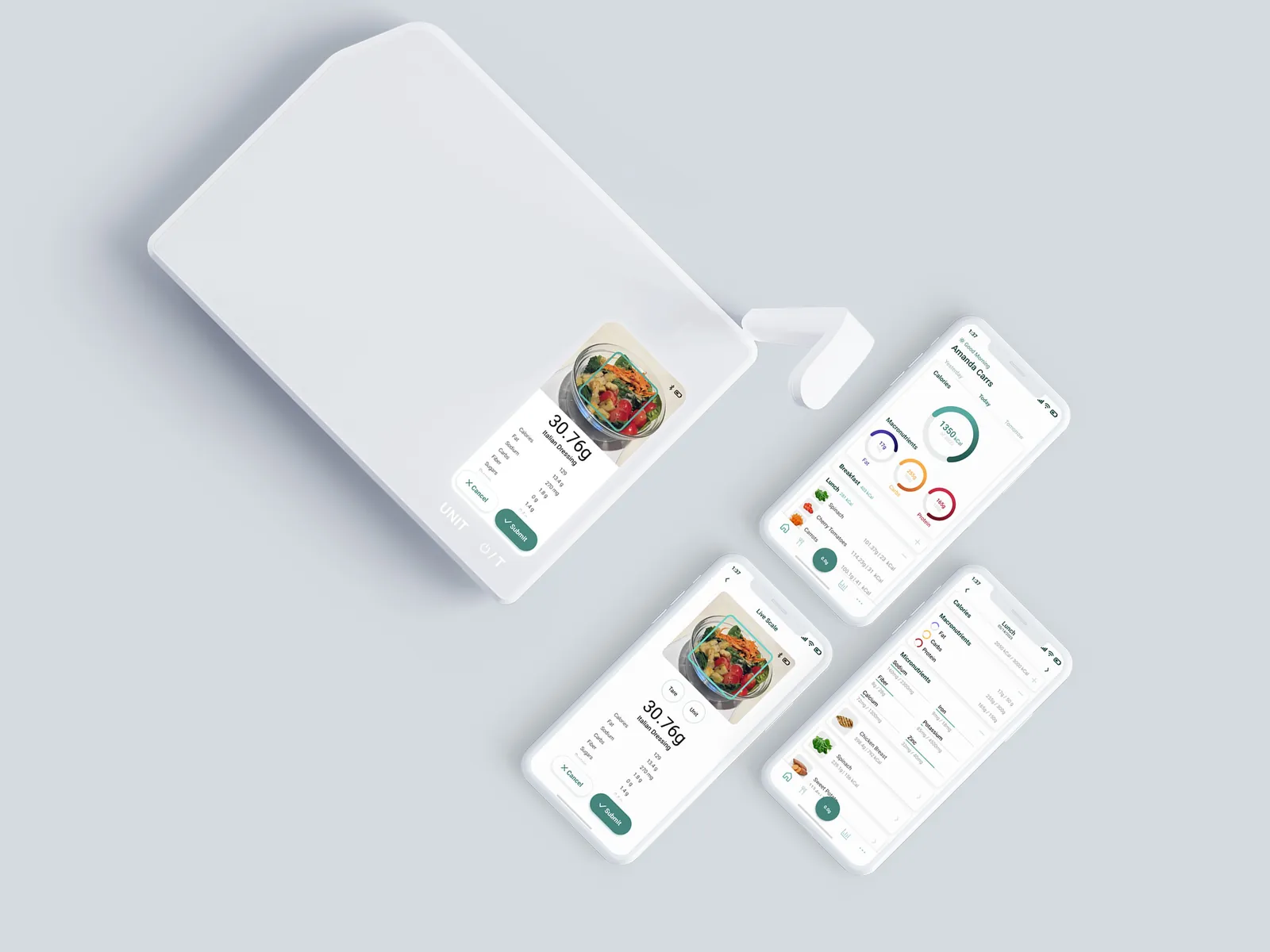
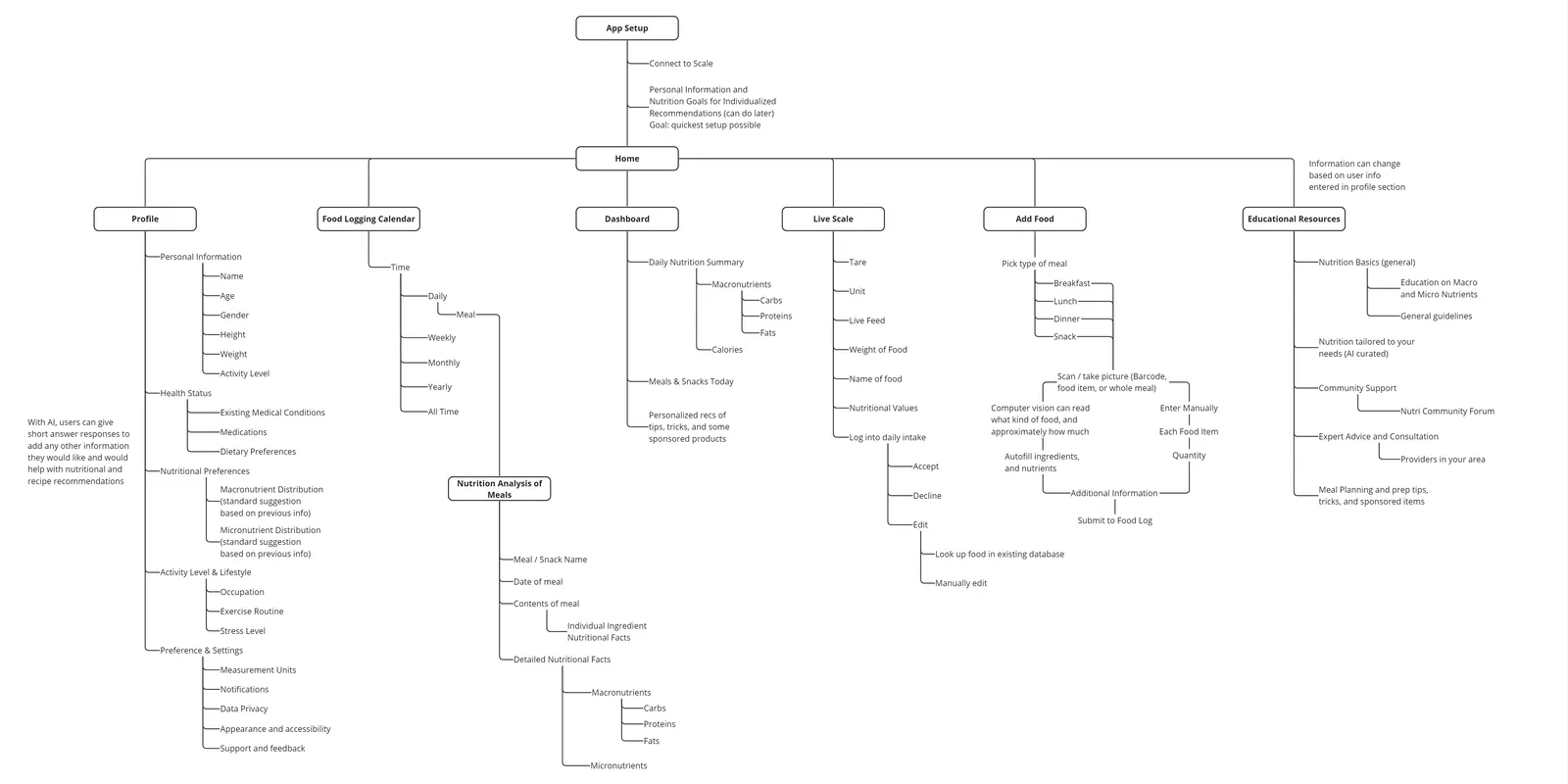
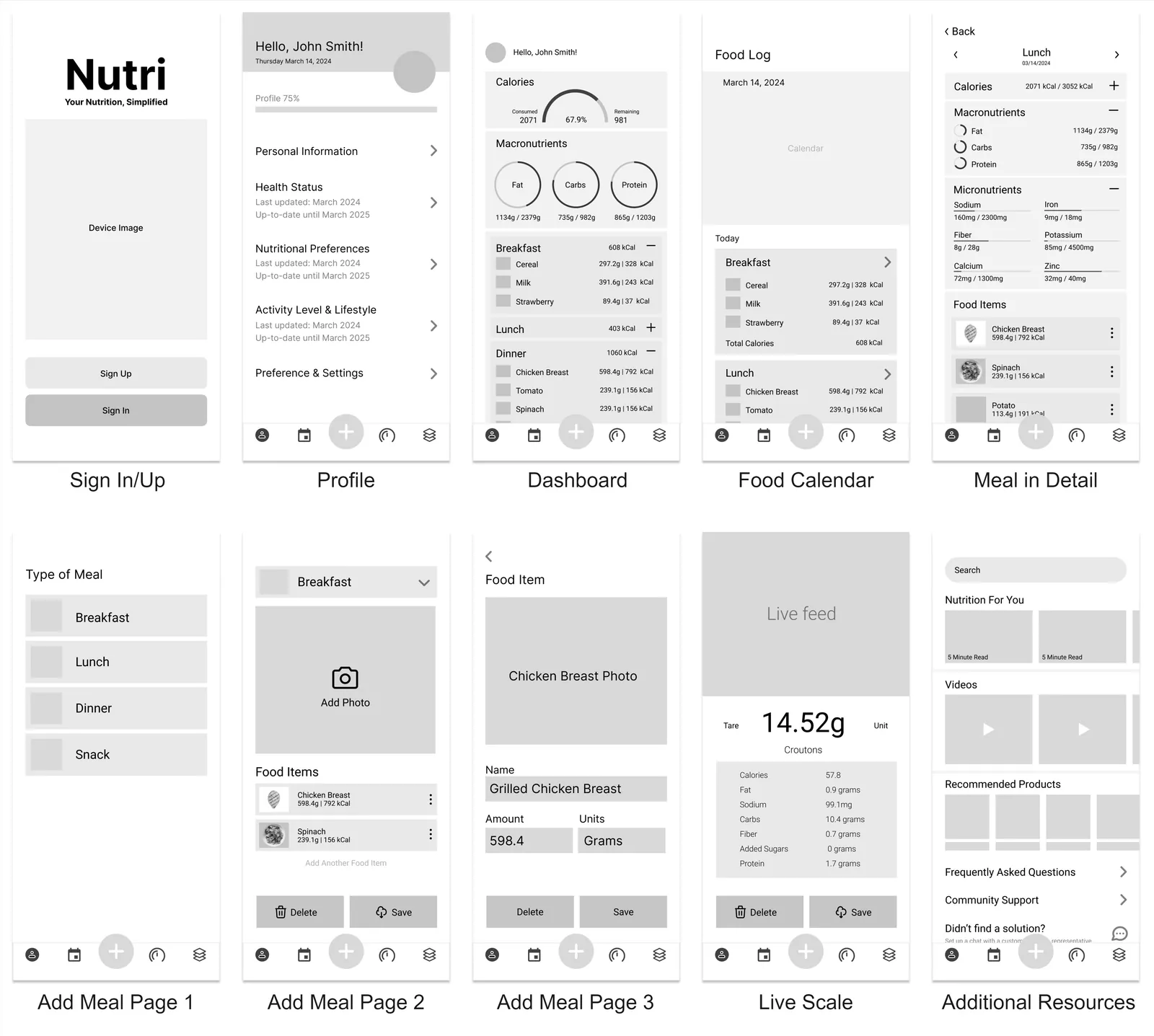
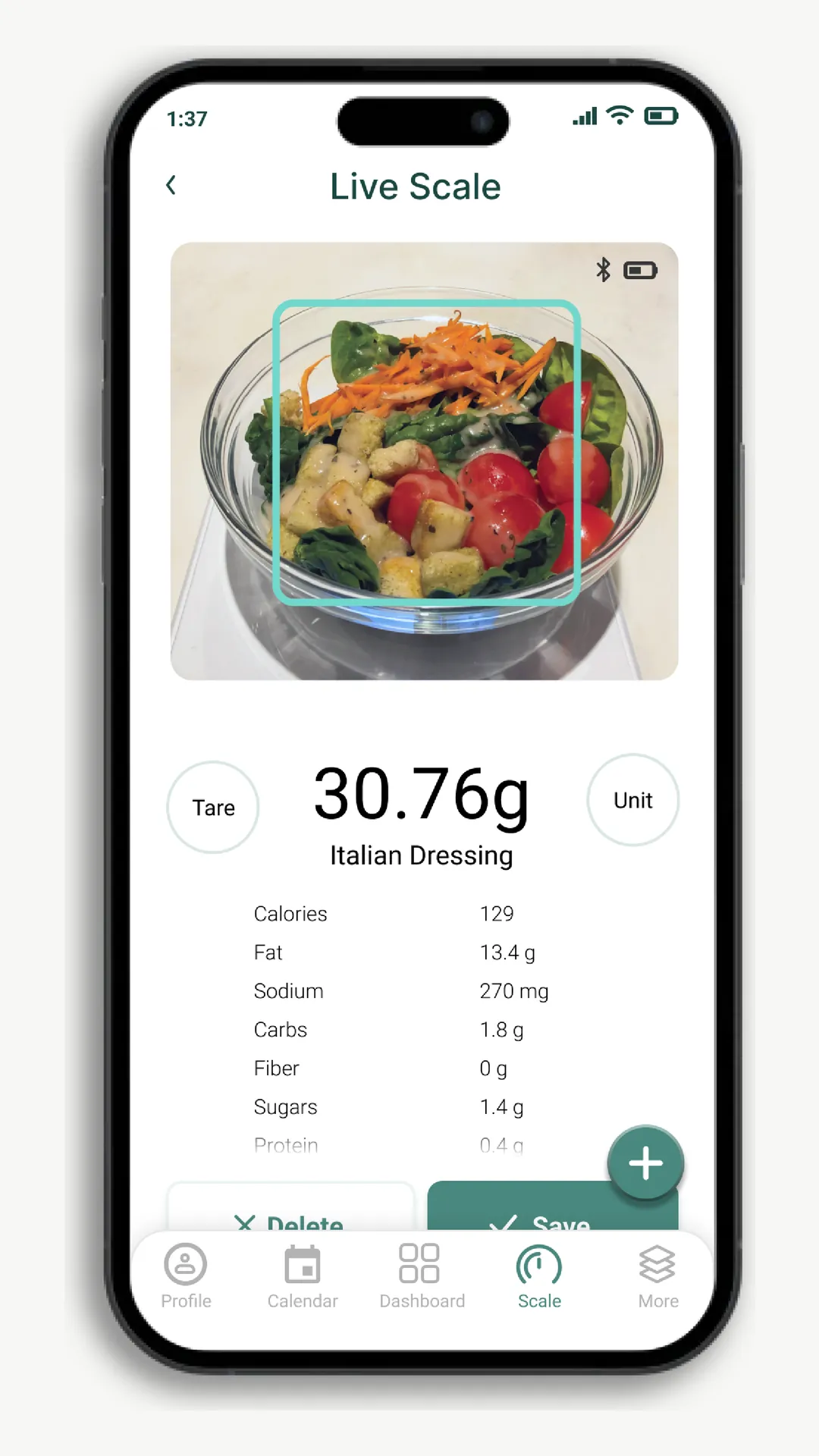
The on-scale screen does weighing, recognition, confirm, and save, and the optional app does the rest. The one overlap is Live Scale, a real-time view of the scale inside the app for when you're multitasking or a large pot blocks the screen.
Designing the app
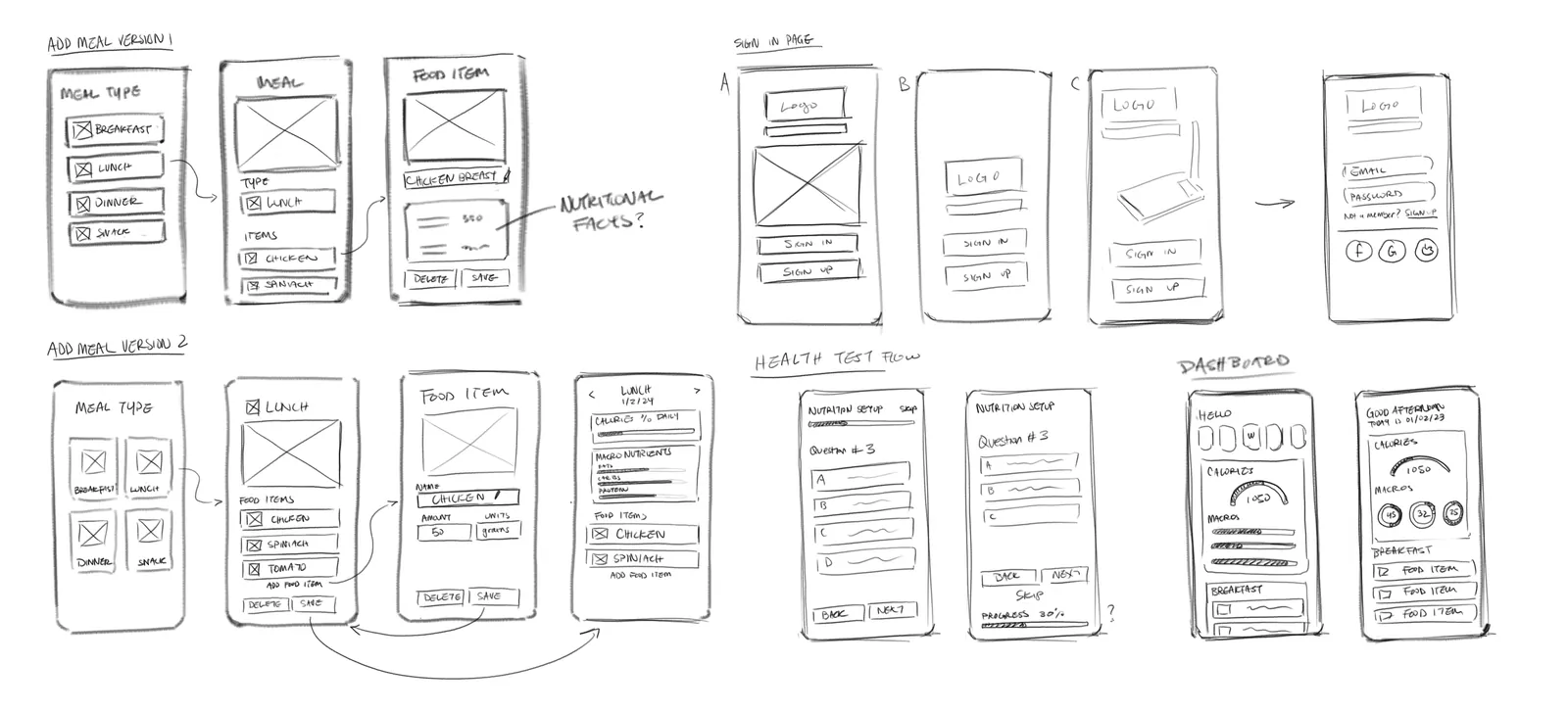
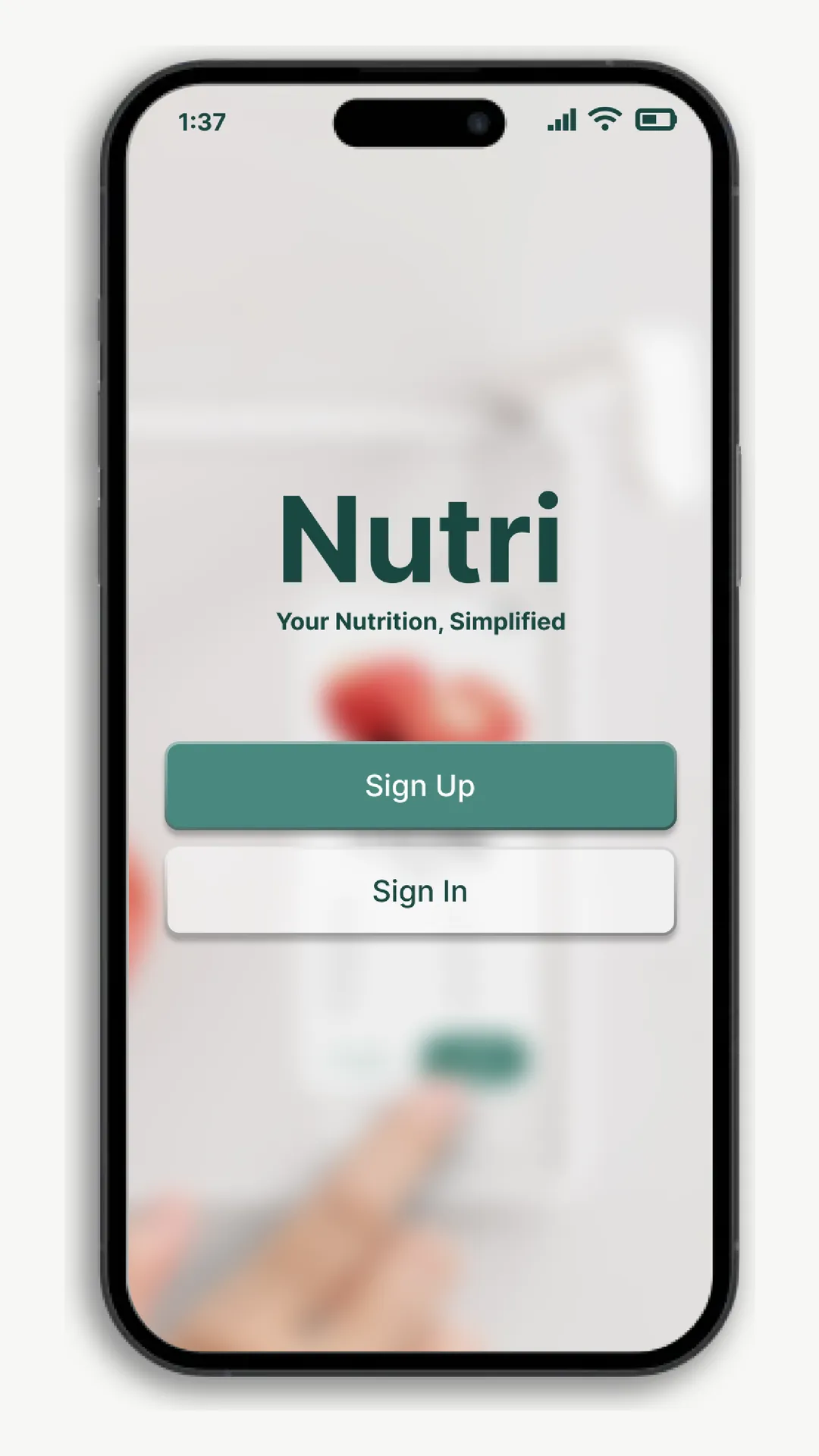
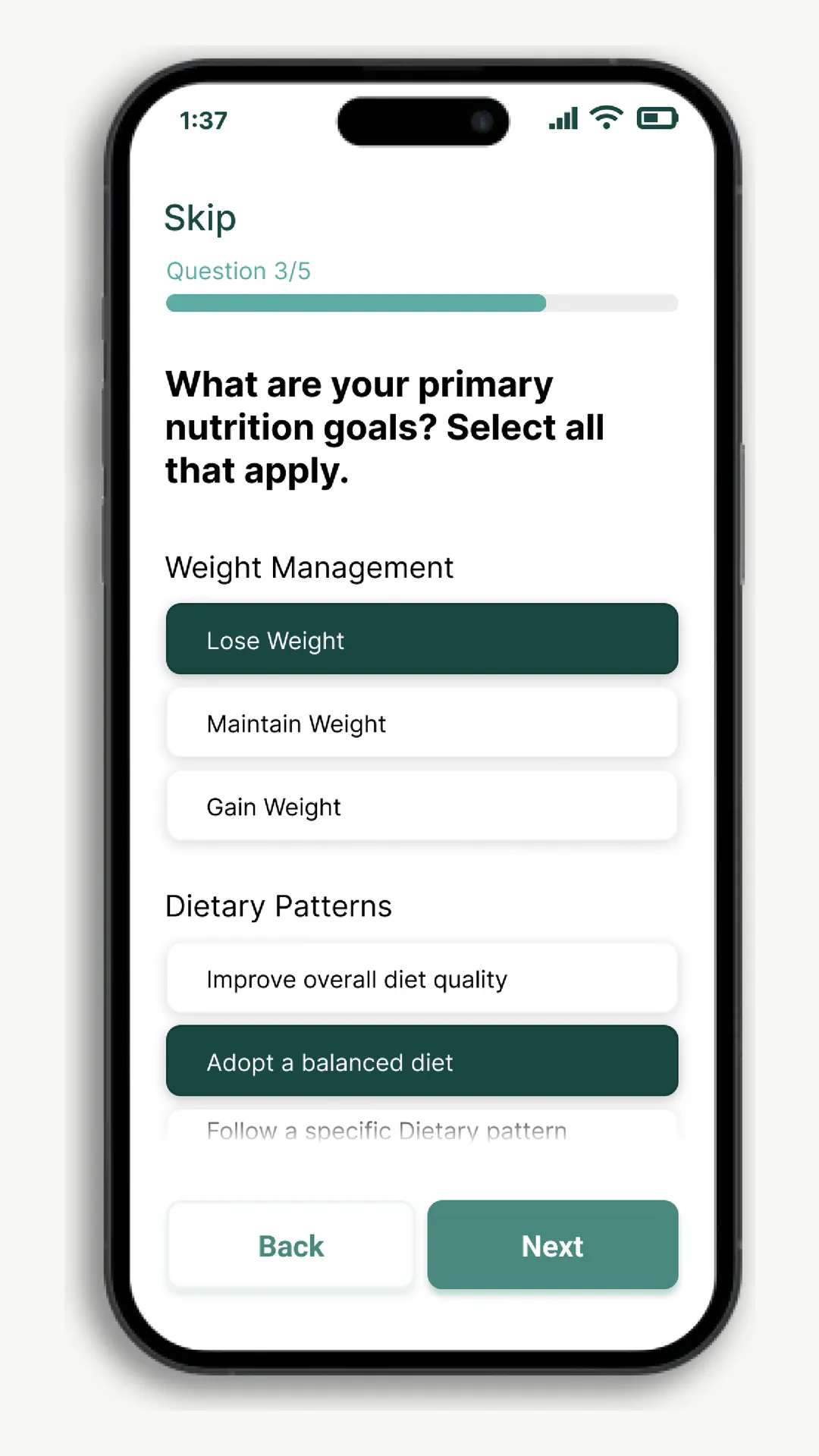
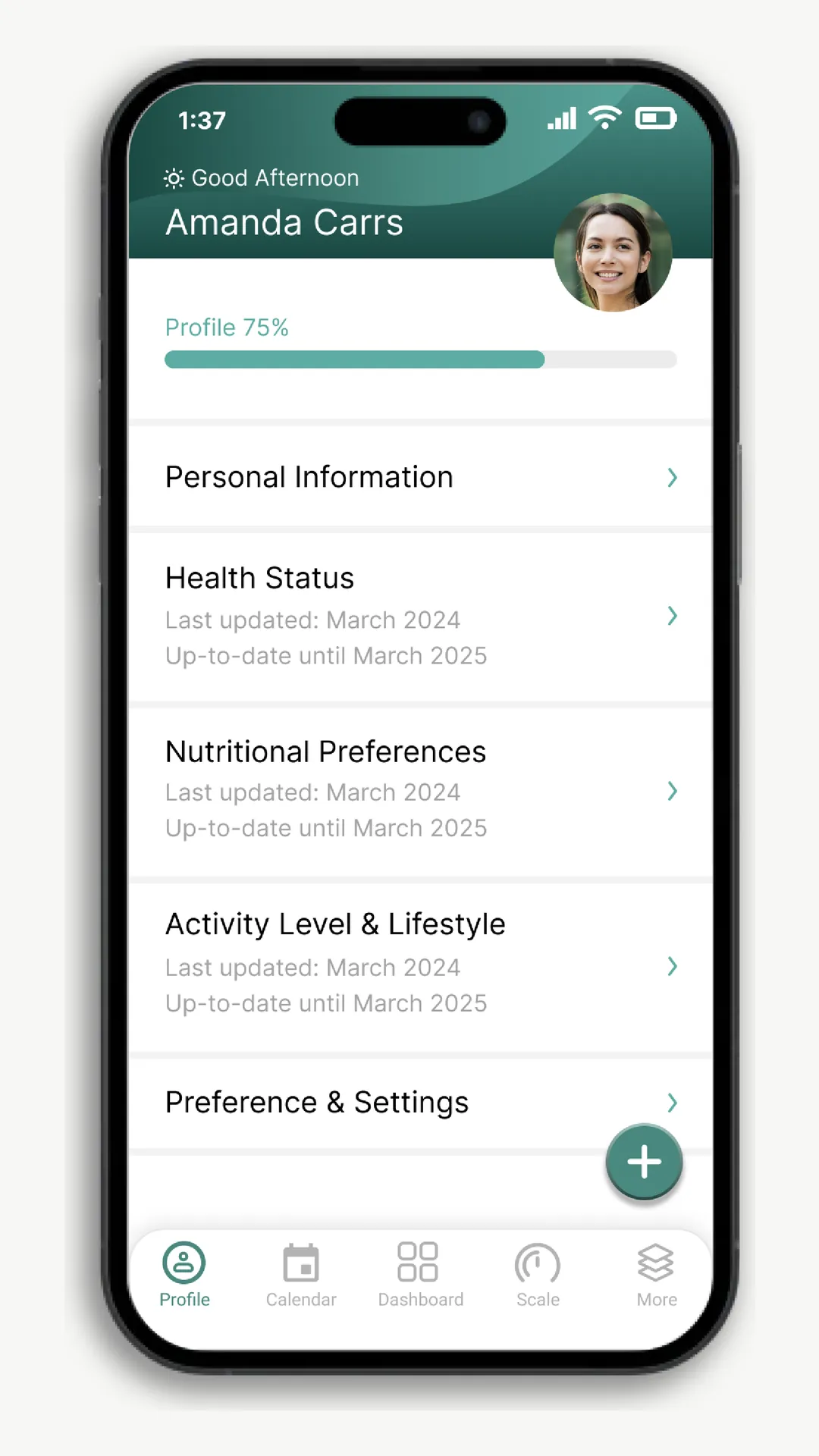
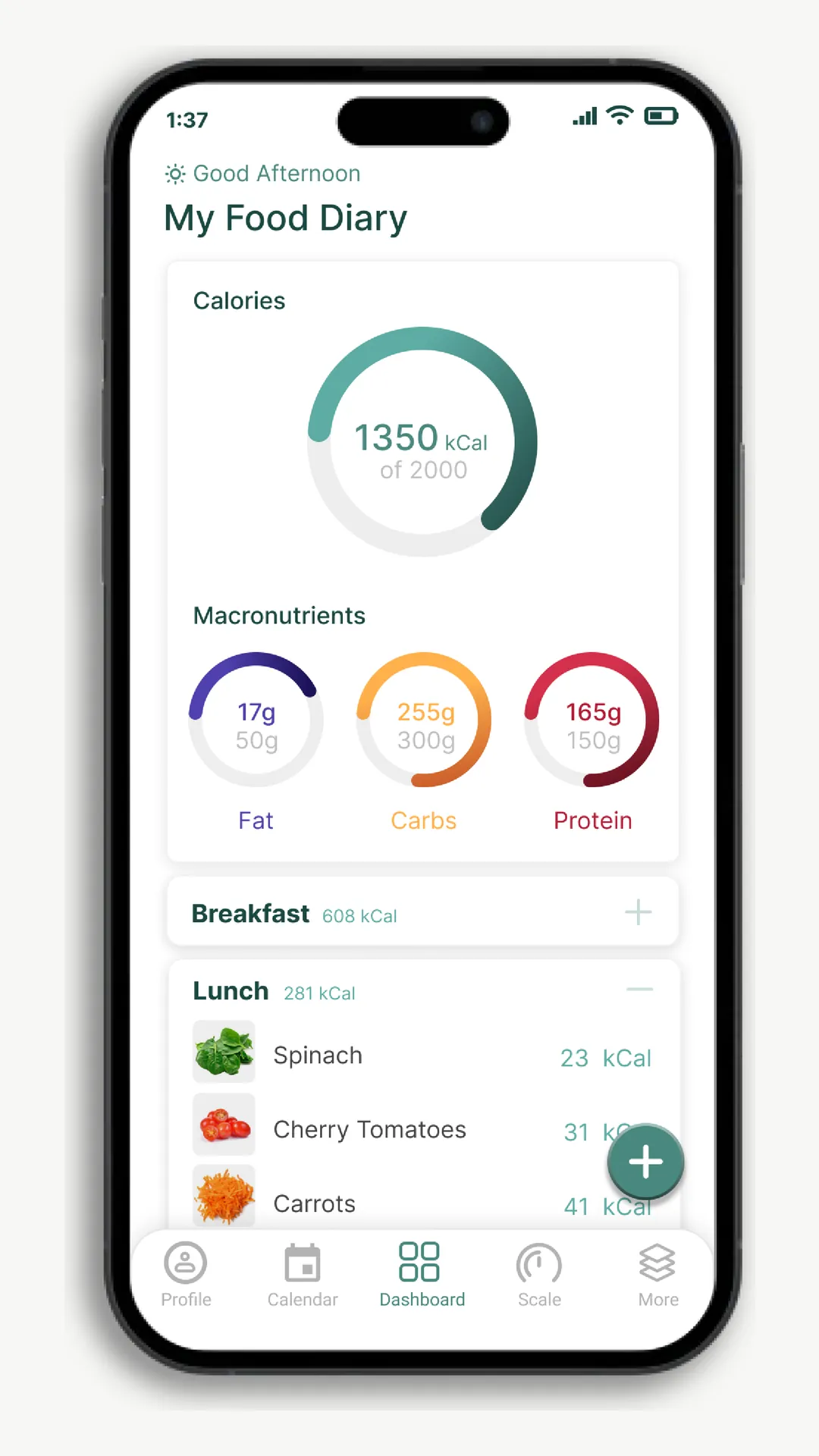
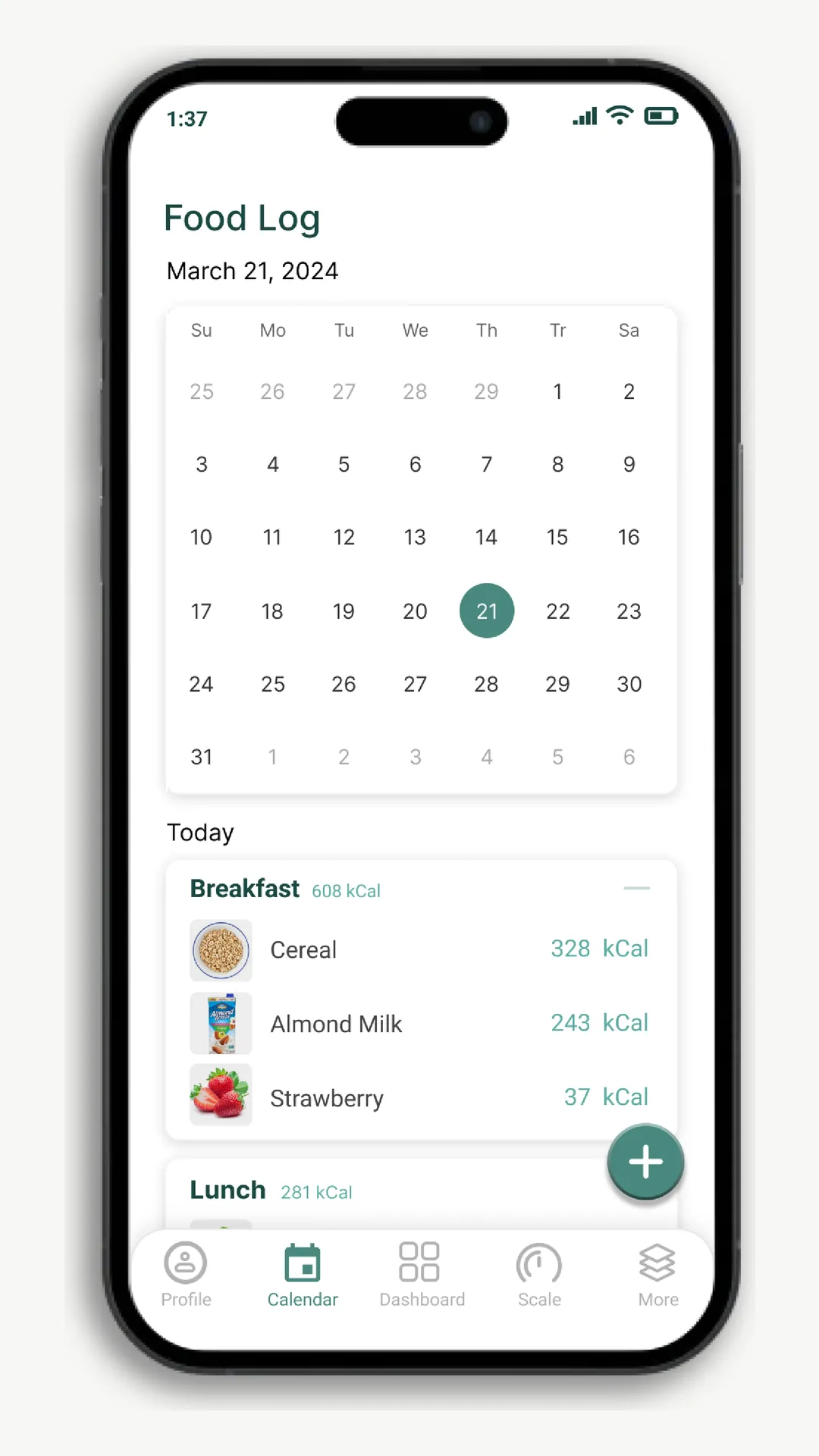
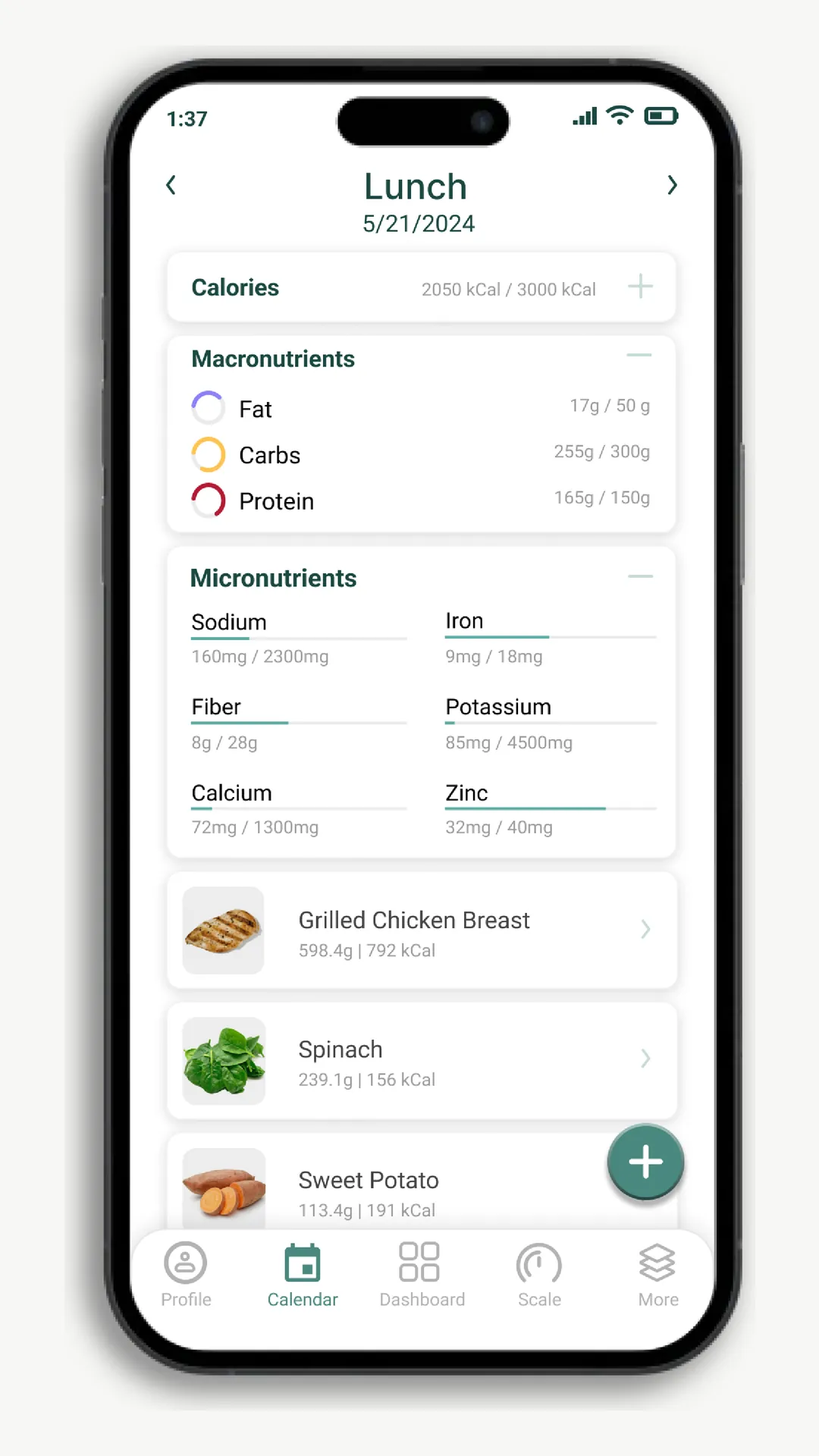
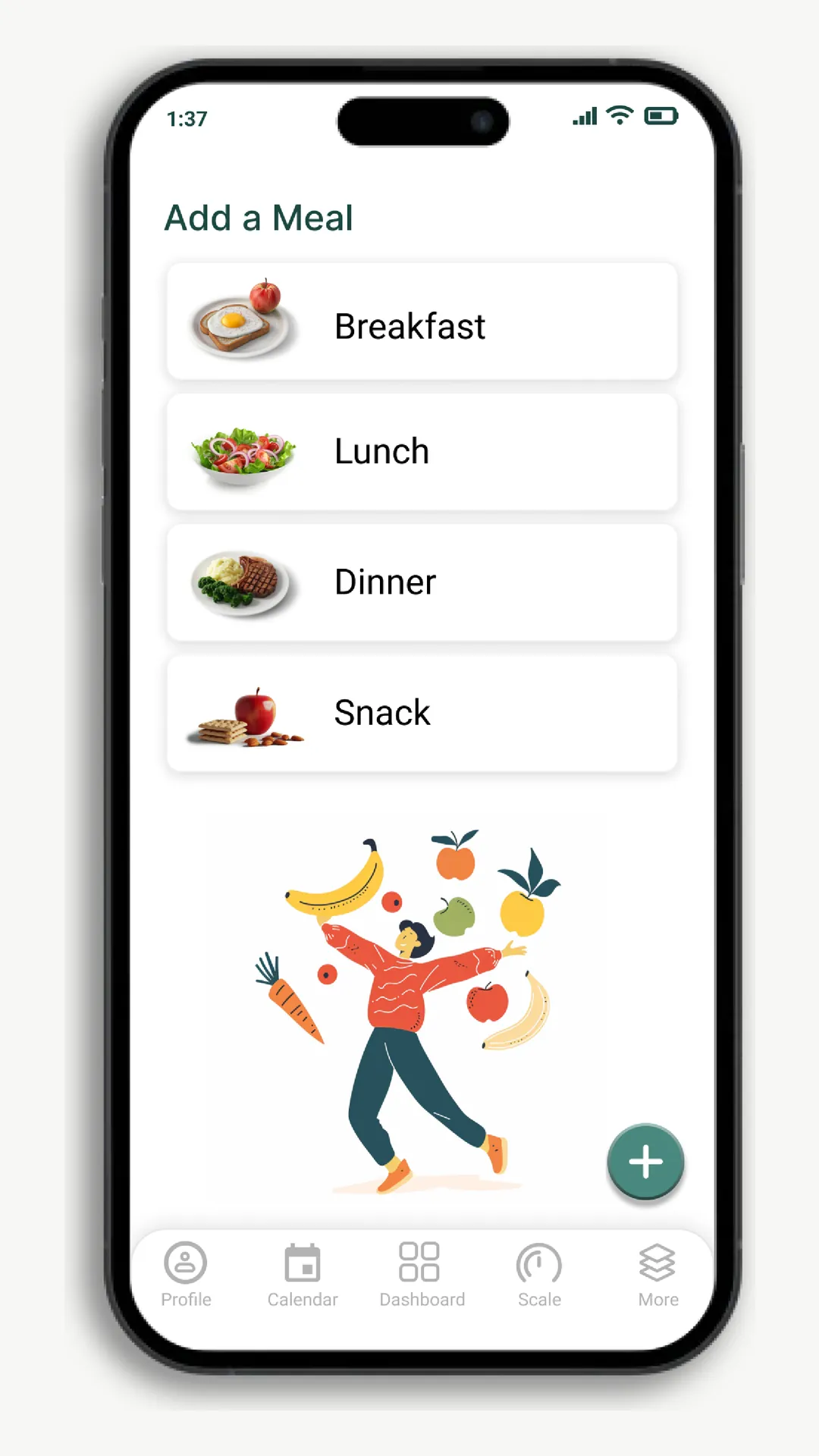
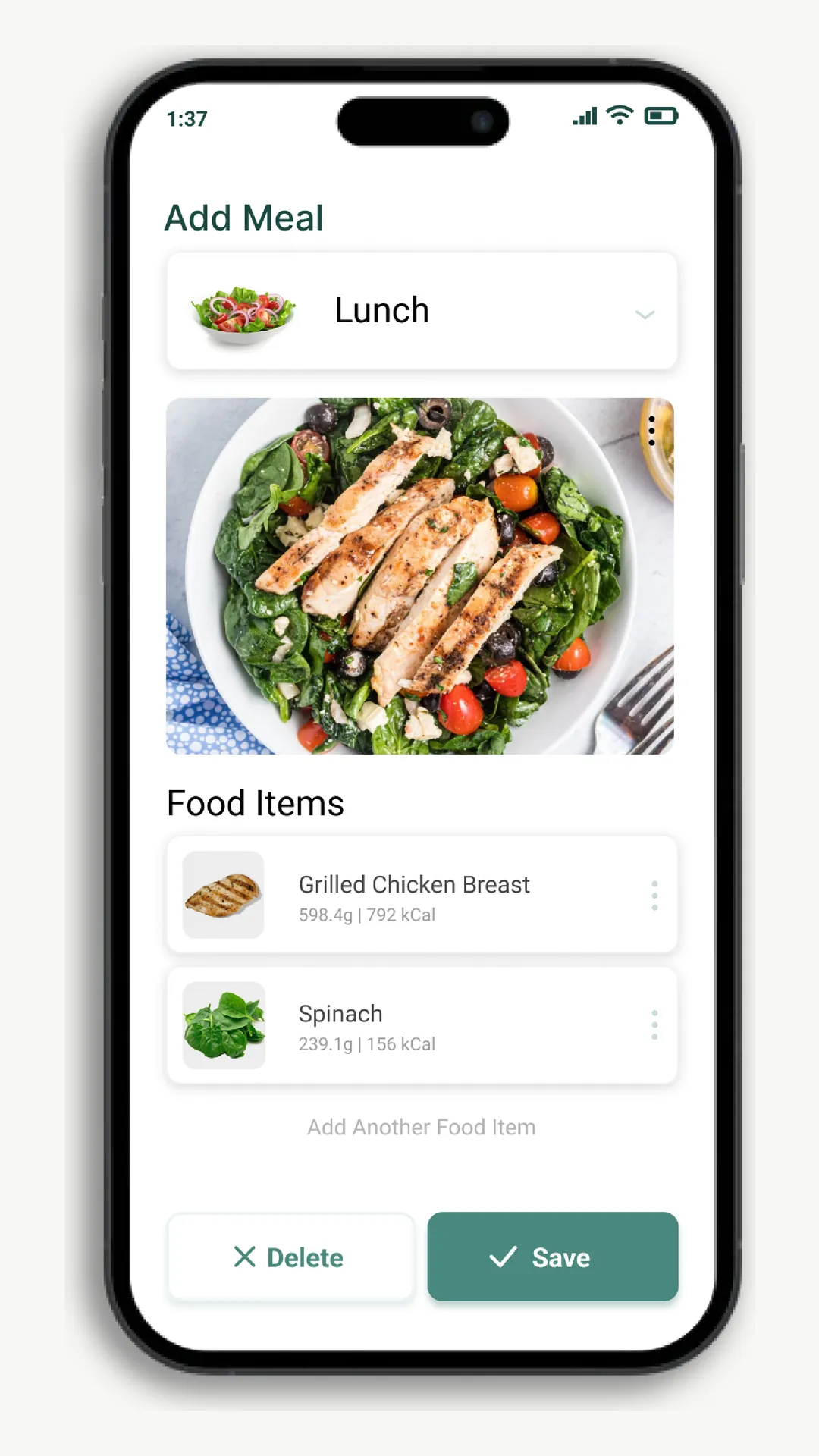
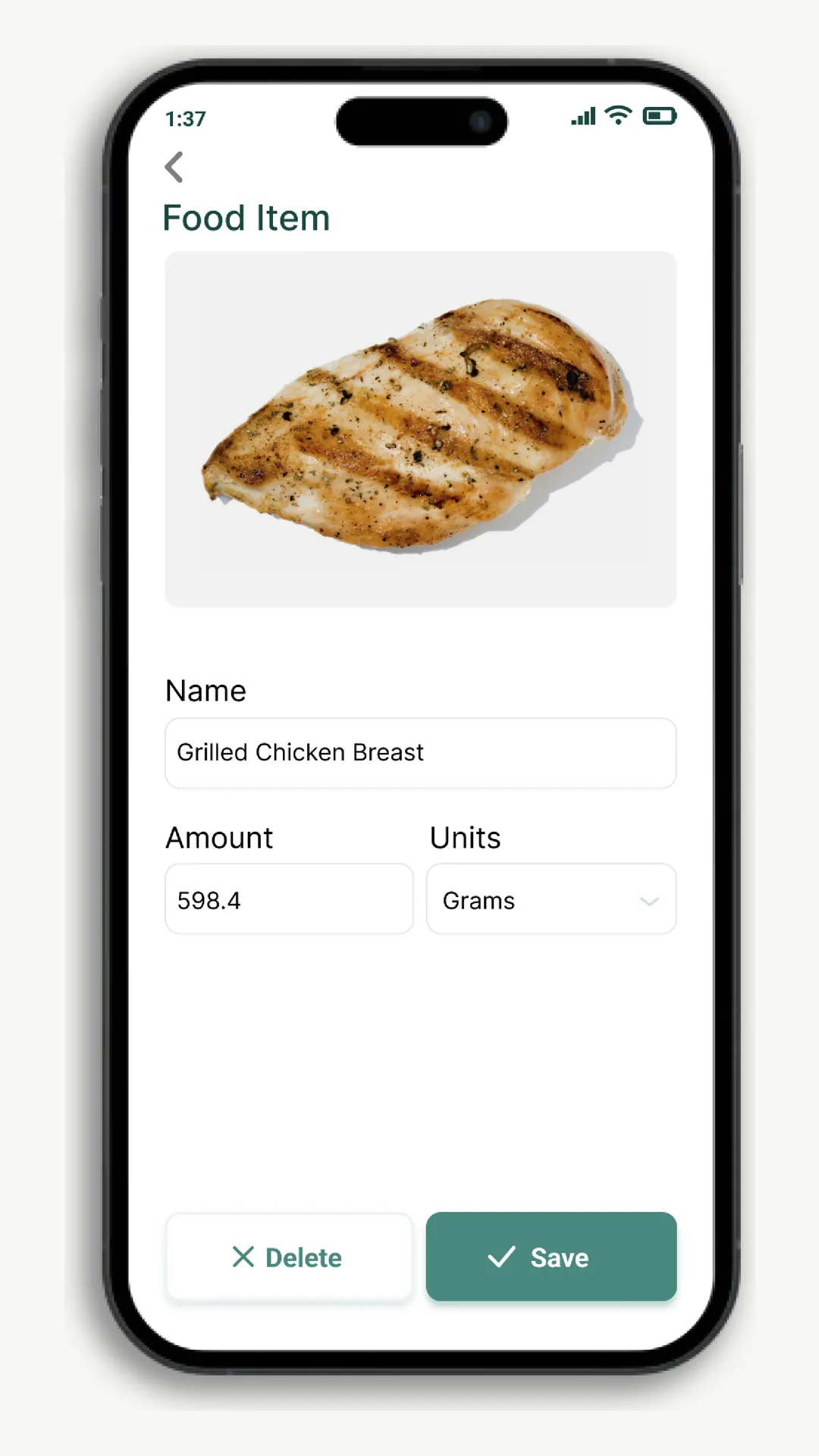
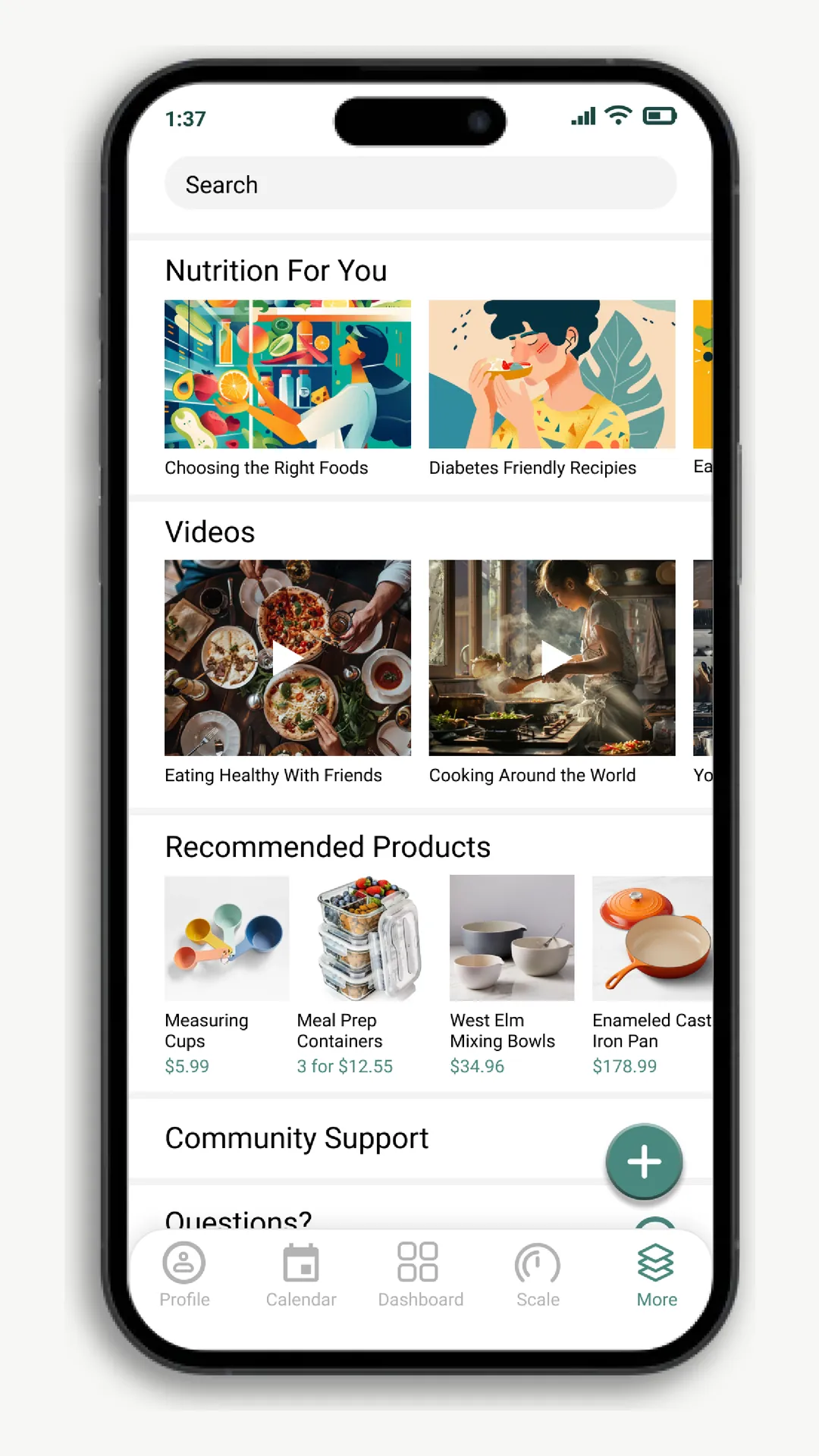
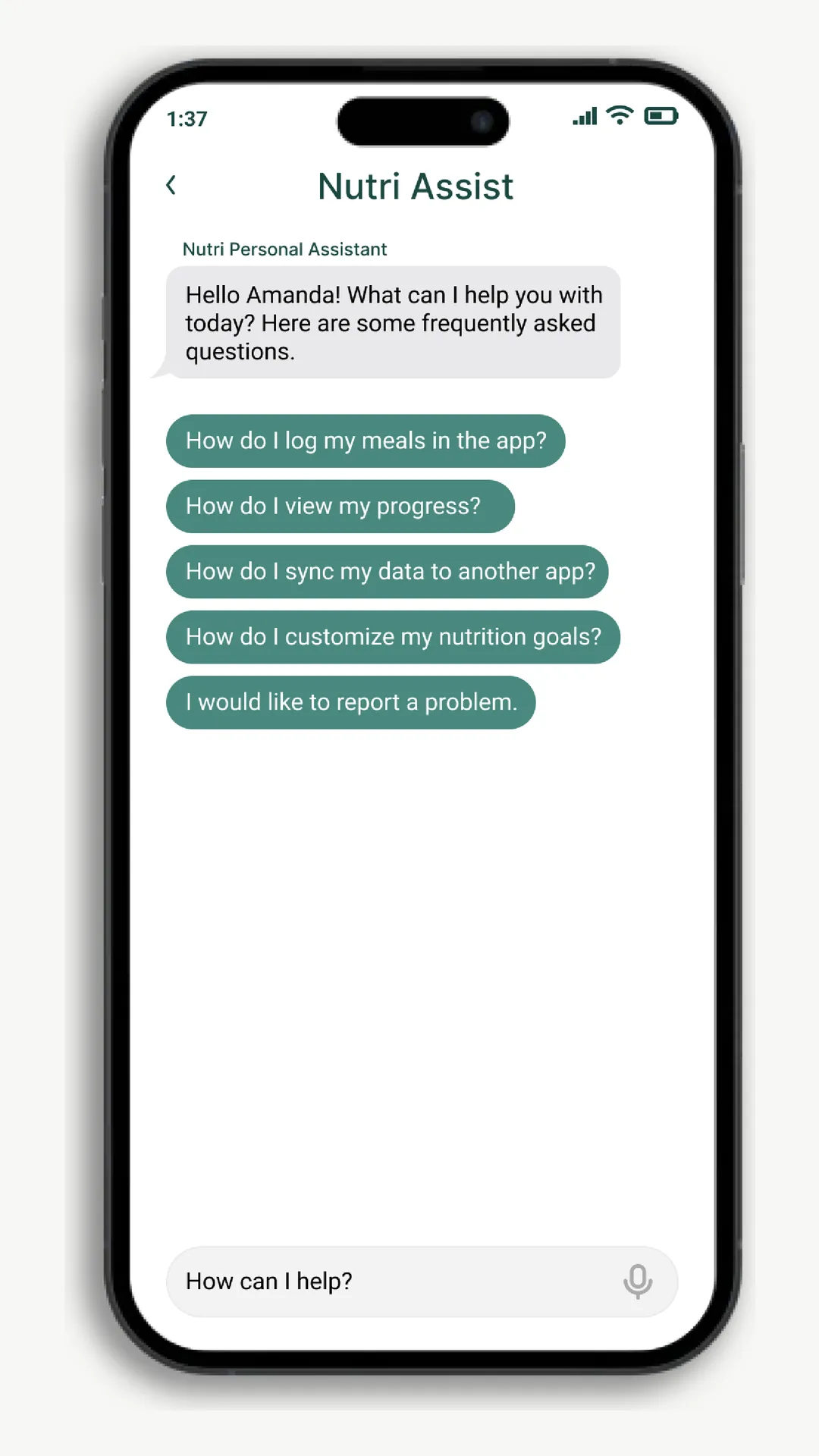
Major features of the app include dashboard, meal logging, recommendations, and personal assistant.
Feedback and next steps
I user tested the high-fidelity version, and the feedback fell into three categories. The project wrapped before we could act on these, so they stand as the direction a next version would take.
The circular charts were hard to read and progress was not glanceable.
Too many accent colors competing, so the most important number did not stand out.
Users need to get more than they give.
Red Dot Boards
In the end, tracking a meal went from five steps to almost none. You just cook and the scale does the rest. This project was a recipient of the 2022 Red Dot Award in the concept category.
Main takeaways
A collection of thoughts and challenges throughout the project.
In health products, AI suggestions need real testing before release, and users should still be able to think without the AI, the way you should still be able to drive even if you own an autonomous car.
Information hierarchy and visual hierarchy decide whether people understand their own data.
Low-fidelity digital prototypes were the fastest way to work out how the hardware and software fit together.